

 Reply With Quote
I cannot believe I haven't got one reply yet.
I had gotten the impression that this is a very good forum for posting issues like mine.
I haven't got any idea why there hasn't been an answer yet.


Hi,
I understand it would be better to use a router instead of a DSL modem with no built-in router.
But until then, can anyone pls give some support for setting up a working DSL connection (PPPoE) to the Internet using Knoppix 6.0.1 (based on Microknoppix, on CD) and a cable DSL modem?!
I just don't get to manage it successfully, because I am not quite sure whether to do some extra configuring (e.g., adding username and password in files such as /etc/ppp/peers/dsl-provider, /etc/ppp/options, /etc/ppp/peers/pap-secrets and so on), or to set up the connection exclusively via GUI/menu structure.
Knoppix has detected my netcard device (SiS 900) as eth0. Problem is, under "network connections" there is a default connection for eth0 called lfupdown (or ifupdown) ("never", under "wired/cable-bound"), which cannot be removed (an error message appears). I suppose I'd rather have to go to "DSL" and enter my username and password for my ISP there. Entering "netcardconfig" and then choosing "manually configuring an IP address" works fine, a connection is established soon afterwards but no remote host can be reached/no website can be accessed then, because only the lfupdown (or ifupdown) connection for eth0 has been established, but not the DSL connection.
Adding to my confusion is what role the ISDN tool, imon, isdnutils etc. play in all this, or can I just ignore them?
Entering "pppoe conf" brings about either unidentifiable character strings, or something like "Timeout: waiting for PADS packets".
Can anyone give some advice?
Thanks.
I cannot believe I haven't got one reply yet.
I had gotten the impression that this is a very good forum for posting issues like mine.
I haven't got any idea why there hasn't been an answer yet.
You don't have to fiddle with anything.
At boot if you want to run Knoppix with A.D.R.I.A.N.E. disabled, choose 9.shell and then type 'startx'.
After boot, right-click the Network Manager icon, choose 'edit connections', tab 'DSL', type your login & password, 'ok'. Then click again the Network Manager icon and choose 'ppp0'. You're connected!
Thanks.
I'm gonna try this evening.
Unfortunately,
it seems
both knoppix_v6.0.1-ADRIANE and knoppix_v6.0.1CD
lack pppoe functionality.
Have you tried knoppix_v5.1.1CD ?
Maybe you are ready to accept the truth that you indicated you were aware of all along.Originally Posted by cabaloo
Of course, you don't need a built-in router, you can add an external one . My first cost $100 US for a wired-only router and was still a good deal. Since then prices have dropped greatly. I've seen wired and wireless routers for under $10 US and can always find them around $20. I've even given away a few and know of others with ones they could part with. If your still unwilling to make a purchase, ask around among your friends and see if any have a spare router gathering dust.
Routers don't just make connecting via Linux completely automatic, they also provide an important lever of firewall security and virus protection. If you ever run Windows this is extremely important. I would not consider running without one.
The DSL connection is working now.
It isn't all too complicated after all, but I should have known better.
Thanks for the replies.
Would you share
the particular steps needed ?
thanks
@ aeroa:
the steps to connect through pppoe are the ones I posted in the third post. I don't know where you're from but here where I live the dsl service is provided by Telefonica. The service is quite good as long as it's functioning, but if not...that company is BY FAR the one with most founded complaints in the customer protection organization. They managed to oblige people to subscribe to a 'content provider' to get their passwords but that is just bloatware for the poor Microsoft's users. So they say they 'don't support' Linux, but actually only their ads and tracking software are not supported 'cos one has to use a generic login and password when using linux (much simpler isn't it?).
@ Harry:
hi, there's something I should point out. First, as posted above, Knoppix6's network-manager works really well with the pppoe connection and is very simple to use (I really like the LXDE desktop). The other thing is that I routed my 'speedtouch' modem recently (only possible, I think, in MS Windows, so I made a small Win2K install to accomplish it - also it's something criminally hidden by Telefonica, the ISP), and it's so effective that if I knew earlier maybe I wouldn't have even discovered Linuxbut now eth0 auto-dhcp mode isn't working for me in Knoppix (the only distro in which I can't connect). So I'll try to fiddle something more and if not resolved I'll open another thread for it.
Regards.
hello iki,
thanks a lot for your response
not an expert here,
but having a knoppix prior to 6.0 succesfully connected to the DSL provider via pppoe
and since 6.1 certainly lacks pppoeconf, though modules appear to be there
I tried to force it by manually editing
/etc/ppp/peers/dsl-provider
/etv/ppp/pap - chap - secrets
(as they would work for knoppix_5.x)
then
pon dsl-provider
reported:
Plugin rp-pppoe.so loaded.
Linux kernel does not support PPPoE -- are you running 2.4x?
I must have missed something...
your method works fine
it doesn't even require you boot to console first by knoppix 2
thanks a lot for your time!
 Posting Permissions


GIGABYTE A520M DS3H AC AMD AM4 Motherboard mATX
$59.99

Intel H310 LGA1151 8-9th Gen DDR4 M.2 NVMe mATX Motherboard IO Shield Battery
$54.99
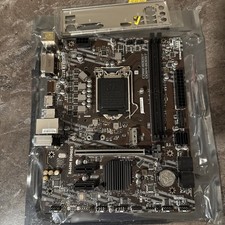
MSI B460m-Bomber LGA 1200 Intel 10th Gen B460 M-ATX Intel Motherboard
$59.99

ASUS PRIME Z490-P LGA 1200 Intel Z490 SATA 6Gb/s ATX Intel Motherboard NEW
$121.45

GIGABYTE B365 HD3 LGA1151 Intel 9th Gen motherboard
$59.99
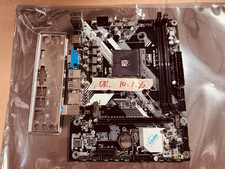
JINSHA B450M B450 AM4 MicroATX Motherboard DDR4 2DIMM M.2 W/ IO SHIELD
$49.99

Intel H81 Motherboard M.2 NVMe LGA 1150 mATX w/ IO Shield (Random Slot Color)
$29.99

ASRock B550M PRO4 AM4 AMD B550 SATA 6Gb/s Micro ATX AMD Motherboard
$76.49

ASUS B85M-G/B85M-G PLUS LGA1150 DDR3 Micro ATX Motherboard HDMI for Inter 4thCPU
$45.00

ASUS PRIME Z490-V Motherboard Intel Z490 10th gen DDR4 LGA 1200 ATX w/ IO Shield
$84.99