

I used the "install KNOPPIX to flash disk" menu item to make a KNOPPIX 6.0.1 USB flash drive.
I then followed the remaster HWOTO on the KNOPPIX wiki to make a customized compressed KNOPPIX
file. I started by cp -Rp /KNOPPIX /mysdcard/source/KNOPPIX and followed the instructions
to chroot and install new packages. I then used this command to produce the compressed file:
Booted back into Xandros on my eeepc, I replaced the old KNOPPIX file with my new file,Code:mkisofs -R -U -V "KNOPPIX" -publisher "username" -hide-rr-moved -cache-inodes -no-bak -pad ./ | nice -n 5 ./usr/bin/create_compressed_fs - 65536 > /knoppix/KNOPPIX/KNOPPIX
but when I tried to boot from the flash drive, I failed with the message that the commands mount and init could not be found.
I switched back to the old KNOPPIX file, with no problem.
Is there a way to mount these files so I can inspect them for diferences?
trying to mount them -o loop failed with wrong file system errors.
When I looked at the files with less, I saw that they start with a short script that has mount commands in it.
 Posting Permissions


Intel Core i7-3770K 3.5 GHz Processor
$39.00

Intel Core i7-9700 3.0 GHz Octo-Core (SRG13) Processor
$79.00

Intel 6th Gen Core i7-6700K 4.0GHz (Turbo 4.2GHz) 4-Core LGA1151 CPU SR2L0
$38.00

AMD Ryzen 7 PRO 8700GE 8-Core/16-Thread Up to 5.1GHz AM5 (FL1)
$189.00

Intel Core i5-14600KF Unlocked Desktop Processor
$259.99
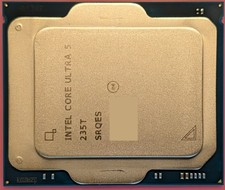
Intel Core Ultra 5 235T SRQES CPU Processor Excellent Used Condition
$88.00
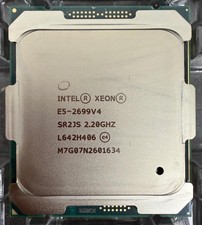
Intel Xeon E5-2699 V4 CPU 2.20GHz 22-Core 55MB 145W LGA2011-3 SR2JV Processor
$79.99
AMD Ryzen 5 PRO 4650GE 3.3GHz 6-Core 12-Thread AM4 Desktop CPU Processor Tested
$54.50

INTEL CORE I9-10940X X-SERIES PROCESSOR | 3.30GHZ | SRGSH
$179.99

INTEL CORE I9-10980XE PROCESSOR | 3.00GHZ | SRGSG
$299.99


 Reply With Quote