
Results 1 to 5 of 5

Thread: Firewire working but not detected

  1. #1
    Junior Member registered user
    Join Date
    Jun 2003
    Posts
    17

    Firewire working but not detected

    I'm currently trying to customize a Knoppix 3.2 and I have troubles with my via Firewire (driver ohci1394)
    it works fine if i manually load the module but it is not detected on boot
    i need a fix for that because the customization has to be as easy to use as possible on this particular system
    any fixes? ideas? tips?

    tnx Simon

  2. #2
    Senior Member registered user
    Join Date
    Mar 2003
    Posts
    872
    the script doesn't test for 1394 as far as I know. You have to change it yourself /etc/init.d/knoppix-autoconfig

  3. #3
    Junior Member registered user
    Join Date
    Jun 2003
    Posts
    17
    it does...
    at least that's what line 522 of knoppix-autoconfig looks like to me

  4. #4
    Junior Member registered user
    Join Date
    Jun 2003
    Location
    Montpellier
    Posts
    11
    I have a JVC Camcorder, and I am interrested in firewire.


    How do you manually load the ohci1394 module ?

    Thanks,
    TOM.

  5. #5
    Junior Member
    Join Date
    Nov 2003
    Posts
    3

    How to get camcorder to work

    Hi!

    I wrote a little article to explain how to set up firewire/ieee1394 and more to get Kino to be ready to capture you camcorder videos under Debian/Knoppix ..

    Check it out

    Manfred

Similar Threads

  1. Als4000 detected not working
    By brainwashed85 in forum Hardware & Booting
    Replies: 2
    Last Post: 03-30-2005, 01:58 PM
  2. USB Optical Mouse not detected/working
    By Shadda in forum Hardware & Booting
    Replies: 10
    Last Post: 03-14-2005, 09:14 PM
  3. Firewire Drive not detected
    By bhow in forum Hardware & Booting
    Replies: 1
    Last Post: 04-30-2004, 01:04 PM
  4. (SOLVED)USB MOUSE DETECTED DURING BOOT , NOT WORKING ON KDE
    By bongski55 in forum Hardware & Booting
    Replies: 2
    Last Post: 05-15-2003, 06:39 AM
  5. PCI Sound Card on board detected but not working
    By Stephen Rees in forum Hardware & Booting
    Replies: 7
    Last Post: 03-28-2003, 06:40 PM

Posting Permissions

  • You may not post new threads
  • You may not post replies
  • You may not post attachments
  • You may not edit your posts
  •  


Dell T7910 Workstation Tower Homelab AI Server PC - Xeon CPU - NO HDD/RAM/GPU picture

Dell T7910 Workstation Tower Homelab AI Server PC - Xeon CPU - NO HDD/RAM/GPU

$279.99



Intel Xeon Phi 5110P 60-Core 1.053GHz Coprocessor   picture

Intel Xeon Phi 5110P 60-Core 1.053GHz Coprocessor

$50.00



Dell Precision T1700 Workstation Intel Xeon 16G Ram 256GG SSD Nvidia 600  Win 10 picture

Dell Precision T1700 Workstation Intel Xeon 16G Ram 256GG SSD Nvidia 600 Win 10

$109.99



Dell EMC PowerEdge R440 Xeon silver 4215 2.5GHz 16 GB ram  2x 550W PSU No HDD picture

Dell EMC PowerEdge R440 Xeon silver 4215 2.5GHz 16 GB ram 2x 550W PSU No HDD

$275.00



Intel Xeon E5-2699 V4 2.20GHz 55M 22-CORES LGA2011-3 Server Processor 145W SR2JS picture

Intel Xeon E5-2699 V4 2.20GHz 55M 22-CORES LGA2011-3 Server Processor 145W SR2JS

$84.49


Intel Xeon E5-2680 V2 2.8GHz 10-Core 25MB 8GT/s SR1A6 LGA2011 B Grade Server CPU picture

Intel Xeon E5-2680 V2 2.8GHz 10-Core 25MB 8GT/s SR1A6 LGA2011 B Grade Server CPU

$7.95



Lenovo ThinkStation P520c Intel Xeon W-2133 6-Core 3.60GHz -NO RAM/ HDD/ GPU/ OS picture

Lenovo ThinkStation P520c Intel Xeon W-2133 6-Core 3.60GHz -NO RAM/ HDD/ GPU/ OS

$127.54



Dell Precision T5820 Workstation 3.70GHz W-2135 No RAM/ GPU/ HDD/ OS picture

Dell Precision T5820 Workstation 3.70GHz W-2135 No RAM/ GPU/ HDD/ OS

$179.98


Dell Precision Tower 7810 Xeon E5-2630 v3 @ 2.40GHz , 32GB Ram, NO HDD, NO OS picture

Dell Precision Tower 7810 Xeon E5-2630 v3 @ 2.40GHz , 32GB Ram, NO HDD, NO OS

$239.99
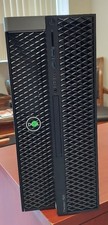


Dell Precision T7820 Dual Xeon 4214R 48GB RAM 512GB + 1TB Quadro P400 Win 11 picture

Dell Precision T7820 Dual Xeon 4214R 48GB RAM 512GB + 1TB Quadro P400 Win 11

$699.00
