

 Reply With Quote
Go to menu, then Accessories>Root Terminal . There you'll be able to use the command line as root and if you type 'pcmanfm' (without quotes) you'll enter the file browser as root.
regards.


Hello
After I upgraded my Ubuntu 8.10 to 9.04 I can’t access Gnome.
I would like to use Knoppix to move some files to a USB hard drive before I reinstall Ubuntu.
My Ubuntu hard drive is called
/media/sdb1/home/fredriks-files/
My USB drive is called
/media/sdc1/fredriks-recovery-files/
I have tried the graphic file browser and the command line but I do not succeed.
sudo cp /media/sdb1/home/fredriks-files/* /media/sdc1/fredriks-recovery-files/
I know my root password in Ubuntu and know I have to be root to have access to the files.
How do I set the root password to be able to use the graphical file browser?
How do I set the root password to be able to use the cp command from the command line?
Best Regards
Fredrik Andersson
Go to menu, then Accessories>Root Terminal . There you'll be able to use the command line as root and if you type 'pcmanfm' (without quotes) you'll enter the file browser as root.
regards.
 Posting Permissions


AMD Ryzen 5 5500 Processor ( read Description)
$59.00
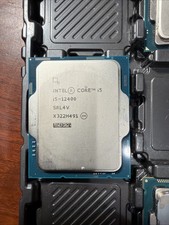
Intel Core i5-12400 Processor SRL4V
$115.00

INTEL CORE I9-10940X X-SERIES PROCESSOR | 3.30GHZ | SRGSH
$179.99

(LOT OF 20) Intel Core i5-8400 CPU 2.80GHz Desktop Processor (SR3QT)
$700.00

Intel Core i7-9700 Octa-Core 3 GHz Desktop Processor LGA 1151
$79.99

Intel Core i7-3770K 3.5 GHz Processor
$39.00

Intel Core i5-12500T SRL5W 2GHz 18MB 6 Core Socket LGA1700 Desktop CPU Processor
$114.99
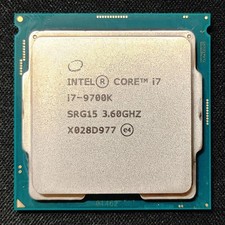
Intel Core i7-9700K Octa-Core 3.6 GHz Desktop CPU
$99.99

Intel Core i7-4770 3.40GHz Quad Core SR149 LGA 1150 CPU Processor tested
$35.00
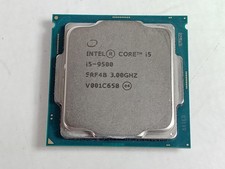
Intel Core i5-9500 3.0 GHz 8 GT/s LGA 1151 Desktop CPU Processor SRF4B
$48.99