

 Reply With Quote
I forgot to say what Im trying to do is copy some files from my hard drive onto my external HD how do i do it. Like said before I get these errors and I dont understand them.
Thank you


Hi guys,
I am using Knoppix 5.1 in order to fix my windows xp partion drive and it looks complicated so far.
I'm able to click on the Hard Disk drive on linux but it gives me a warning sign that says
----------------------------------------------------------------------------------------------
(Warningirty Volume mount was forced by the 'force' mount option).
Fusemount: mountpoint is not empty
Fusermount: if you are sure this is safe, use the 'nonempty' mount option
Failed to create Fuse mount point: No such file or directory
Retry to create Fuse mount point
FATAL: module fuse not found
fusermount: mountpoint is not empty
fusermount: if you are sure this is safe, use the 'nonempty' mount option
Faile to create Fuse mount point: No such file or directory
Unmounting/dev/hda1()
-------------------------------------------------------------------------------------
After I click on that I click on my HD with no problems after that no errors or anything now onto my external.
When I Click on my external hard drive which is connected through my usb 2.0 port and I get this error.
---------------------------------------------------------------------------
Could Not Device:
The Reported error was:
Error reading bootsector: Input/output error
Failed to startup volume: Input/output error
Failed to mount '/devdsa1':Input/output error
NTFS is incosistend. Run chkdsk/f on windows then reboot it twice.
-----------------------------------------------------------------------------------------
I click on my external for 2 times, I get the same error, not until the third time I finally get to see my files.
I try copy my picture folder onto one of external hd folder using control c and control v. I get this box that says copy files in progress and it say stalled while its reading the amount of folders and files. Afterward it cannot copy it says this error:
could not make folder/media/sda1/newfolder
So guys can someone please help me out.
Also can someone also help me point out on how to use this OS because I can't figure how to setup the network to get internet and be able to master this OS...
I forgot to say what Im trying to do is copy some files from my hard drive onto my external HD how do i do it. Like said before I get these errors and I dont understand them.
Thank you
Nobody knows or do I have this in the wrong forum???
I assume you have a serious problem with XP and are unable to boot. Can you tell us if the external HD, that you are writing to, is NTFS or FAT? If it's NTFS, then you can't safely write to it. The dirty volume message sounds like serious corruption of the NTFS HD.
Yes I cannot boot XP and I get the blue screen of death. I tried using the XP repair but with no success. The internal HD is NTFS and the external drive is NTFS.
So what do I do I can see and Open my files on both drives but I cant copy the info from the Internal HD to the External HD. Do i convert the external into FAT and then I will be able to copy files?
By the way I figured out how to get internet connection silly me my cable was connected from the router lol.
The best option might be to use a flash drive if you have any handy. They're usually FAT formatted. I wouldn't bet cash on copying to a NTFS partition.
I would suggest using a Window$ based bootable disc, such as Windows PE or Bart PE. That way, you'd be using the native NTFS drivers from Micro$oft and not Linux drivers. There is a chance of corrupting an NTFS partition using Linux drivers to write to it. You can always format an external drive to Fat or Fat32 and write to it safely. You would lose most of the attributes on the folders and files, so they will not work the same way in Window$ again. That might not always be a bad thing.
I would suggest looking through the Micro$oft sites to find a solution to the Window$ error. Some of these are not as complex as you might think. Usually, when someone "asks" for help, they have already compounded the original problem by doing further damage in an attempt(s) to fix it.
When you find yourself in a deep hole, the first thing to do is stop digging.
Window$ based bootable disc, such as Windows PE or Bart PE.
Where to get?
 Posting Permissions

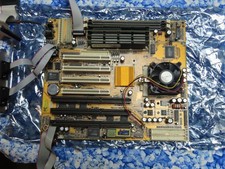
Vintage PC Chips M571 Socket 7 Motherboard V3.2A K6500 CPU 384MB EDO DRAM cables
$74.99

🔥 RARE VINTAGE HP 2112A 21MX M-SERIES 16-BIT MINICOMPUTER HP
$299.99

Lot of 2 Vintage Plextor PX-43CS SCSI CD-ROM Caddy Drives + 4 Caddies Used
$55.99

🔥 RARE VINTAGE HP 2113A 21MX 1000 E-SERIES MINICOMPUTER CHASSIS BACKPLANE
$249.00
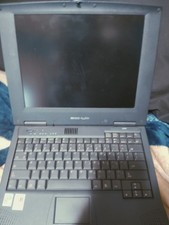
Vintage Laptop HP Hewlett Packard Pavilion N3110 Celeron 433 MHz *Please Read*
$50.99
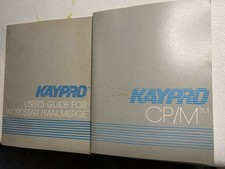
Vintage Kaypro WordStar MailMerge User Guide + CP/M Manuals Pair No Disks
$24.99

Original Vintage Old Style STANDARD Black CD Jewel Case (Heavy Duty) 90g Lot
$316.95
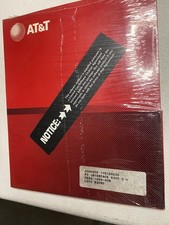
Vintage AT&T PC 6300 PC Interface Sealed Communications Series Factory Sealed
$24.99

Vintage Microsoft Visual Studio.NET Professional Software suite Version 2002 New
$82.00

Vintage Jetway J-620BF Socket 370 Celeron AT Motherboard SiS 620 Brand New
$75.00