-
No internet with 5.1.0 CD
Hi, this is my 1st try with knoppix. I burned the iso to a cdr and boot to run.
When I use the browsers I get error message, I am not conected as far as I can tell.
I'm on adsl, just a modem, no router.
Im using a Dell inspiron 9100 laptop with 100gb hdd and XP.
The same thing happened when I tried to run Ubuntu 9.04 off a CDR, no internet.
Unable to get anywhere with the browsers. So a friend said go back to a year or 2 after you bought the laptop.
Bought the laptop in 2004 or 2005, cant remember. So figured 5.1.0 would work.
thanks
Jim
-
Administrator
Site Admin-
Re: No internet with 5.1.0 CD

Originally Posted by
sunwatt
I'm on adsl, just a modem, no router.
I believe this is your problem. While you might be able to get PPPoE working with Knoppix, I would never advise anyone to run without the safety of a router (particularly if running Windows). Routers are dirt cheap now. If there isn't one actually embedded in your adsl modem (that might not be enabled), I would very strongly suggest that you purchase one. When you do, and configure the router for adsl use, Knoppix should connect to the Internet automatically on booting, no configuration needed. You'll also no longer need PPPoE software in Windows, which should result in a slightly faster and more stable environment (although the greatest benefit is the hardware firewall).
Also, this discussion is being moved to the networking forum, for reasons that should not need stated.
---
Verifying of md5 checksum and burning a CD at slow speed are important.
-
What is PPPoE? Im a novice.
Well, I wont be adding a router very soon, but I'll think about it.
I'm trying 5.1 to get off XP.
So are you saying I cant connect without a router?
Im confused
thanks
-
ethernet connection
I forgot to say, Im hooked up by wire to the modem, by ethernet connection.
Not wireless
-
Administrator
Site Admin-
Originally Posted by
sunwatt
What is PPPoE?... I wont be adding a router very soon,..
ADSL uses a special protocol that the normal Internet protocols are embedded in called PPPoE or Point to point protocol over ethernet. To use adsl you have to speak to it with PPPoE. You likelyi installed some sort of PPPoE driver when you installed dsl to your Windows box.
Routers are made with an option to use PPPoE so they can work with DSL. Since the router can speak the PPPoE, none of the computers on the router need talk PPPoE, the router takes care of the extra protocol when needed.
Older versions of Knoppix had a PPPoE client that you could set up, had to be configured every time that Knoppix was booted. Those running with a router don't have to configure Knoppix at all, it just works. In fact we saw at least one user who was trying to configure their computer to get on the Internet who didn't realize that they were already on the Internet and no configuration at all was needed. However, I'm not sure if 5.x versions of Knoppix even offer that feature, I seem to remember some discussion from others saying it was no longer there. If it is gone I'm actually glad, as it is extremely important to use a router.
In addition to supporting multiple computers, a router offers a very important hardware firewall that keeps bad things on the Internet out of your computer. Many tests show that the survival time of a Windows system on the Internet without a hardware firewall is so low that a new system can't even connect to Microsoft and download the latest software fixes to all of the Microsoft vulnerabilities before it is infected by something out there looking for something to infect, here is just one example. Routers are not just for running multiple computers, they are an important security device for anyone with even one computer.
So I take anyone refusing to use a router, particularly someone who calls them self a novice and who doesn't even know about PPPoE, as I would someone who insists on driving a car without a windshield, saying they might get one some day. You're not just putting yourself at risk, you're putting everyone at risk.
-
Administrator
Site Admin-
Re: ethernet connection
Originally Posted by
sunwatt
I forgot to say, Im hooked up by wire to the modem, by ethernet connection.
Not wireless
You forgot to say a lot that might help others give you good information, like the make and model of your ADSL modem. But I had already figured out that you were connected by wire, not wireless, as wireless would have required a router or similar device to work with ADSL.
---
Verifying of md5 checksum and burning a CD at slow speed are important.
-
Ok so I dont have a router, but might get one in the future.
So without a router, I cant connect to the internet with the live CD?
Didnt connect with Ubuntu live cd, and didnt conect with knoppix 5.1 live cd so its lack of a router in each case?
VisionNet modem. M404
adsl2+
-
Administrator
Site Admin-
Originally Posted by
sunwatt
Ok so I dont have a router, but might get one in the future.
You already said that, so again I'll say that I find that a dangerous and even arrogant view towards computer security.
Originally Posted by
sunwatt
So without a router, I cant connect to the internet with the live CD?
I didn't say that. I don't know if Knoppix 5.x has PPPoE support or not. I use DSL too, but I bought a router the day that I had DSL installed. And they were a lot more expensive back then than they are now. But I would not ever connect to the Internet without one, and would not talk others through doing it either.
Originally Posted by
sunwatt
VisionNet modem. M404
Well, from what I can find on the Internet about that device, it may well have a built-in router (many modern dsl modems do). If so then you don't need a separate router. I suggest that you look into seeing if there is a router there but you happen to have it disabled. If it is disabled, enable it. If it is already enabled then you may have some other issue, but I don't know what that would be and I can't think of any likely alternate problem. I would look into the issue of the M404 having a built-in router and check your status.
Similar Threads
-
By solbergg in forum Networking
Replies: 4
Last Post: 03-10-2006, 03:11 AM
-
Replies: 1
Last Post: 12-25-2005, 02:13 PM
-
By jtrain9 in forum MS Windows & New to Linux
Replies: 1
Last Post: 06-09-2005, 05:12 AM
-
By linux03 in forum General Support
Replies: 1
Last Post: 04-14-2003, 10:31 PM
-
By MetalliMyers in forum General Support
Replies: 2
Last Post: 02-28-2003, 03:24 AM
 Posting Permissions
- You may not post new threads
- You may not post replies
- You may not post attachments
- You may not edit your posts
-
Forum Rules

Cisco N9K-C93180YC-FX3 V05 Nexus 9300 48p 1/10/25G, 6p 40/100G QSFP28 Switch
$3395.00

Cisco Catalyst WS-C2960+24TC-S 24-Port Gigabit Managed SFP Switch
$39.99

Cisco Catalyst C9130AXI-B WiFi 6 802.11ax Wireless Access Point Brand New
$101.99

Cisco Catalyst 2960-48TT-L 48-Port Fast Ethernet Managed Rackmount Switch
$46.99
Cisco C9300-NM-2Y - Cisco Catalyst 9300 2 x 25G Network Module New
$550.00
Cisco C3850-NM-2-10G 2 Port Network Exp.Module for 3850
$18.90
Cisco C9500-32QC-A C9500 Series 32x Port 40G or 16x 100G - Dual AC
$1099.00
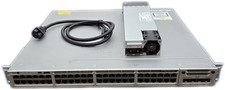
Cisco Catalyst 3850-48F-L 48-Port UPoE Gigabit Switch NM-4-1G
$59.99

Cisco Acacia DP04QSDD-E25-840 400G QSFP-DD Coherent DCO Transceiver Module
$699.99

nxa-pac-750w-pe v02 NEW OPEN BOX for Cisco Nexus 9300 Series power supply
$200.00



 Reply With Quote