-
Create a persistent Knoppix disk image...but where??
Brand new to anything Linux!! 
Have an Asus Eee 900A PC with a 4GB Asus Phison SSD.
Running a LiveCD with Knoppix 5.1 from a USB CD ROM, since the netbook does not have one.
Also, a 4GB SD card is inserted in the SD slot, and it is recognized in the BIOS.
Want to create a persistent Knoppix disk image on the SD card.
Went to Configure > Create a persistent Knoppix disk image, and in the prompt where a partition is selected for creating the image, the following options appear:
/dev/hdc1 Unknown [ext2] 3333MB
/dev/hdc2 Unknown [ext3] 494MB
/dev/hdc3 Unknown [vFat] 7MB
/dev/sda1 USB SCSI HD Partition [vFat] 3900MB
Is /dev/sda1 the SD card?
Would appreciate some help identifying which one is the correct partition pointing to the SD card. Don't want to erase the Phison SSD!!
Thanks for your help!!! 
-
Senior Member
registered user
i should be, but to be certain try booting without the SD in and see if SDA1 has dissapeared...
-
Good idea!!!!
Thank you very much.
-
Senior Member
registered user
well white duck, some things are so much in plain sight that they simply dissapear into the foreground.
keep asking, i wil try to help.
-
Well, /dev/sda1 USB SCSI HD Partition [vFat] 3900MB is the SD card, however, when I try to Create a persistent Knoppix disk image,
keep getting:
mount: according to mtab, /dev/sda1 is mounted on /cdrom
There is no CD ROM on the netbook!!?? Knoppix is running from an SD card created from a LiveCD.
No clue as to what is going on. Just want to make Knoppix persistent, so changes are saved, etc.
Thanks for your help!!
-
Senior Member
registered user
that should not mater much, not if you change the mount point to read/write.
open a console and type.
Code:
sudo mount /mnt/sda1 -o remount,rw
that should make it writable, do this only to disks with Linux or FAT filesystems.
if you do it with NTFS filesystems (NT4, XP or Vista) you can really mess things upp.
-
Thanks again!
Will give it a whirl...
Similar Threads
-
By brian3.parker in forum Laptops
Replies: 7
Last Post: 01-02-2010, 05:42 PM
-
By Marge in forum Customising & Remastering
Replies: 0
Last Post: 10-09-2009, 04:57 PM
-
By knppi in forum General Support
Replies: 9
Last Post: 04-08-2009, 12:40 AM
-
By mramos in forum General Support
Replies: 1
Last Post: 08-22-2008, 10:50 AM
-
By chipyoung in forum MS Windows & New to Linux
Replies: 2
Last Post: 01-09-2006, 11:03 PM
 Posting Permissions
- You may not post new threads
- You may not post replies
- You may not post attachments
- You may not edit your posts
-
Forum Rules


Netac DDR4 32GB 16GB DDR4 3200MHz UDIMM C16 Desktop Internal Memory RAM Kit
$99.99
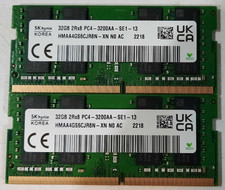
64GB (2x32GB) DDR4 3200MHz Sk Hynix RAM 2Rx8 PC4-3200AA HMAA4GS6CJR8N-XN
$310.00
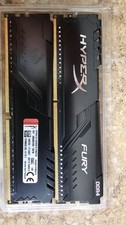
16GB DDR4-3466 RGB Hyper X Fury Kingston 2x8GB HX434C16FB3AK2/16 Deskop Memory
$120.00

Major Brand 16GB (2x8GB) PC3-12800U DDR3-1600MHz DDR3-12800 DESKTOP RAM NON-ECC
$29.99

Samsung 8GB DDR4 SO-DIMM PC4-3200AA 260-Pin RAM M471A1G44BB0-CWE Module
$29.25

RAMAXEL Lenovo 32GB LPDDR5X CAMM2 7500MHz Laptop RAM | UNTESTED
$445.00

A-Tech 8GB DDR3 1600 PC3-12800 Laptop SODIMM 204-Pin Memory RAM PC3L DDR3L 1x 8G
$21.68
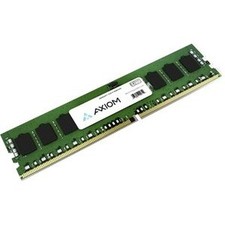
Axiom 32GB DDR4 SDRAM Memory Module
$1158.99
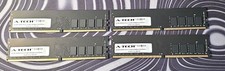
A-Tech RAM 16GB DDR4 PC4-21300 DIMM/2666MHz
$50.00
Ram Cards, 4 GB, LOT OF 16
$116.00



 Reply With Quote