-
Administrator
Site Admin-
You didn't say which version of Knoppix you were trying to burn, but your menu issue sounds like you are trying to burn one of the copies with ADRIANE in the name. Adriane is Klaus Knopper's latest project, adding speech to a Linux distro for the vision impaired. Part of this is menus similar to what you describe. Unfortunately this does make things harder rather than easier for regular users and your best option may be to download a version without ADRIANE in the name. You still may be able to boot into a normal Knoppix system with the disc that you have already made, to do so with an ADRIANE disc you need to type knoppix in at the boot prompt. Unfortunately, at least in the ADRIANE version that I tried, the boot prompt delay was drastically shortened. In other versions of Knoppix you get about 10 seconds to start typing at the boot prompt, but with ADRINE the delay was maybe a second. So you have to be waiting and start typing as soon as you see the boot prompt.Once you start typing the system should let you finish typing all of the options that you want.
Rather than just say to download a version without ADRIANE in the name, I should mention that 6.0.1 is the newest current version, but many users including myself feel that it is overly stripped down and otherwise not as good as previous versions. Some of the 5.x versions are still available, you may want to grab one while you can. For my money 4.02 was the best version, but it no longer is in the torrents. If you have a DVD burner you may also want one of the 5.3.1 DVD versions, which contain a lot more software (unfortunately, much more poorly organized and harder to find on the disc than in 4.02), but it would be reasonable ro resolve all of your problems making discs wit smaller CDs and only make a DVD after you have mastered the basics. And I'll assume you know about the difference between versions with EN and DL in the name and not go into it again here, but if not reread the downloading faq.

Originally Posted by
acuevas
Almost there, I went ahead and burned another copy and viola! The CD boots just dandy.....
Do you have any insight on why a second burn was needed? Knowing this may help us help others. Had you done a verification pass on the first burn? Most importantly, had the first burn been done at low speed?
Similar Threads
-
By podo in forum MS Windows & New to Linux
Replies: 4
Last Post: 06-18-2006, 09:09 PM
-
By Antoine in forum Hardware & Booting
Replies: 2
Last Post: 04-11-2005, 02:26 PM
-
By hnash53 in forum Hardware & Booting
Replies: 3
Last Post: 12-09-2003, 02:33 PM
-
By Coume in forum Laptops
Replies: 1
Last Post: 08-25-2003, 04:47 PM
-
By gonzalu in forum Customising & Remastering
Replies: 2
Last Post: 04-17-2003, 10:29 PM
 Posting Permissions
- You may not post new threads
- You may not post replies
- You may not post attachments
- You may not edit your posts
-
Forum Rules


INTEL XEON E5-2680V4 SR2N7 2.40GHZ CPU
$11.00

Dell Precision Tower 7810 Xeon E5-2630 v3 @ 2.40GHz , 32GB Ram, NO HDD, NO OS
$239.99

Dell EMC PowerEdge R440 Xeon silver 4215 2.5GHz 16 GB ram 2x 550W PSU No HDD
$275.00

Dell Precision T7820 2x Xeon Silver 4114 2.20GHz 950W No RAM GPU HDD 4x SATA
$350.48

Dell Precision T5820 Workstation 3.70GHz W-2135 No RAM/ GPU/ HDD/ OS
$179.98

Intel Xeon E5-2699 V4 2.20GHz 55M 22-CORES LGA2011-3 Server Processor 145W SR2JS
$84.49

Intel Xeon E5-2690 v4 SR2N2 14 Core 2.6GHz 35MB LGA2011-3 CPU *km
$15.99

Intel Xeon E3-1230 v3 SR153 3.3GHz Quad Core LGA 1150 CPU Processor
$14.49

Dell Precision T5820 950W Workstation 4.00GHz W-2125 No RAM/ GPU/ HDD/ OS
$144.98
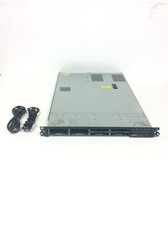
HP ProLiant DL360 G7 Server 2x Intel Xeon E5645 2.40Ghz w/ 16Gb DR3, No HD
$159.99



 Reply With Quote