-
Knoppix 6.0? LXDE? Cannot open the hard drive?
Hey guys -
I'm pretty Linux illiterate and computer hardware intermediate and software comfortable but I am having some issues...
My Windows XP Professional crashed for god knows what reason telling me it cant find some system or registry hive files, yada yada, so I read and heard about this Knoppix ordeal, cool stuff... except I've yet to get it to fully work for me.
I got past the whole burn the ISO onto a disk and change your boot settings ordeal, used a CD-R, but when it loads Knoppix, it doesnt look like everyone else has been describing, mine says LXDE or something, lightweight desktop environment? Is this normal? I think I have a 6.0 version or some 6.odd version. This may or may not be my problem...
I can see the USB drive just fine using this systems version of the explorer/file manager type program, and what I believe to be the hard drive (are those usually around 70 GB?) but when I click the hard drive, it doesnt load anything and gives me an error message about org.hal.device.error I forget... getting annoying switching computer monitor, mouse, and keyboard back and forth... does this sound familiar to anyone?
I have indeed noticed a couple of people mentioning words like "mount" but I dont know what the heck that is or if it applies in this situation or how I would modify code if that was indeed what comes next...
or Maybe my harddrive is just damaged and I am SOL in getting my files back no matter what?
Any ideas?
-
Senior Member
registered user
If you Google Knoppix 6, or search in this forum, you will find that LXDE is indeed the default environment in Knoppix 6, so you are probably booting quite OK.
For such resque use, in my opinion you really have to know a bit a bit about what you are doing, so I think you should try to read up a bit about basic Unix use. Don't expect people to be very interested in providing answers to basic questions that you should look up yourself.
Resque use is definitely not what the usual GUI file managers are usually built for, and all the different NTFS variants being foreign systems, AFAIK only partially reverse engineered, you should not expect to be able to point and click your way around. This is a basic way you can check if there is a simple way to recover your disk. Open a terminal window (e.g run rxvt) and issue the following commands:
Code:
su   # become root
fdisk -l  # see what disks and partitions Knoppix has found
mkdir /media/sda1  # maybe you're told this already exists
mount -o ro -t ntfs /dev/sda1 /media/sda1  # mount NTFS partition read-only, give fs type explicitly just to be sure
ls -al /media/sda1    # if mounting has gone well, you can check the main directory listing
You should not attempt to write to NTFS partitions, but FAT32 goes just fine. So you could use Knoppix to transfer the important contents to a pendrive or a USB harddisk. For more advanced OS repair work, most people would advise you to get the Windows tools available.
Similar Threads
-
By Miguel Cuba in forum General Support
Replies: 0
Last Post: 11-28-2009, 06:36 AM
-
By arwen in forum Hdd Install / Debian / Apt
Replies: 4
Last Post: 04-10-2009, 08:25 AM
-
By ed123 in forum General Support
Replies: 2
Last Post: 05-01-2008, 01:04 AM
-
By husalah5150 in forum General Support
Replies: 3
Last Post: 11-22-2005, 05:06 PM
-
Replies: 1
Last Post: 11-21-2005, 11:30 PM
 Posting Permissions
- You may not post new threads
- You may not post replies
- You may not post attachments
- You may not edit your posts
-
Forum Rules


Dell 6P85J 4TB ST4000NM0063 7.2k 6Gb/s 3.5” SAS SED Hard Drive with Tray
$39.99

Western Digital HUS726T4TAL5204 4TB 7.2K SAS 12Gb/s 3.5" 512e HDD NetApp X375A
$64.00
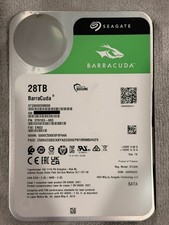
Seagate BarraCuda 28TB 7.2K SATA 6Gb/s 3.5in Internal HDD ST28000DM000 - Tested
$670.00

DELL 2TB Enterprise HDD (7200RPM, 3.5", SATA III, 128MB Cache) HUS722T2TALA600
$49.95

Seagate ST4000NM0034 Enterprise 4TB 7200RPM SAS 12Gb/s HDD v4
$39.00

Seagate ST500DM009 BarraCuda 500 GB 3.5" SATA III Desktop Hard Drive
$14.99

Dell ST6000NM0034 1HT27Z-150 NWCCG 6TB SAS 3.5 7.2K ENTERPRISE SERVER DRIVE
$68.99

HGST HUS724040ALA640 HDD 4TB SATA 6Gb/s 7.5K 3.5" 0F19459 512 b/s
$78.00

(ST8000NM0045) SEAGATE ENTERPRISE 8TB 7200RPM 4Kn SATA 6Gb/s 3.5" HARD DRIVE
$199.99

Seagate ST8000NM0075 Enterprise Capacity 3.5 HDD 8TB SAS Hard Drive 8TB EXOS
$184.99



 Reply With Quote