

 Reply With Quote
BTW, uninstalling and reinstalling vnc doesn't help.

Any ideas what to do about this?
root@knobox:/usr/X11R6# more /root/.vnc/knobox\:1.log
06/01/03 23:04:07 Xvnc version 3.3.3r2+tight1.2.2
...
06/01/03 23:04:07 Desktop name 'X' (knobox:1)
06/01/03 23:04:07 Protocol version supported 3.3
06/01/03 23:04:07 Listening for VNC connections on TCP port 5901
failed to set default font path '/usr/X11R6/lib/X11/fonts/misc:unscaled,/usr/X11
R6/lib/X11/fonts/misc,/usr/X11R6/lib/X11/fonts/75dpi:unscaled,/usr/X11R6/lib/X11
/fonts/75dpi,/usr/X11R6/lib/X11/fonts/100dpi:unscaled,/usr/X11R6/lib/X11/fonts/1
00dpi,/usr/X11R6/lib/X11/fonts/Speedo,/usr/X11R6/lib/X11/fonts/PEX,/usr/X11R6/li
b/X11/fonts/cyrillic,/usr/X11R6/lib/X11/fonts/Type1,/usr/share/fonts/ttf/western
,/usr/share/fonts/ttf/decoratives'
Fatal server error:
could not open default font 'fixed'
BTW, uninstalling and reinstalling vnc doesn't help.
try apt-get -t unstable install xvnc

als root /etc/vnc.conf edieren:
Zeile mit "# Example $fontPath = "";" suchen
Zeilenwechsel nach Example: einfuegen, dass also die Zeile $fontPath = ""; entsteht.
Kommentar von alle folgenden Zeilen bis zu "...freefont.." (sind 8 oder so) entfernen
Voila!
mfg
Hamatoma
login as root
Edit /etc/vnc.conf.
Search for # Example $fontPath = "";
Insert newline behind "Example:", this makes a new line: $fontPath = ""; Remove comment at all lines until "...freefont.." (these are ca.
Voila!
Best regards
Hamatoma
Thanks for the font fix. Now I get this error:
Xvnc: error while loading shared libraries: libstdc++-libc6.1-1.so.2: cannot ope
n shared object file: No such file or directory
I also receive the same error when running the Netscape and Mozilla installers.
On my system the correct libs are installed, but witches and wizards are everywhere...
If you don't want to reinstall, try this:
Remember the name of the listed file e.g. libstdc++-libc6.2-2.so.3Code:cd /usr/lib ls libstdc*so*
If no file is listed, you must reinstall, because important files are missing.
This is a solution if the used subroutines have not changed from version 6.1.1 to 6.2.2.Code:ln -s libstdc++-libc6.2-2.so.3 libstdc++-libc6.1-1.so.2
Good luck!
Hamatoma
 Posting Permissions


Fujinet 1.7.1 Atari 400 800 800XL 130XE 65XE XEGS Assembled, Tested, Working
$99.99

Atari 400 / 800 Computer Memory Module 16K RAM PCB CX853 - Works Perfectly
$18.95

Atari 400 Home Computer System includes Power Cord G2U
$159.99
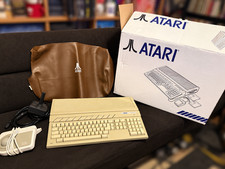
Atari 1040 STF Computer - Working
$699.00

Atari 1200 XL home computer with original owners guide and power supply power on
$255.00
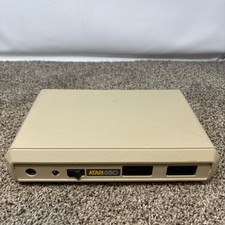
Atari 850 Interface Module For ATARI 400/800 Computer Vintage Tested
$50.00
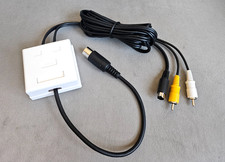
Atari 800 130XE 65XE Color S-Video, Composite Video & Audio Cable Tested
$29.78
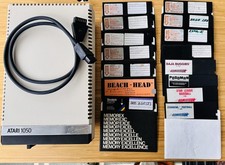
Vintage Atari 1050 Disk Drive w/ SIO Cable & 32 Games/Programs - UNTESTED
$67.76

GreaseWeazle v4 board USB floppy drive adapter Retro All Formats
$35.00

DEFECTIVE Atari 810 Vintage Computer Disk Drive powers on Unit Only Boo G3D
$49.29