
I am sure I burned the disc correctly, as per all instructions. However, when I insert the disc, instead of booting, it simply opens the disk directory. In it, I see the folders "boot" and "KNOPPIX". Any suggestions?


I am sure I burned the disc correctly, as per all instructions. However, when I insert the disc, instead of booting, it simply opens the disk directory. In it, I see the folders "boot" and "KNOPPIX". Any suggestions?
Did you burn as an ISO image? It took me a while at first to realize that. I believe that just about any CD/DVD burning software has that option. Also burn at the slowest possible speed. I also use a Windows program called IsoBuster to verify the MD5 sum for the CD after I burn it.
skier did burn the ISO as an image, that is the only way that there would be the two folders indicated. Sounds more like the disc is just being put into an already running system rather than booting with the disc, otherwise I don't how one could say "However, when I insert the disc, instead of booting, it simply opens the disk directory. In it, I see the folders "boot" and "KNOPPIX"."
---
Verifying of md5 checksum and burning a CD at slow speed are important.
 Posting Permissions


Commodore Amiga A1200 Vintage Computer Power Supply Mouse Bundle - Tested
$999.99

Commodore VIC-20 Diagnostic Cartridge & Test Harness Set - USA seller
$39.99

Framethrower, Amiga HDMI output via a PiStorm A500 A2000
$40.00
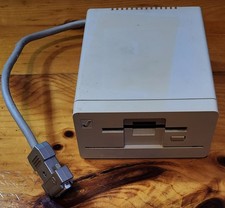
Commodore Amiga 1010 External 3.5” Floppy Drive A500 A1000 A2000 • Untested
$74.99
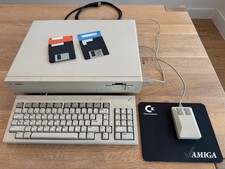
Commodore Amiga 1000, Keyboard, Tank Mouse, RAM Expansion, Tested, Working
$599.00
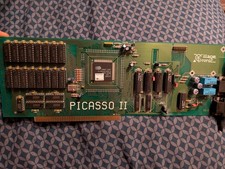
Amiga Picasso II RTG Graphics Card for Amiga 2000 3000 And 4000
$324.99
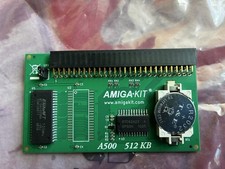
A500 512KB RAM Memory Card with (Built-In) Real Time Clock - New by Amiga-Kit
$40.00
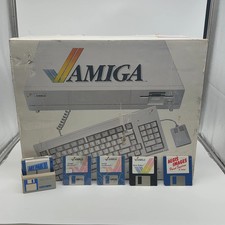
Commodore Amiga 1000 Personal Computer With Original Monitor and Speakers
$1352.99

ZuluSCSI Compact RP2040 - an affordable SCSI-2 (and 1) emulator w/ USB-C
$45.00
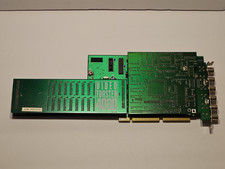
NewTek Video Toaster 4000 Commodore Amiga
$170.00

 Reply With Quote