-
Junior Member
registered user
Cant save Wlan0
I have 5.3 with persistent Knoppix, it saves OK and connects to the internet OK but will not properly save the Wlan0 setup. When booted up it shows Etho disconnected and Wlan0 disconnected icon on the bottom bar. I click on the small penguin and then Network/ Internet Configuration and get network check and then click to connect Wlan0 it comes up connected and then disconnected followed by network check and from there I have to go through all the configuration some times only so far through the configuration and sometimes all the way through it. I can save everything else so is there a way of saving this without all the hastle?
-
Junior Member
registered user
Is this any help.
knoppix@Knoppix:~$ iwconfig
lo no wireless extensions.
eth0 no wireless extensions.
wmaster0 no wireless extensions.
wlan0 IEEE 802.11g ESSID:"BTHomeHub-7D1C"
Mode:Managed Frequency:2.412 GHz Access Point: 00:1D:68:51:9A:C1
Bit Rate=1 Mb/s Tx-Power=27 dBm
Retry min limit:7 RTS thrff Fragment thr=2346 B
Link Quality=74/100 Signal level=-33 dBm
Rx invalid nwid:0 Rx invalid crypt:0 Rx invalid frag:0
Tx excessive retries:0 Invalid misc:0 Missed beacon:0
-
Senior Member
registered user

Originally Posted by
ex-para
Is this any help.
knoppix@Knoppix:~$ iwconfig
lo no wireless extensions.
eth0 no wireless extensions.
wmaster0 no wireless extensions.
wlan0 IEEE 802.11g ESSID:"BTHomeHub-7D1C"
Mode:Managed Frequency:2.412 GHz Access Point: 00:1D:68:51:9A:C1
Bit Rate=1 Mb/s Tx-Power=27 dBm
Retry min limit:7 RTS thrff Fragment thr=2346 B
Link Quality=74/100 Signal level=-33 dBm
Rx invalid nwid:0 Rx invalid crypt:0 Rx invalid frag:0
Tx excessive retries:0 Invalid misc:0 Missed beacon:0
Try to append the following code at the end of your knoppix.sh file in your hard disk
Code:
iwconfig wlan0 essid BTHomeHub-7D1C
sleep 3
ifconfig wlan0 up
sleep 3
pump -i wlan0
Save the file and then reboot. The wireless connect should be established.
For more information, you can reference to Q3 on the following FAQ
http://www.knoppix.net/wiki/Network_...ppix_5.1.1_FAQ
You can add the code in another location too. But this time you need to create a shell script file
1. Go to /home/knoppix/.kde/Autostart directory
2. Create a file called start-wlan0.sh
3. add the above code into the file and then save the file.
4. change the file attribute to executable
$ chmod 755 start-wlan0.sh
After the reboot, the wireless should be ok.
Rgds,
Chip
Similar Threads
-
By ex-para in forum Networking
Replies: 1
Last Post: 08-10-2009, 10:25 AM
-
By glj12 in forum Networking
Replies: 4
Last Post: 10-25-2006, 10:36 PM
-
By NuxIT in forum Networking
Replies: 0
Last Post: 04-20-2006, 04:10 PM
-
By konrad.gajda in forum Hardware & Booting
Replies: 2
Last Post: 03-09-2006, 08:36 AM
-
By Jynx512 in forum Networking
Replies: 0
Last Post: 06-14-2005, 09:55 AM
 Posting Permissions
- You may not post new threads
- You may not post replies
- You may not post attachments
- You may not edit your posts
-
Forum Rules

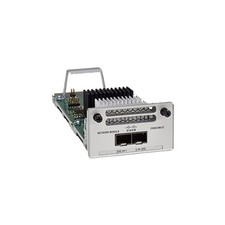
Cisco C9300-NM-2Y - Cisco Catalyst 9300 2 x 25G Network Module New
$550.00

Cisco Catalyst WS-C2960+24TC-S 24-Port Gigabit Managed SFP Switch
$39.99

Cisco Acacia DP04QSDD-E25-840 400G QSFP-DD Coherent DCO Transceiver Module
$699.99

Cisco Catalyst C9130AXI-B WiFi 6 802.11ax Wireless Access Point Brand New
$101.99
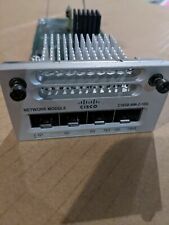
Cisco C3850-NM-2-10G 2 Port Network Exp.Module for 3850
$18.90
Cisco Catalyst 3850-48F-L 48-Port UPoE Gigabit Switch NM-4-1G
$59.99
Cisco C9500-32QC-A C9500 Series 32x Port 40G or 16x 100G - Dual AC
$1099.00
Cisco Catalyst 8500 C8500L-8S4X 4x SFP+ 8x SFP 4x10GE 8x1GE Router-Fast Ship
$6299.99

New Sealed Cisco GLC-LH-SMD 1000BASE-LX/LH SFP Transceiver Module *US
$15.30
UNCLAIMED CISCO MERAKI MS120-24P-HW 24-PORT GIGABIT CLOUD MANAGED PoE SWITCH
$67.46



 Reply With Quote