-
Senior Member
registered user
The keyboard issue should not be too difficult to overcome: I'm Norwegian, and typing at boot gives me the right definition. When I save the configuration, such settings will be saved, too.
I'm running Knoppix 6.0.1 off a hard disk, but without any HD install. You boot from a USB stick, prepare a FAT32 partition somewhere on the drive, create a 4GB Knoppix persistent image on the USB stick, use apt-get or synaptic to install the programs lacking on the CD distro, and copy the whole KNOPPIX directory from the USB stick to the FAT32 partition. Next time you boot from the stick, Knoppix will find the image on the hard disk, and use that to run from. If you do lots of updating to the "install", you may want to copy KNOPPIX from the HD back to the stick now and then, for backup and better usability. (You can run the installed programs on ANY computer booting and running from the stick.)
Similar Threads
-
By zspecfenix17 in forum The Lounge
Replies: 7
Last Post: 03-10-2005, 05:58 PM
-
By ctav01 in forum Customising & Remastering
Replies: 2
Last Post: 11-05-2004, 01:34 AM
-
By Tempestas in forum Hdd Install / Debian / Apt
Replies: 5
Last Post: 11-03-2004, 04:11 PM
-
By sn0wflake in forum General Support
Replies: 5
Last Post: 03-23-2004, 06:54 PM
-
By nazimm in forum The Lounge
Replies: 6
Last Post: 03-06-2003, 07:18 AM
 Posting Permissions
- You may not post new threads
- You may not post replies
- You may not post attachments
- You may not edit your posts
-
Forum Rules


Vintage Apple II Avant-Garde Creations Super Shape Draw And Animate 1981
$295.00

Vintage HP Hewlett Packard 2112A 21MX 1000 M-Series 16-Bit Minicomputer
$419.99

Vintage Jetway J-620BF Socket 370 Celeron AT Motherboard SiS 620 Brand New
$75.00

Vintage ECS Micro-ATX Desktop Case | Beige/Dark Grey | *READ*
$80.00

Vintage Mainframe Computer Disk Drive Pack Dyson SMD 5 Level Disks
$79.00
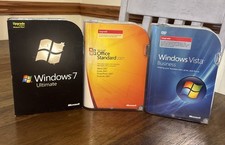
3 Microsoft Windows 7 Ultimate, Office 2007, Windows Vista Business Vintage
$60.00
![Apple Macintosh Boot Disk System [1.0 - 8.0] 400/800k/1.4 Floppy for Vintage Mac picture](/store/img/g/EhEAAOSwg7ZnexmU/s-l225/Apple-Macintosh-Boot-Disk-System-1-0-8-0-400-800k-.jpg)
Apple Macintosh Boot Disk System [1.0 - 8.0] 400/800k/1.4 Floppy for Vintage Mac
$11.75

Vintage Tandy Color Computer Print Master Software Manual & Floppy Disk Binder
$38.00

Vintage 1986 Goldenrod Research Corp CP/M Desktop Computer Syste w/Keyboard
$350.00

Vintage Toshiba Satellite 4090XDVD Intel Celeron 400Mhz Retro - Powers up Cards
$57.59



 Reply With Quote