-
Hard-drive not appearing when booting from LiveCD
Hey guys,
Reaaaallly hope you can help me on this one, I've been banging my head against a wall for 3 days trying to get this laptop to boot into XP again (need to edit boot.ini)
I have a SONY VGN-AR18GP laptop here, and when i boot from the Knoppix CD, there is no hard-drive on the desktop.
From the looks of below there is a raid0 set up... not exactly sure how to access the hdd ><
fdisk -l
Code:
root@Microknoppix:/home/knoppix# fdisk -l
Warning: ignoring extra data in partition table 5
Warning: ignoring extra data in partition table 5
Warning: ignoring extra data in partition table 5
Warning: invalid flag 0x717a of partition table 5 will be corrected by w(rite)

Disk /dev/sda: 80.0 GB, 80026361856 bytes
255 heads, 63 sectors/track, 9729 cylinders
Units = cylinders of 16065 * 512 = 8225280 bytes
Disk identifier: 0xa456c7aa

   Device Boot      Start         End      Blocks   Id  System
/dev/sda1               1         730     5863693+  12  Compaq diagnostics
/dev/sda2   *         731        4378    29302560    7  HPFS/NTFS
/dev/sda3            4379       19457   121122067+   f  W95 Ext'd (LBA)
/dev/sda5   ?       42807      182551  1122489544+  2a  Unknown

Disk /dev/sdb: 80.0 GB, 80026361856 bytes
255 heads, 63 sectors/track, 9729 cylinders
Units = cylinders of 16065 * 512 = 8225280 bytes
Disk identifier: 0x0fd93b00

Disk /dev/sdb doesn't contain a valid partition table
mount -t ntfs-3g /dev/sda1 /media/sda1 -o force
Code:
root@Microknoppix:/home/knoppix# mount -t ntfs-3g /dev/sda1 /media/sda1 -o force
Record 0 has no FILE magic (0x47370c0)
Failed to load $MFT: Input/output error
Failed to mount '/dev/sda1': Input/output error
NTFS is either inconsistent, or you have hardware faults, or you have a
SoftRAID/FakeRAID hardware. In the first case run chkdsk /f on Windows
then reboot into Windows TWICE. The usage of the /f parameter is very
important! If you have SoftRAID/FakeRAID then first you must activate
it and mount a different device under the /dev/mapper/ directory, (e.g.
/dev/mapper/nvidia_eahaabcc1). Please see the 'dmraid' documentation
for the details.
dmraid -b
dmraid -r
Code:
root@Microknoppix:/home/knoppix# dmraid -b
/dev/sdb:    156301488 total, "56DN4555S"
/dev/sda:    156301488 total, "56DN4557S"

root@Microknoppix:/home/knoppix# dmraid -r
/dev/sdb: isw, "isw_bgfgbgiiae", GROUP, ok, 156301486 sectors, data@ 0
/dev/sda: isw, "isw_bgfgbgiiae", GROUP, ok, 156301486 sectors, data@ 0
[/code]
-
Administrator
Site Admin-
First, I'll warn you not to edit the boot.ini file with Knoppix. Assuming the XP is using a NTFS partition you could corrupt the entire partition. You would be better off using a windows based recovery disc that can write to NTFS safely, or using Knoppix to back up files (I guessing that you don't have good backups or you would not have spent 3 days fighting with this) and then reinstall XP fresh.
6.x of Knoppis is a big step backwards in the mind of many people. One of many limitations is that the hard disk icons no longer appear on the desktop. But you reportedly can still access the hard drive partitions through a file manager. Or, dropping back to 5.x versions should let you see the hard drive partitions (if they are still there in valid condition), and if you don't already have a copy of 5.x you might want to grab a copy while it is still available.
Also, I'm the one who move this post to the general support forum. I really has nothing to do with Installing Knoppix to hard disk, so was out of place where first posted.
Good luck.
---
Verifying of md5 checksum and burning a CD at slow speed are important.
Similar Threads
-
By richardr in forum Other Live CDs
Replies: 0
Last Post: 01-11-2007, 04:29 PM
-
By andrewbob in forum Hdd Install / Debian / Apt
Replies: 1
Last Post: 07-04-2006, 02:29 PM
-
By gonzofonts in forum Hardware & Booting
Replies: 15
Last Post: 07-25-2005, 03:49 AM
-
By nkrsta in forum General Support
Replies: 2
Last Post: 05-19-2005, 05:44 PM
-
By glidetothehoop in forum Hdd Install / Debian / Apt
Replies: 2
Last Post: 12-24-2004, 02:41 PM
 Posting Permissions
- You may not post new threads
- You may not post replies
- You may not post attachments
- You may not edit your posts
-
Forum Rules


Macintosh Platinum Mouse - Apple 128K 512K 512Ke Mac Plus Lisa IIe M0100 - NEW
$49.99
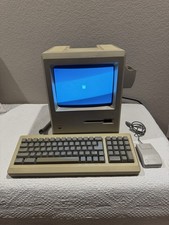
Apple Macintosh 128k 1984 upgraded to Plus includes keyboard mouse
$450.00
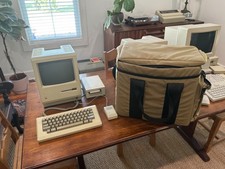
Apple Macintosh 512K 1MB MacSnap SCSI 128K ROM 800K + 400K Drive Keyboard Mouse
$895.00

Apple Macintosh 128k Desktop computer. Upgraded to 512k
$300.00

Vintage Early Week 12 1984 Apple Macintosh 128K Computer M0001 w/Analog Board+
$209.99

Keyboard Cable Cord - Apple Macintosh Mac 128K 512K 512Ke Plus
$12.99
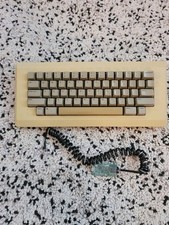
Apple M0110 Keyboard Macintosh 128K 512K Tested Working w/ TMK USB Converter
$109.99
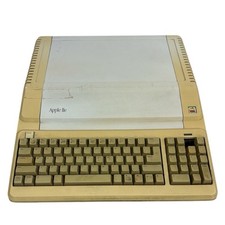
Vintage Apple IIe Platinum 128k Computer A2S2128 ~ Powers On
$250.00
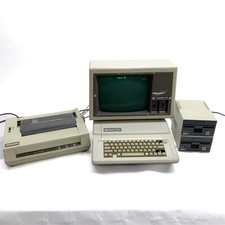
Apple IIe Computer A2S2064 +2* Disk II Drives, Monitor III, Printer Power Tested
$299.99

1984 APPLE MACINTOSH 128K FIRST MAC Model M0001 PICASSO KIT Discs Harvard Rare
$1800.00



 Reply With Quote