-
intel gma945 and 'tearing'
The driver for intel with xrandr causes "tearing" or slight slideways flickering that cycles every few minutes. I disabled TMDS-1 and LVDS with a script that loads with the desktop, but the flickering persists and I remember that it has to be disabled at the xorg level to get rid of the flickering. This is a known bug during one of the intel driver eras in debian (it existed in an earlier version of Ubuntu as well) and I have the fix but knoppix rewrites xorg so there is no way I know of to have it work, as it needs to be in effect before the desktop loads.
This device is an asus eee-box. VGA compatible controller: Intel Corporation Mobile 945GME Express Integrated Graphics Controller (rev 03)
I need to add a few lines to my xorg.conf and have them remain at the next boot: what is the best way to do this? I could cp xorg.conf to another directory and just have a command in /etc/X11 to rc.local to cp it back?
Code:
Section "Monitor"
        Identifier 	"ExternalMonitor0"
        Option 		"Ignore" 		"True"
EndSection

Section "Monitor"
        Identifier 	"ExternalMonitor1"
        Option 		"Ignore" 		"True"
EndSection
and under device
Code:
	Option 	    "monitor-TMDS-1" 	"ExternalMonitor0"
	Option 	    "monitor-LVDS" 	"ExternalMonitor1"
Similar Threads
-
By gcentauri in forum Hardware & Booting
Replies: 1
Last Post: 07-10-2007, 09:20 PM
-
By sid_galt in forum Hardware & Booting
Replies: 1
Last Post: 07-15-2005, 04:59 PM
-
By jock in forum General Support
Replies: 3
Last Post: 07-15-2004, 04:14 PM
-
By BillS in forum Hardware & Booting
Replies: 1
Last Post: 07-05-2004, 04:40 PM
-
By applecran in forum Hardware & Booting
Replies: 4
Last Post: 09-22-2003, 10:43 AM
 Posting Permissions
- You may not post new threads
- You may not post replies
- You may not post attachments
- You may not edit your posts
-
Forum Rules


GIGABYTE A520M DS3H AC AMD AM4 Motherboard mATX
$59.99
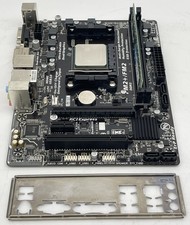
Gigabyte GA-F2A68HM-HD2 Motherboard w/ AMD A8-7600 Series 3.1GHz CPU 4GB RAM IO
$39.95
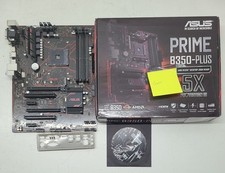
Asus prime b350-plus AM4 ATX AMD DDR4 Motherboard (FL)
$49.99
For ASRock Z590 PRO4 Motherboard LGA1200 DDR4 ATX
$59.99

GIGABYTE B365 HD3 LGA1151 Intel 9th Gen motherboard
$59.99
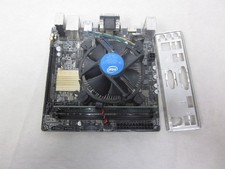
ASUS H110I-PLUS Motherboard LGA1151 w/ I5-7400 CPU, 8GB, Heatsink & I/O Shield
$60.00

ASUS PRIME Z370-A II LGA 1151 Intel Z370 DDR4 DIMM USB3.1 DVI ATX RGB
$69.99

ASRock B550M Phantom Gaming 4 AM4 AMD B550 SATA 6Gb/s Micro ATX AMD Motherboard
$81.99
TUF Gaming Desktop Motherboard - Intel Z790 Chipset - Socket LGA-1700 - ATX
$143.00
MSI A55M-E33 Motherboard w/ AMD A6-5400 Series 3.6GHz CPU 4GB DDR3 RAM & IO
$39.95



 Reply With Quote