

The driver for intel with xrandr causes "tearing" or slight slideways flickering that cycles every few minutes. I disabled TMDS-1 and LVDS with a script that loads with the desktop, but the flickering persists and I remember that it has to be disabled at the xorg level to get rid of the flickering. This is a known bug during one of the intel driver eras in debian (it existed in an earlier version of Ubuntu as well) and I have the fix but knoppix rewrites xorg so there is no way I know of to have it work, as it needs to be in effect before the desktop loads.
This device is an asus eee-box. VGA compatible controller: Intel Corporation Mobile 945GME Express Integrated Graphics Controller (rev 03)
I need to add a few lines to my xorg.conf and have them remain at the next boot: what is the best way to do this? I could cp xorg.conf to another directory and just have a command in /etc/X11 to rc.local to cp it back?
and under deviceCode:Section "Monitor" Identifier "ExternalMonitor0" Option "Ignore" "True" EndSection Section "Monitor" Identifier "ExternalMonitor1" Option "Ignore" "True" EndSection
Code:Option "monitor-TMDS-1" "ExternalMonitor0" Option "monitor-LVDS" "ExternalMonitor1"
 Posting Permissions


Crucial BX500 1TB SATA III 2.5" Internal SSD (CT1000BX500SSD1)
$79.00

SSD 880EVO SATA III 2.5 4TB INTERNAL STATE DRIVE
$214.99
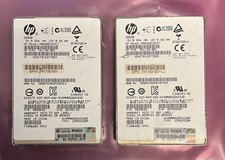
LOT OF 2 HGST SSD800MM for HP 200GB 2.5" SAS SSD - 10.0 DWPD 100%
$60.00

Samsung 860 EVO 250GB SSD MZ-76E250 2.5" SATA III Solid State Drive
$39.99

M.2 SATA SSD 2280 128GB 256GB 512GB major brands | Very Good health
$35.99

Western Digital WD Blue 3D NAND 500GB 2.5in SATA III Internal SSD WDS500G2B0A
$41.99

M.2 NVMe SSD 2280 Single Notch 128GB 256GB 512GB | Very Good health
$38.99

2 PACK 128 GB SSD M.2 2280 SATA Solid State Drive Major Brands, Samsung, LiteON
$28.80

Samsung 970 EVO Plus 500GB M.2 NVMe Internal SSD
$79.99
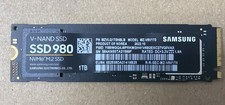
Samsung SSD980 1TB NVMe M.2 SSD
$125.00


 Reply With Quote