-
Junior Member
registered user
journaling fs a good idea?
hi,
i'm finally running knoppix 3.2 on my Sony laptop (with a hard disk install) and
while everything is working great am thinking about going to a journaling fs (ext3
or reiser?).
So the question is, since I'm barely familiar with the journaling concept, these fs
types are more resistant to "crash-damage" than a normal ext2 fs, right?
If so, should I prefer one over the other (ext3 or reiser)? What are the trade-offs
over ext2 (if any) and over one another?
thanks,
Stefan
-
Senior Member
registered user
Phooey on ext2- it's a waste of your time. There is really no reason to use it (well ok I use it on my /boot partition) but that's it. Definitely go with ext3 or reiser. Personally I use nothing but reiser. Yes journaling is better WAY better. Just google for it you'll find plenty of reasons to use it.
-
-
Re: Check this out

Originally Posted by
Forse
Assuming you are the author of that post, could you clarify two points on ReiserFS?
ReiserFS doesn't perform well with big files >500mb. ReiserFS is mature and most suited for database files.
Those two statements seem incompatibel to me. Database files easily exceed 500 MB. The files I work with anyway.
If u need quota then go with ext3 since reiserFS support is sucky...and is not mature yet
What is (or are) quota?
TIA
- - Edwin
-
Originally Posted by
Linux docs
Quota allows you to specify limits on two aspects of disk storage: the number of inodes a user or a group of users may possess; and the number of disk blocks that may be allocated to a user or a group of users.
The idea behind quota is that users are forced to stay under their disk consumption limit, taking away their ability to consume unlimited disk space on a system. Quota is handled on a per user, per file system basis. If there is more than one file system which a user is expected to create files, then quota must be set for each file system separately.
About database...well I can be wrong...But we have an enterprise server with MySQL DB. It contails a lot of small files. I guess it depends what u do with DB. Usually forums generate a lot of small files.
ReiserFS was designed for a small files so performance with big files is not so good. ReiserFS4 will change that.
BtW. That forum is mine and I just opened  So if u want u could post there...and I garantee an answer
-
Senior Member
registered user
Re: Check this out
Originally Posted by
Edwin
Those two statements seem incompatibel to me. Database files easily exceed 500 MB. The files I work with anyway.
That is the total of the files in the database you are refering too not one big > 500mb file I think this is where the confusion is.
What is (or are) quota?
TIA
- - Edwin
Quota limits the amount of HD space a user can have for their use.
-
Re: Check this out
Originally Posted by
Stephen
That is the total of the files in the database you are refering too not one big > 500mb file I think this is where the confusion is.
Well, actually I was not. My Db creates 3 files per table. If one has to store lots of text (or graphics) tables can grow quickly on you. Even more so if one has to store historical data. Denormalizing to speed up queries grows them even faster. Besides that there are DBMS's that store everthing (catalogue, index and data) all in one big file.
But I googled on ReiserFS. Guess I have some more reading to do. Fascinating stuff.
Regards,
- - Edwin
-
Senior Member
registered user
Re: Check this out
Originally Posted by
Edwin
Well, actually I was not. My Db creates 3 files per table. If one has to store lots of text (or graphics) tables can grow quickly on you. Even more so if one has to store historical data. Denormalizing to speed up queries grows them even faster. Besides that there are DBMS's that store everthing (catalogue, index and data) all in one big file.
But I googled on ReiserFS. Guess I have some more reading to do. Fascinating stuff.
Regards,
- - Edwin
I stand corrected it's been over 10 years since I last played with any database and even then a 500mb HD was a dream let alone using it for one file, must be a real PIA if the database gets corrupted with only a couple files in it. I guess I'd have some reading to do myself if I ever wanted to use one again.
-
Re: Check this out
Originally Posted by
Stephen
and even then a 500mb HD was a dream let alone using it for one file, must be a real PIA if the database gets corrupted with only a couple files in it. I guess I'd have some reading to do myself if I ever wanted to use one again.
If you ever come upon a DBMS that stores everthing in one file, don't do any reading. Just run as fast as you can and don't forget to close and lock the door. If these babies get corrupted (and they will) you will suffer much, much, very much more than a PIA.
I leave that to your own imagination.
Regards,
- - Edwin
Similar Threads
-
By Krogen in forum Hdd Install / Debian / Apt
Replies: 0
Last Post: 06-07-2005, 03:00 AM
-
By ThomasX in forum General Support
Replies: 10
Last Post: 03-22-2005, 05:14 PM
-
By sybariten in forum Hdd Install / Debian / Apt
Replies: 6
Last Post: 03-22-2005, 01:35 AM
-
By Schotty in forum Customising & Remastering
Replies: 1
Last Post: 03-07-2004, 09:59 PM
-
Replies: 2
Last Post: 05-14-2003, 05:14 PM
 Posting Permissions
- You may not post new threads
- You may not post replies
- You may not post attachments
- You may not edit your posts
-
Forum Rules


🔀 Juniper Networks EX2300-C-12P 12× Gigabit PoE+ • 2× 10G SFP+ Compact Switch ⚡
$119.00

Juniper EX2300 12-Port Gigabit PoE+ Managed Network Switch P/N: EX2300-C-12P
$149.99

JUNIPER NETWORKS MIST AI AP63-US HIGH PERFORMANCE OUTDOOR ACCESS POINT - WHITE
$59.99

Juniper Networks EX2300-48P 48-Port Gigabit PoE Managed Ethernet Switch
$79.99

Juniper SRX320 8-Port Security Services Gateway Appliance w/ AC Adapter
$59.99
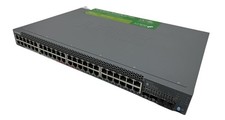
Juniper Networks EX2300 (EX2300-48P) 48 Ports Ethernet Switch
$249.99

Juniper EX2300-C-12P POE+ Switch 12 x 1GbE & 2 SFP+ 10G uplinks
$124.99

Juniper EX3400-48T-AFI Ethernet Network Switch 48x1GbE 4x10GbE SFP+ 2x40GbE QSFP
$139.00

Juniper QFX5100-48S-3AFI 48-Port SFP+ 6 QSFP+ 2x SFP/RJ-45 Management
$249.97
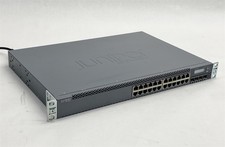
Juniper Networks EX3300-24T EX Series 24-Port Gigabit 4-Port SFP+ Switch
$79.99



 Reply With Quote