-
Junior Member
registered user
Basic Questions From A Linux NewBee...
Hi... I'm a Linux Newbee... and not a "techy."
I have some pretty basic questions - which may bore most of you.
I've been able to get the Live CD to boot and allow me to navigate and use Linux, and the browser. I can see my HD volumes, and open them and access the files and open some of them and alter them on my HP Paviilion Notebook with Vista Home Premium.
I've also downloaded and used Firefox, and set up the tabs and saved some Bookmarks - but, can't figure out how to save the configuration when I shut it down and re-open it (Firefox). Similarly, I've not been able to figure out how to save my tabs and Bookmarks in Linux (Knoppix Live CD v 6.0). I now realize IceWeasel is a form of FireFox - thought they seemed similar. But... I'm still wondering how to get IceWeasel / FireFox to preserve my settings, bookmarks, tabs, etc. between sessions. I'm getting tired of re-set-up every time I reboot Knoppix.
I'm also unable to open some MS Office, or MS Works files with the OpenOffice apps - I don't know how to find the application to associate with these files to open them in OpenOffice.
I'm a "GUI Gui" not a "code guy" and would like to just "point and click" for all of this stuff.
I guess I'm looking for some comprehensive documentation (users manual) for the Live CD, which I haven't found yet. Does anything like this exist? If so, can you direct me to it? Or, to a forum, thread, which contains most of this stuff?
I'd also like to configure my system to avoid the frequent reads of the CD/DVD drive - speed it up. I'd like to install it to my HD, or to a USB stick, but I've read that its pretty difficult for a "GUI Guy" to do that, and that my HP Pavilion DV6000 Notebook, may not allow boots from a USB stick, anyway. Can anyone direct me to a forum, or thread, which might show a "GUI Guy" how to do any of this with success, without having to right "code" (commands)???
Anyway... any help... any of you more "patient soles" might offer would be appreciated.
Thanks,
GF
Similar Threads
-
By Kerr Avon in forum General Support
Replies: 1
Last Post: 06-09-2011, 10:02 AM
-
By kbieri in forum MS Windows & New to Linux
Replies: 5
Last Post: 02-03-2008, 08:39 AM
-
Replies: 2
Last Post: 09-21-2005, 12:23 AM
-
By plener in forum Networking
Replies: 1
Last Post: 12-21-2004, 01:01 AM
-
By tonedef667 in forum General Support
Replies: 1
Last Post: 02-24-2004, 01:29 AM
 Posting Permissions
- You may not post new threads
- You may not post replies
- You may not post attachments
- You may not edit your posts
-
Forum Rules


Macintosh Platinum Mouse - Apple 128K 512K 512Ke Mac Plus Lisa IIe M0100 - NEW
$49.99
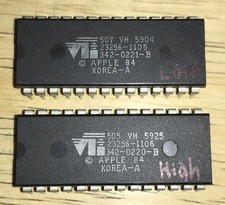
RARE 1984 Apple Macintosh 128K Original ROM Set Low/High Version B TESTED NICE
$169.99

Apple Macintosh Mac 128k - 512k Boot / Diagnostics 2 Disk Set for Classic Macs
$14.99

1984 APPLE MACINTOSH 128K MATCHING # BOX Set Original Mac Model M0001 WORKS RARE
$6299.00
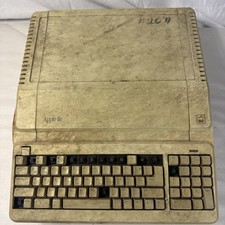
Vintage Apple IIe Platinum A2S2128 128K Computer Parts Repair Missing Keys
$100.00

Apple Macintosh 128k 512k Plus Power Supply Analog Board - needs work
$60.00
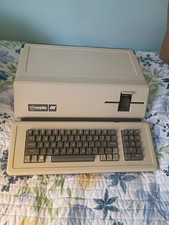
VINTAGE APPLE III COMPUTER A3S1-052010 (128k)
$800.00
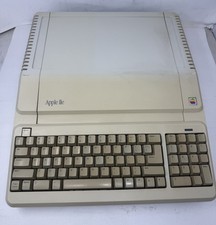
Apple IIe Platinum 128k Computer - Powers On - As is - See Photos - a2s2128
$255.00
1984 Apple Macintosh Mac 128K EARLY REV. 1 Version RFI Foil Motherboard Shield
$29.99
Vintage Apple Macintosh M0100 Mouse 128K 512K Original Tested Working USA
$65.00



 Reply With Quote