-
Senior Member
registered user
--To restate that a bit more clearly:
o Boot into non-gui mode from the cd: ' knoppix 2 '
o ' mount /mnt/hda2 ' from the CD, as root, if hda2 is where your install is.
o ' cd /mnt/hda2/etc '
o Either copy Knoppix's fstab down to your HD or edit the hd-installed file.
o ' jstar fstab ' == (jstar is Wordstar-compatible and has an easier interface than VI), Ctrl-KX to save and exit.
--No offense Stephen, I just thought he might find your post a bit confusing.

Originally Posted by
Stephen
Boot from CD open a console window sudo mount /dev/hd?? /mnt/hd?? to mount the drive and partition then sudo vi /mnt/hd??/etc/fstab open the /etc/fstab for editing, edit and save then re-boot. replace ?? with drive letter and partition number.
Similar Threads
-
By philski27 in forum Laptops
Replies: 4
Last Post: 06-04-2004, 02:54 PM
-
By sonic20 in forum Hdd Install / Debian / Apt
Replies: 3
Last Post: 08-23-2003, 07:04 PM
-
By Loper in forum Hdd Install / Debian / Apt
Replies: 1
Last Post: 07-11-2003, 02:38 AM
-
By _CaLeB_ in forum Hardware & Booting
Replies: 5
Last Post: 03-31-2003, 06:20 PM
-
By zimtim in forum General Support
Replies: 3
Last Post: 03-12-2003, 12:39 AM
 Posting Permissions
- You may not post new threads
- You may not post replies
- You may not post attachments
- You may not edit your posts
-
Forum Rules


1969 EAI TR-20 Analog Computer Programming PACE Philbrick Electronic Associates
$35.00
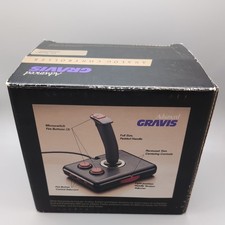
Advanced Gravis Analog Controller Joystics For Tandy Computers complete in box
$90.98

Vintage Donner Scientific Analog Computer Patch Cords Banana Plugs & Resistor
$100.00

Vintage 1970’s Analogic MP2110 10-Bit A/D Converter Computer Circuit Board
$24.99

Vintage Analog Computing Magazines For Atari Computer Owners No 11-20 Acceptable
$75.00
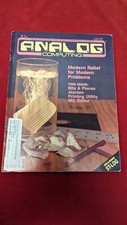
ANALOG COMPUTING MAGAZINE No. 42 May 1986, Modern Relief for Modern Problems
$11.01
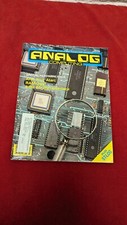
Analog Computing Atari Magazine No. 44 RAM Copy & 8 Bit July 1986
$22.00

WICO Computer Command Apple II Analog Joystick Adaptor NOS 72-4525
$59.99

RARE VINTAGE Kontron 80 Psi Compact Microcomputer Computer Germany Early 1980s
$399.99

VINTAGE 1970s SKIT Scientific Kit for Computer & Electronics SEALED INSIDE Rare
$249.00



 Reply With Quote