-
persistent data for CD boot?
I have a bootable USB key with Knoppix 6 on it, but entirely too many systems in use out there (small offices, etc), still don't support booting from USB, so I'd like to stick with booting the Knoppix 6 CD and using a (separate) USB key for holding the persistent data.
In the past with 5.x, this worked fine. With 6.x, there isn't even an option for creating a persistent image (though the USB boot prompts for it, but there's issues with that too). I've tried creating the file, moving it to KNOPPIX/knoppix-data.img, specifying it in the boot parameters ( knoppix 2 home=/dev/sda1/KNOPPIX/knoppix-data.img ), etc. No dice - the system loads up and there's no persistence - the USB key isn't mounted.
Sadly, part of the reason I need to have the persistent storage is because Knoppix 6 is so brutally minimalized - all the handy tools from 5.1.1 have been stripped from it. I really don't want to have to engineer a custom version of Knoppix - I've been happy just booting the standard ones and updating packages as needed. The flip side is that the dpkg in 5.1.1 is broken (doesn't handle the "Break" package token, and the current version of dpkg available USES that token, so I can't even install the current version, so 5.1.1. is dead in the water).
Note that I really don't want to have to install the CD to a USB key - besides the inability to boot from USB on some systems, I'd just as soon maximize the amount of storage on the key for data.
Where is the script that manages checking and mounting the persistent store? There's no menu option in the GUI for persistence.
-
In further checking I see that a fromhd= setup also supports persistent store (as USB does as well), but as with USB, there's no option for WHERE the persistent store is located. However, this still isn't a desireable setup - there are still systems I have to boot with CD, and if I have to do that, I'd just as soon not have to copy the entire CD content to a USB stick and _still_ have to use the CD to boot.
Also, under 5.1.1, I could have a USB stick with multiple configurations on it (say, for different machine/purposes I might boot it for), whereas the approach in 6 seems to mandate that I have only one (because I can't specify the location of the persistent store).
Is there ANYONE here with insight?
-
Re: persistent data for CD boot?

Originally Posted by
sstraw
<snip> ... With 6.x, there isn't even an option for creating a persistent image (though the USB boot prompts for it, but there's issues with that too).
<snip> ... Where is the script that manages checking and mounting the persistent store? There's no menu option in the GUI for persistence.
I'm looking for an answer to this question also. I thought perhaps there's a command line option in v6 that could be used in place of the GUI menu option (Configure/Create Persistent) - yes/no?
-
Re: persistent data for CD boot?
Originally Posted by
glad2badad
Originally Posted by
sstraw
<snip> ... With 6.x, there isn't even an option for creating a persistent image (though the USB boot prompts for it, but there's issues with that too).
<snip> ... Where is the script that manages checking and mounting the persistent store? There's no menu option in the GUI for persistence.
I'm looking for an answer to this question also. I thought perhaps there's a command line option in v6 that could be used in place of the GUI menu option (Configure/Create Persistent) - yes/no?
I've received absolutely no response to my oriignal inquiry, and was unsuccessful in finding out how to achieve it outside of copying the disc to USB or the HD. I just want persistence on a USB stick (or HD) when booting from CD. This was a snap in prior releases.
As it stands, 5.1.1en is the version of Knoppix I reach for in my toolbox - 6 isn't particularly useful - it may boot quick, but as a live distro, it's been gutted.
-
That's a bummer about no response/answer. 
I'm booting v6 from a USB thumb drive and I'd like to use the balance of space to use for saving doc changes, etc...
-
Junior Member
registered user
Originally Posted by
glad2badad
That's a bummer about no response/answer.
I'm booting v6 from a USB thumb drive and I'd like to use the balance of space to use for saving doc changes, etc...
Have recently installed 6.2 to a 2GB usb drive from the running 6.2 livecd. Upon booting the newly created live-usb was asked to create a persistent overlay and entered in 1024 and hit "OK". The boot up finished to the desktop, took a screenie and saved it to the desktop. Installed some extra packages and upon reboot all changes were saved.
So far the usb install is working fine. 
-
Why oh why won't anyone answer this?
Surely there must be a way to create a persistent home directory or equivalent in 6.2.
All the F*&^* articles tell me how to do it, but not for this version!!!
-
Administrator
Site Admin-
If someone wants to write any guides specific to this version please feel free to use the Wiki ... or PM/email it to me and I'll post it for you.
-
I played around with 6.2, and from what I have seen, it would be rather difficult to create persistent home directory when running from a CD. The reason is that the Knoppix initialization script looks for the persistent home image in its /mnt-system directory, which, in the case of a CD boot, is on the CD (see the "init" script, line 577, on minirt.gz). There is no way to specify a custom configuration script either, since it has to be located at /mnt-system/KNOPPIX/knoppix.sh (see /etc/init.d/knoppix-autoconfig, lines 602-60 . Please correct me if I missed something.
I succeeded in creating a persistent home by modifying the minirt init script from
Code:
for base in /mnt-system/"$knoppix_dir"/knoppix-data /mnt-system/knoppix; do
to
Code:
for base in $home /mnt-system/"$knoppix_dir"/knoppix-data /mnt-system/knoppix; do
allowing me to specify a "home=.../knoppix-data" cheat code at startup (no suffix, even though the image name is .../knoppix-data.img, since the init script adds the suffix based on whether the image is raw, i.e.".img", or aes-encoded, i.e. ".aes"). Please note that I did not use the original minirt.gz, but rather the one from knx620k.zip posted at http://www.knoppix.net/forum/viewtop...=121968#121968, which allows running Knoppix as an ISO image from the hard disk .
Regards,
Terence
Similar Threads
-
By rdcuff in forum General Support
Replies: 6
Last Post: 12-04-2009, 01:49 AM
-
By redss in forum Hardware & Booting
Replies: 1
Last Post: 07-24-2009, 01:17 PM
-
Replies: 0
Last Post: 09-13-2006, 10:02 PM
-
By satimis in forum General Support
Replies: 0
Last Post: 05-18-2005, 05:32 AM
-
By IanJ in forum Customising & Remastering
Replies: 1
Last Post: 09-27-2003, 06:38 PM
 Posting Permissions
- You may not post new threads
- You may not post replies
- You may not post attachments
- You may not edit your posts
-
Forum Rules


Kingston 16GB DDR4 3200MHz PC4-3200AA-SA2-12 Laptop RAM SODIMM (HP32D4S2S8ME-16)
$64.99

16GB KIT (2x8GB) DDR4 Gamer Desktop RAM PC4 MIXED BRANDS
$65.00
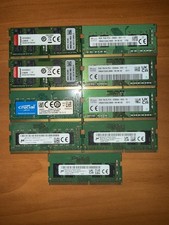
Lot of DDR4 Sodimm Laptop Ram (8-8GB sticks) (1-4GB Stick)
$250.00
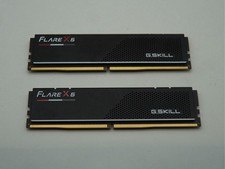
G.Skill Flare X5 32GB (2x16GB) (DDR5-6000 DDR5 RAM Memory Cl30-38-38-96 AMD EXPO
$419.95
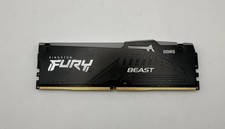
Kingston Fury Beast RGB 16GB(1x16GB) DDR5 5200MHz HP52U40S8MA-16FRAE
$170.00
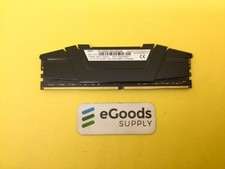
F4-3200C16D-64GVK G.Skill RipJaws 32GB RAM DDR4 3200MHz Memory
$159.00
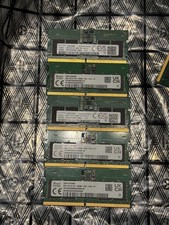
LOT of 5 x DDR5 Sodimm Laptop RAM Pc5-5600B
$375.00
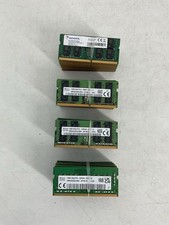
Lot of 40 Mixed 16GB Ram Sticks DDR4 Laptop Mixed Brands & Speeds - All Tested
$2399.99

Corsair Vengeance DDR3 8GB 16GB 32GB 1866MHz PC3-14900 Desktop RAM Memory DIMM
$85.00
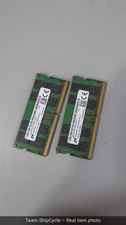
32GB 2x16GB DDR4 3200MHz PC RAM Kit Dual Channel Memory G2U
$129.00



 Reply With Quote