

Using Knoppix V6.2-EN booted with "knoppix desktop=gnome"
I would like to have the calendar start week start with Sunday
Where is the code for this? I could not find it when I searched for "calendar"
Also, How do I save the settings to a flash drive so I can use them at the next boot?
Thanks for your help.
I booted my computer in Puppy Linux and the calendar can be set to start on Sunday.
This solves my issue. I now have a Linux that works. The Puppy forum is also supported.
134 people have looked at this post before I changed it today. No One posted a reply.
I have moved on to other Linux Distributions and I am happy with Barry's Puppy 4.3.1
Thank you for not answering my post. It forced me to look elsewhere for solutions.
I am thankful for Knoppix. When it came out it was the first Live Linux CD I tried back
many, many years ago. It helped the community to realize that Linux could be run from
a CD and work. Many other distributions have followed that lead.
 Posting Permissions

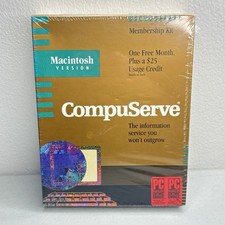
Vintage Macintosh Compuserve Version 1 Membership Kit PC Magazine Mac New Sealed
$999.99

Vintage 1998 iMac G3 M4984 Mac OS + Keyboard Working but Needs Some Repair Read
$295.00

Apple Power Macintosh PowerPC 7300/200 VTG w Keyboard Mouse Storage Drive Read
$199.99
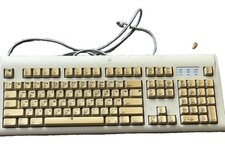
Vintage Apple Design Keyboard Model M2980 Macintosh 1994 Untested
$28.49

Vintage Apple Macintosh Plus Desktop Computer - M0001A
$150.00

Rare Vintage Macintosh Apple Wooden Disk Storage Box Dovetailed
$69.95

185--Sonnet Crescendo G3 PPCG3-375-5-K-06 G3 Add-On Card for Vintage Mac
$99.00
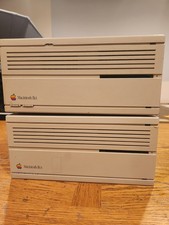
2X Vintage Apple Macintosh Desktop Computers - IIcx/IIci - Parts Repair Untested
$129.00

Apple Macintosh DuoDock Duo Dock M7779 & Powerbook 230 Vintage Mac RARE Vintage
$249.00

Mixed Lot Vintage Mac Windows media / Graphics / Sound Software - CDs 37 Pieces
$40.99


 Reply With Quote