-
Knoppix 6.2 Hard Drive install – Setting your desktop cloc
By default my hd install of Knoppix 6.2 always sets the system clock to the wrong time (for NZ) and the time zone setting defaults to <America/NewYork>.
you can change Knoppix to your time-zone with the following command run as root
<dpkg-reconfigure tzdata>
and then choosing from the lists that come up, first your general area, e.g. <Pacific> and then appropriate city e.g. <Auckland> BUT this will be lost and reset to <America/NewYork> each time you re-boot [at least mine was]
Once you're in your correct time-zone you can then set the correct system clock time by running the command:
<date 120310422009> [that's for 10:42 on 3rd December 2009]
but again it will all be lost when you reboot and all needs to be done over again – and you need to have an accurate clock available to reset it from
SO
Is there a long term solution?
For the Time Zone problem - Find your time-zone [in the right format] from /usr/share/zoneinfo/####/#### - in my case <Pacific/Auckland> and then go to your editor [as root] and open /etc/init.d/knoppix-autoconfig and change line 357 from <KTZ="$(getbootparam tz)"> to <KTZ='Pacific/Auckland'> or whatever your own zone is. This will get you into the right time-zone each time you boot but will still not get the correct system time
For the correct time problem - I've installed the small debian package ntpdate - add your closest <####.pool.ntp.org> ntp servers to the appropriate lines of /etc/default/ntpdate – and that's it – if you're automatically connected to the net when you boot up then ntpdate will run at boot and set your system clock to the correct time and if not when you do connect to the net it will run soon after and correct the time you see in the bottom right hand corner of the screen. If all else fails you can run the command [as root]
<ntpdate nz.pool.ntp.org> [changing <nz> to whatever your nearest area pool server is] or I suppose you could write a simple script to run this command at boot time.
Has anyone found a simpler or more elegant solutions to this problem with Knoppix 6.2 as a hard drive install? I never had this problem with Knoppix 6.01 as a hard drive install.
It's a great distro but it's good to have the right time too.
Best wishes, John
PS - 02 Mar 2010 - If you have the dvd version as hard drive install you can go (as root in a terminal) to <time-admin> and change what you need to there - much more easily.
Similar Threads
-
By Kirk-out in forum Hardware & Booting
Replies: 2
Last Post: 08-06-2008, 07:25 PM
-
By Crimpshrine in forum MS Windows & New to Linux
Replies: 13
Last Post: 08-23-2006, 12:28 PM
-
By slvrldy17 in forum MS Windows & New to Linux
Replies: 2
Last Post: 02-23-2006, 04:06 AM
-
By maxmartin in forum Customising & Remastering
Replies: 4
Last Post: 02-19-2006, 06:09 PM
-
By Lion in forum Hdd Install / Debian / Apt
Replies: 2
Last Post: 05-13-2005, 10:45 PM
 Posting Permissions
- You may not post new threads
- You may not post replies
- You may not post attachments
- You may not edit your posts
-
Forum Rules

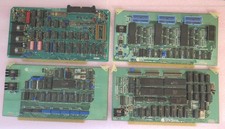
Vintage S-100 California Computer Systems cards Z80 cpu + ADS PromBlaster
$895.00

Vintage Computer - PC Innovation Intel 486DX2 - Dos Ver 6.2 Windows 3.1
$250.00

Vintage HP Hewlett Packard 2112A 21MX 1000 M-Series 16-Bit Minicomputer
$419.99

Vintage Jetway J-620BF Socket 370 Celeron AT Motherboard SiS 620 Brand New
$75.00

Vintage Cherry W. Germany G80-0486H/05 Mechanical 25-Pin D-Sub Keyboard M8
$170.99
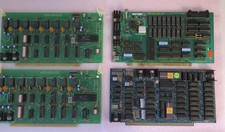
4 Rare Vintage S-100 Video Boards
$595.00

Vintage Timbuk2 Crossbody Messenger Bag Forest Green/ Black Y2k USA Made
$85.00
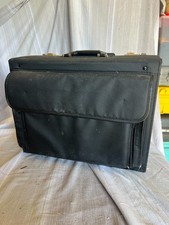
Vintage Black Leather Rolling Pilot Case Briefcase Locking Dual Combination 18"
$69.95

Vintage Teac FD-505 5.25" 3.5" Combo Drive 19307571-00
$199.99

NEW StarTech ATXPOWER250 250W ATX PC Power Supply Vintage Pentium II III AMD K6
$94.98



 Reply With Quote