-
Device mounts but won't let me "change read/write mode&
I've been at this for 2 hours almost, it worked at one point for some reason, but when i came back it didn't.
Here's what I've done:
1. plug in external (WD 320gb passport USB drive)
2. Mount the drive
3. right-clicked to Properties-->device-->clicked 'read only' box to uncheck-->applied and exit
4. right-clicked external [sdb1]--> change read/write mode-->'do you really want to change partition /dev/sdb1(fuseblk) to be writeable' yes-->ERROR: remount command failed. Maybe there is another process accesing the filesystem currently.
Someone help, it was working earlier but not now and now im pretty frustrated.
-
-
I just read somewhere that Linux doesn't read NTFS drives so I'm formatting my extra external to FAT32. If this doesn't work I give up.
And apparently no one can seem to help me in this forum either. =(
-
Knoppix should be able to read an NTFS partition; it can't safely write to an NTFS partition. Also, if you reformat it as FAT32, I believe you can safely write to it (after changing permissions), but I believe you would lose all files on your external.
-
Senior Member
registered user
please, realise this is a forum where we woulonteer information, so replies can be slightly slow in coming.
NTFS can be READ! but not safely written to, also FAT32 has max filesize of 3.99G this is bit limited.
Linux (unix) filesystems (EXT3 to name a very common one) can be used to store single files in several hundreg G size if I remember correct.
also EXT3 can be read with Windows if you install correct driver.
OH, and you will loose everything on that disc if you format.
EDIT
HEH, ndb, seem to have posted similar answers at same time
/EDIT
-
I'm having the same problem even with ext3 and I tried both an older version of knoppix and the latest version. I think knoppix just can't write to drives very well or has issues mounting them correctly. Your best best is to take the drive out and put it in a machine with windows or fedora. I don't think it will work with knoppix.
Similar Threads
-
By nn_root in forum General Support
Replies: 1
Last Post: 07-22-2006, 12:44 AM
-
By malaire in forum General Support
Replies: 1
Last Post: 11-03-2005, 07:40 PM
-
By Nick889 in forum Hdd Install / Debian / Apt
Replies: 2
Last Post: 02-17-2005, 05:00 AM
-
By Needtoknow in forum Hdd Install / Debian / Apt
Replies: 10
Last Post: 10-22-2004, 02:27 AM
-
By Dioran in forum General Support
Replies: 1
Last Post: 11-16-2003, 08:21 PM
 Posting Permissions
- You may not post new threads
- You may not post replies
- You may not post attachments
- You may not edit your posts
-
Forum Rules

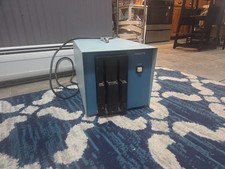
Vintage Industrial micro systems dual 8" Floppy disc drive for Altair system
$450.00
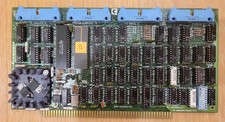
Cromemco TU-ART S-100 Serial and Parrallel Board - IMSAI Altair
$69.95

Cromemco PRI S-100 Printer Interface - Altair IMSAI
$45.00
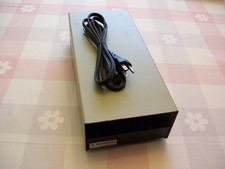
External Half Height Case For a 5 1/4 Inch Floppy Disk (Altair, IMSAI)
$49.95

S-100 backplane motherboard bare PCB 9 slot (for Altair/IMSAI)
$34.99

1976 Scelbi 6800 Software Cookbook Altair 680 SWTPC Assembly Language Motorola
$39.99
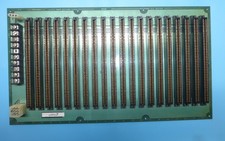
Morrow MIS S-100 20 Slot Backplane PDC Motherboard 1977 Altair IMSAI Board
$295.00
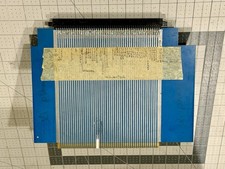
S100 Extender Board IMSAI ALTAIR
$49.99
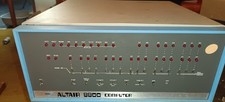
MITS Altair 8800 System Full Provenance and Documentation
$15000.00

CP/M 86 1.1R 8086 Highmonitor 8 Inch Floppy Diskette 80s IMSAI Altair
$40.00



 Reply With Quote