-
Copying files from crashed windows with Knoppix
Can someone please explain in simple terms how I can do this using Knoppix. I have a computer running Vista and it will not boot up. I have tried everything to restore vista but no go. It just keeps looping and getting nowhere. Vista came pre installed so dont have a disc but have tried restoring and repairing with vista repair disc and that didn't work either.
I have tried using Knoppix and it loads onto the computer ok and I can open the files but I can't copy and paste them onto my flash drive, It tells me I can't copy the files because I dont have permission. Maybe I got an old version of Knoppix and it wont work with Vista. I downloaded another version of Knoppix called Adrianna but that didnt do anything for me. All I got was a load of jargon I didn't understand, no User interface.
I have read that I should be able to just right click and copy the file I need and then paste it to my flash drive but I dont get the option to copy and paste. It is just not there.
Which version of Knoppix do I need to download. one that has a user interface and does allow me to copy and paste. I tried ticking all the right boxes to allow me to write to the flash drive but still didn't work when I tried to drag a file accross.
I have read articles that make it sound so easy. all you have to do is copy and paste. but I am obviously doiong something wrong or using the wrong version of Knoppix. Would some please tell which version to download as I am on a download limit and dont want to use up all my download by getting the wrong program each time.
And please can someone tell me in real simple terms so I can understand what to do. Please dont use technical jargon or vague descriptions. It would be like trying to tell someone who has never been in a car in his life to "start the car" How can you start the car if you havent been told how to do it. ?
I need help desperately I dont want to format the hard drive. I need to recover some important files. and please, no lectures about backing up my files. I had them backed up on disc but all my friend had the discs and his house was badly damaged in a fire last week and discs were ruined. Luckily I had the files on my own computer but now Vista has crashed and I need to be able to get the files off the computer and onto my other comp. I thought I could do this with Knoppix by just copying the files or paste the files to my flash drive.
If someone knows how to do this would you be so kind as to tell me step by step what to do. beaing in mind that I am quite familiar with windows and computers but not Knoppix unfortunately.
Please help.
Any advice will be welcome.
-
Administrator
Site Admin-
mmruben, welcome to the forum.
As with any new software, there is a learning curve and I appreciate that car analogy and understand how frustrating it can be.
By the same token, it's not easy providing free help to someone who goes to great lengths to tell us what not to help with but doesn't explain his situation very well.
"I have tried using Knoppix and it loads onto the computer ok and I can open the files but I can't copy and paste them" doesn't say what version you're using, whether you're trying to install Knoppix to a hard disk, run it from a USB, run it from a CD, or something else altogether. It doesn't explain what screens you get, what error message you get. And the load of jargon you don't understand can't really be interpreted if you don't provide it here.
-
Senior Member
registered user
what version of knoppix? ariadne is for "blind" persons (Braille keyboard and display...), so if you do not need that avoid it.
also have you tried to rightclick on the icon and look in the menu, there should be something about change read write mode.
do that ONLY to the flashdrive, your HDD should remain read only so you do not harm anything there.
Similar Threads
-
By poisonshift in forum Networking
Replies: 14
Last Post: 01-28-2010, 04:08 AM
-
By garfield in forum MS Windows & New to Linux
Replies: 2
Last Post: 01-06-2008, 11:13 AM
-
By eyeaspire in forum Laptops
Replies: 4
Last Post: 11-11-2005, 06:51 PM
-
By fordprefect3 in forum General Support
Replies: 3
Last Post: 10-13-2004, 03:58 AM
-
By jmpereira in forum Customising & Remastering
Replies: 0
Last Post: 07-30-2003, 08:09 AM
 Posting Permissions
- You may not post new threads
- You may not post replies
- You may not post attachments
- You may not edit your posts
-
Forum Rules


Gigabyte 4U AI Server 10x Nvidia GPU 2x Xeon Gold 6150 36 Core 2.7GHz DDR4 RAM
$1499.00

Dell EMC PowerEdge R440 Xeon silver 4215 2.5GHz 16 GB ram 2x 550W PSU No HDD
$275.00

867959-B21 HPE ProLiant DL360 G10 CTO Server W/ 2x 865414-B21 1x 840140-001
$245.00

Dell PowerEdge FX2s + 8x FC430 Blades 16x E5-2630v4 160 Cores Rails No PSU/RAM
$699.00

Dell PowerEdge C4130 1U AI GPU Server | 2x E5-2690 v3 | 64gb Ram | 2x 1600W
$524.99

Dell PowerEdge C4130 1U AI GPU Server | 2x E5-2680 v3 | 32gb Ram | 2x 1600W
$409.99

Dell PowerEdge C4130 1U AI GPU Server | 2x E6-2699 v3 | 128gb RAM | 2x 1600W
$899.99

Dell Poweredge R730xd 12LFF 2*2660v4 4*1Gbe h730 2x 750W Server CTO
$308.00
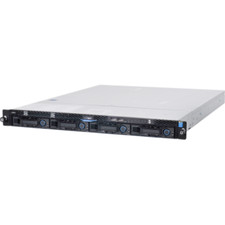
1U Server Intel Xeon E3-1240 V5 3.5Ghz 4C 32GB RAM 2x M.2 2280 OCP RJ45 Rails
$310.00

Dell Poweredge R630 2x Xeon E5-2680 v3 2.5ghz 24-Core | HBA330 | No RAM or HDD
$149.99



 Reply With Quote