-
Question about how to use MD5, and other questions.
Hello everyone. I'm new to Knoppix and I know little about Linux, so... I need your help.
1. I've downloaded 'KNOPPIX-ADRIANE_V6.2CD-2009-11-18-EN.iso' and its MD5. How do I use the MD5? (I suspect it is before I burn the iso to CD)
2. I read that this version is a LiveCD that doesnt need to be installed, but, can I later install it?
3. This are my notebooks specs:
HP
Mobile AMD Sempron
Processor 2800+
1.6 Ghz. 224 MB of RAM
Am I ok with these numbers?
That's all for now. Thanks in advance.
Ciao.
-
Administrator
Site Admin-
Re: I'm new to Knoppix and have some questions
Im general we ask that your subject line give some idea what you are posting about, and yours really doesn't. Imagine how less useful the forums would be if all posts were something like "I have problems" or "I have questions" or "I'm a noob". You can and should use the edit feature to go back and change your subject line.

Originally Posted by
lce9
1. I've downloaded 'KNOPPIX-ADRIANE_V6.2CD-2009-11-18-EN.iso' and its MD5. How do I use the MD5? (I suspect it is before I burn the iso to CD).
It is certainly better to do the md5 test before burning rather than later, if the ISO is bad you'll have not wasted a disc. To learn how to do a md5 test follow the documentation link near the top of this page to our wiki, and read the Downloading FAQ. There may be some other important things in the FAQ too, so I sugget reading it all before burning.
Are you sure that you want the ADRIANE version, which includes a lot of text-to-speach support for the blind but is not well liked by sighted users?
Originally Posted by
lce9
2. I read that this version is a LiveCD that doesn't need to be installed, but, can I later install it?
It is a Live CD. You might be able to install it. You can also take a brick and smash you hand. Both are likely to be very painful. If you like what you see and want an installed version, I strongly suggest that you install the testing version of Debian or some other distro suitable for hard disk install rather than Knoppix.
Originally Posted by
lce9
3. This are my notebooks specs:
HP
Mobile AMD Sempron
Processor 2800+
1.6 Ghz. 224 MB of RAM
224 meg of RAM is pretty low for that CPU, are you sure of that number? I expect that Knoppix will still run in that memory. Might be a little sluggish and don't try running a dozen applications at once, but most applications should run. In theory. Good luck and let us know how you make out.
-
Thanks a lot. You answered my questions.
I'll read what's on the documentation link and see what happens.
Thanks again.
Bye.
Similar Threads
-
By pluto in forum General Support
Replies: 1
Last Post: 01-16-2006, 08:26 PM
-
Replies: 5
Last Post: 07-09-2005, 04:40 PM
-
By ichi in forum General Support
Replies: 3
Last Post: 11-17-2004, 11:58 PM
-
By mark1221 in forum Hdd Install / Debian / Apt
Replies: 2
Last Post: 11-01-2003, 10:32 PM
-
By AlterEgo in forum General Support
Replies: 6
Last Post: 04-13-2003, 09:41 PM
 Posting Permissions
- You may not post new threads
- You may not post replies
- You may not post attachments
- You may not edit your posts
-
Forum Rules


Kingston 32GB 64GB 128GB 256GB USB 3.0 Flash Drive Thumb Memory Stick Pen lot
$285.90

SanDisk Ultra Luxe USB 3.1 Flash Drive – 5 Pack | Premium Metal USB Flash Drives
$39.99

Kingston DataTraveler Duo 256GB (USB 3.2 (Gen 1) Type A + USB 3.2 (Gen 1) Type
$39.99

Microsoft Windows 11 Pro 64-Bit USB Flash Drive
$24.99

USB 3.0 Flash Drive 32GB 64GB 128GB Memory Stick Thumb Stick Lot Pack
$826.09

Sandisk 16GB 32GB 64GB 128GB Cruzer Blade Flash Drive Memory Stick USB Lot Pack
$88.90

LOT 10x SanDisk 32GB ULTRA USB 3.0 flash drive SDCZ48-032G 32 GB read 100 MB/s
$39.80

USB Type-A Flash Drive Metal Memory Stick High Speed USB Drive 128GB 256GB 512GB
$7.97
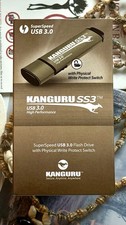
Kanguru KF3WP-64G USB Flash Drive with Write Protection Switch
$62.00

Microsoft Windows 11 Pro 64bit - New Sealed – Flash USB 1 PC
$49.99



 Reply With Quote