-
no sound from via8237 in knoppix 6.2
I have installed the latest distribution of Knoppix on my laptop hard drive and am troubleshooting a lack of sound from the 8237 via chip. I am trying to run the "Knoppix alsa" cheat code from the boot prompt, but there is not enough time because it only shows for a millisecond before the boot process continues. 1. Is there a way to insert the cheat code into the boot process somewhere through Konquerer? or 2. Would it be possible to pause the boot process so I can try the cheat code manually?
-
Administrator
Site Admin-
Re: no sound from via8237 in knoppix 6.2

Originally Posted by
HerdBull
I have installed the latest distribution of Knoppix on my laptop hard drive ...
Does the sound work OK when running from CD or DVD? If so you just have one of many many problems that occur when people insist that Knoppix can be installed to hard drive. I suggest that you consider a version of Linux intended for hard drive install. If you like Knoppix then the testing version of Debian might be a very good choice, and a lot less painful than fighting with a Knoppix "install".
---
Verifying of md5 checksum and burning a CD at slow speed are important.
-
I had not noticed whether the sound was working on dvd boot before because I was working on getting some more important devices working but I just doublechecked and it is not working on dvd either. The reason I am using Knoppix is because I tried some others like OpenSuse and Ubuntu, but Knoppix is the only one I could get my rtl8185 driver working.
-
Administrator
Site Admin-
Originally Posted by
HerdBull
.... I tried some others like OpenSuse and Ubuntu, but Knoppix is the only one I could get my rtl8185 driver working.
Well, if Knoppix can work with your 8185 then I certainly expect that Debian testing can too, since that is what Knoppix is based on (with an unfortunate mix of some other flavors of Debian too). I don't know the status of support for your sound chip, but it could well be that a newer version of Debian might support that as well. I would not focus on getting an installed version of Knoppix to support it, at least until you get it working from disc as Knoppix was intended (and where you can play with the cheat codes). If your goal is to work with a Live disc with sound then Knoppix might be able to be made to work with cheat codes, but if your real goal is an installed Linux system, Knoppix is not a good choice.
-
I will start downloading Debian and continue trying to fix the sound device until it is ready to install.
-
Administrator
Site Admin-
If you have a hgh speed connection, I suggest the net-install version of Debian testing. It is relatively small,and will install what else it needs from the net during the install process. It also avoids needing the original disc most of the time when you do future apt-gets.
---
Verifying of md5 checksum and burning a CD at slow speed are important.
-
This topic should be moved to hardware and booting issues. I think that is where I originally posted it.
I found a fix for this problem which is associated with the alsa audio drivers for the VIA8237 ac97 onboard chip. It is to run 'alsamixer' from terminal and arrow over to <external> which is an external amplifier and press 'm' for mute which otherwise seems to interfere with the regular audio output. This fix was listed in a puppy linux forum here http://murga-linux.com/puppy/viewtop...art=15&t=18486 and he said he found it on someone's blog. Instructions for using alsamixer are here http://linux.die.net/man/1/alsamixer.
This problem is not associated with hard drive installs because I have it when I run from dvd also. It also seems to be a problem for other Linux distros so it may not be a particular error within Knoppix at all. It runs wonderful on the hard drive with no waiting for the disk to spin up and search for the right address so I am glad I stuck with it.
-
 no audio on Knoppix 7.0
Hi, I had same problem on new in stallation of Knoppix 7.0
On my DELL laptop the audio card was an HDA-INTEL.
To turn audio on I have just lunch alsamixer, moving with arrows to Front and pressing M.
In this way the mute action was changed on internal audio.
I hope it will be usefull for all
Bye
MrSmt
Similar Threads
-
By AngelFch in forum Hardware & Booting
Replies: 2
Last Post: 07-09-2005, 07:53 PM
-
By spitfire in forum Hardware & Booting
Replies: 1
Last Post: 10-30-2004, 02:56 AM
-
By Battousai in forum Hardware & Booting
Replies: 3
Last Post: 03-08-2004, 10:17 PM
-
By Cuddles in forum General Support
Replies: 40
Last Post: 03-01-2004, 04:45 PM
-
By ICE_STORM in forum Hardware & Booting
Replies: 1
Last Post: 10-04-2003, 11:54 PM
 Posting Permissions
- You may not post new threads
- You may not post replies
- You may not post attachments
- You may not edit your posts
-
Forum Rules


Dell Poweredge R720 8SFF 2.5" x Xeon E5-2680 v2 2.8GHz 20-Cores 128gb 4x Trays
$349.99

Dell PowerEdge R730XD Server 2x E5-2695 V4 = 36 Cores H730p 32GB RAM 4x trays
$649.99

Dell EMC PowerEdge R440 Xeon silver 4215 2.5GHz 16 GB ram 2x 550W PSU No HDD
$275.00

Dell PowerEdge R420 Rack Server Intel Xeon 1.90GHz Six-Core 8GB DDR3 RAM
$95.00

Dell Poweredge R720 8SFF 2.5" 2x Xeon E5-2680 v2 2.8GHz 20-Cores 64gb 4x Trays
$259.99

Dell PowerEdge R620 2x Xeon E5-2630 v2 3.1GHz 2.5" 4-BAY 32GB RAM No OS 2x 495w
$168.95
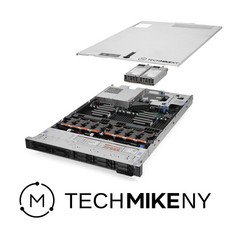
Dell PowerEdge R640 Server 2.10Ghz 32-Core 64GB RAM Energy-Efficient
$649.95

Dell PowerEdge R440 Server 8 Bay SFF 1x Xeon Gold 6209U 48GB 3x Caddies DVD
$499.00

Dell PowerEdge R530 2x E5-2630v4 H330 iDRAC8 Port Card Riser No PSU/RAM/HDD
$99.99

Dell Poweredge R630 2x Xeon E5-2680 v3 2.5ghz 24-Cores / 64gb / Raid / 2x 1Tb
$374.99



 Reply With Quote