-
Knoppix 6.2 and Compiz on an nvidia card
So, I'm really impressed on the whole with knoppix 6.2 (the last version I used was 3.x), especially being able to get online immediately,
but I'm at a loss as to how I can get Compiz working on this machine. I'd absolutely love to know if anyone else had this problem, and what they did to remedy it.
Bear in mind that I don't even have a flash drive to install items, yet, but I will soon, and I'll probably attempt to install nvidia's own drivers when I do, but for now, it'd be great to know if Compiz is supported on nvidia cards.
Cheers!
-
Junior Member
registered user
Sure Compiz works with nvidia, but only with the proprietary driver since the included xorg nv driver only has 2D.
Unfortunately knoppix 6.2 dvd comes with the linux-headers in an incomplete state that driver module compilation doesn't work on. I got it to work by following a blog website's instructions to recompile the headers using the source included on the dvd, replacing the linux-headers. Then module-assistant and aptitude were able to compile and install the nvidia driver the debian way. See my other response:
http://www.knoppix.net/forum/viewtop...275&highlight=
The compilation from source takes a long time, like an hour and a half. Not sure you'd want to bother until you get a USB flash drive because you will lose all that work just by restarting the computer.
The nvidia-installer downloaded from nvidia would also work after the header rebuild, but the debian way is better overall for many reasons, especially if you want to use the knoppix usb flash on another computer. With the debian way and using the xmodule=nvidia cheat code without even modifying xorg.conf, you could simply chose xmodule=nv, xmodule=radeon, etc, to use whatever a different computer has as a graphics card and it would work. With the nvidia-installer it changes enough so you'd have to run nvidia-installer --uninstall and use aptitude to reinstall all the mesa packages to restore the system so that any other graphics card and driver would work properly. And with the debian way you don't need to leave the desktop environment to install. You just install the stuff and reboot with the knoppix xmodule=nvidia cheat code and you're all set.
Instructions for the debian way are:
http://wiki.debian.org/NvidiaGraphicsDrivers
and:
http://forums.debian.net/viewtopic.php?f=16&t=10812
Compiz in standard Debian starts automatically in Gnome if it's installed, but needs to be configured in ccsm (Compiz config settings manager). In KDE the desktop effects are on by default as soon as 3D is detected as working. In Knoppix I use KDE but turn the effects off even though I use them on my real Debian Squeeze installation. Some stuff works weird in Knoppix for some reason.
You don't need to install Compiz in Knoppix dvd as it's already installed, but I would check with aptitude search compiz just to see that all the parts are there for working in the desktop you use (compiz-kde, etc) and the configuration tools like fusion-icon if you want it, etc.
-
Thank you
I'm much obliged! Thank you for your detailed response.
Similar Threads
-
By don999 in forum Hardware & Booting
Replies: 0
Last Post: 07-13-2009, 05:01 AM
-
By d3l0n in forum Hardware & Booting
Replies: 0
Last Post: 07-14-2008, 12:33 AM
-
By rivendels in forum Hardware & Booting
Replies: 12
Last Post: 02-13-2007, 04:14 AM
-
By Kowood in forum Hardware & Booting
Replies: 3
Last Post: 05-07-2005, 08:15 PM
-
By Kethinov in forum Hdd Install / Debian / Apt
Replies: 3
Last Post: 12-26-2003, 12:54 AM
 Posting Permissions
- You may not post new threads
- You may not post replies
- You may not post attachments
- You may not edit your posts
-
Forum Rules


Dell PowerEdge FX2s + 8x FC430 Blades 16x E5-2630v4 160 Cores Rails No PSU/RAM
$699.00

Dell PowerEdge FC430 Blade Server 2x Xeon E5-2630v4 20 Cores FX2 FX2s No RAM/HDD
$119.99

Dell PowerEdge M640 Blade Barebone Server Dell P/N: HHB006 Tested Working
$149.99

NETAPP HCI NAF-1701 SuperMicro Server 4X BLADE H410C 8X GOLD 5120 4 NODE SERVER
$1499.97
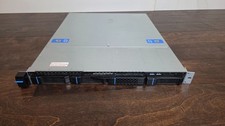
Datto S3P6000 4x 3.5" 1U Blade Rack Server Intel Xeon D-1541 @2.10GHz 48GB DDR4
$128.96

Datto S4P10 1U Blade Rack Server Intel Xeon D-2143IT 2.20GHz 48GB DDR4 4-Bay PSU
$197.76

Dell PowerEdge M630 Blade Server 2x Xeon E5-2680 v4, 2F3MP , 4GDP5 ,R10KJ ,JVFVR
$95.20

Dell PowerEdge VRTX 2.5"x25 Bay Blade Enclosure 4x1600W + 4X M640 (4X Blades)
$1599.99

Dell PowerEdge M620 Blade Server 2x Xeon E5-2680v2 2.8ghz 20-Cores | 128GB
$149.99

Dell Poweredge VRTX 25Bay 2.5" 2x PERC 8, 2xCMC, I/O 1GB Pass Through, 4x PS
$578.08



 Reply With Quote