-

Originally Posted by
Harry Kuhman
Yes, more often that not the content of error messages actually means something and for that reason it does help to report error message content when asking for assistance. Find the setting in IW to disable IPv6 and try again.
I see one place I could disable in iceweasel/preferneces/main/manage addons button /extensions where I could disable the no scripting program or uninstall it. and in plugins tab I can disable java 1.6.0. Do you suppose one of those are the culprit?
-
Administrator
Site Admin-
That doesn't sound like an IPv6 issue to me. As I stated, my ISP is IPv4 only and this has never been a problem for me, but I remember seeing a problem similar to your tracked down to IPv6 and I think I remember it being resolved with a setting in the browser. You might want to try the forum search feature to look for IPv6 and see if you can't find the previous discussions.
---
Verifying of md5 checksum and burning a CD at slow speed are important.
-
Originally Posted by
Harry Kuhman
That doesn't sound like an IPv6 issue to me. As I stated, my ISP is IPv4 only and this has never been a problem for me, but I remember seeing a problem similar to your tracked down to IPv6 and I think I remember it being resolved with a setting in the browser. You might want to try the forum search feature to look for IPv6 and see if you can't find the previous discussions.
I can't tell any difference in the settings between the working 6.2 USB and the non working web booting from .iso . In IW/prefernces/advanced/settings/ its set to : Use system proxy settings
just like the Ubuntu 9.10 USB I'm booted into right now. Its the same way on the KNX6.2 USB with web working. I can't tell any difference in the non working one and the working one as far as settings go. I don't know if ice-weasel is missing some of its program or what??
I saw something once this aggravating but she's a different story. LOL
-
I have wireless out of the box but no wired internet connection in 6.2
-
I found a thread on the subject and you have to edit the about:config file in iceweasel to fix it
type about:config in the address bar
type ipv6 in the filter bar
right click ipv6 and toggle false to true
exit
-
Man its been one thing after another with this 6.2. I couldn't get a good cd burned because of ATAPI and linux issues. Then because I was trying to use a CD-RW I couldn' get one burned in XP with image burn and when I did get it right I couldn't get internet working because of the IPv6 issue. Then I couln't get the CD to boot in my desktop until I unhooked the DVD-ROM leaving only the DVD-burner in-tact to solve in out errors and now I had just about given up on getting any of my knoppix USB's to boot in my desktop.
I keep getting the knoppix left,right left I have become accustomed too latelyt:
could not mount /mnt-system
cant access tty job control turned off dropping you to a # debugger shell which left me with this
init line 688 /bin/mount not found
init line 737 /sbininit not found
In one last effort I tryed Ruymbekes boot from .iso file on my USB and lo and behold it worked and I am able to post on here again from USB.
QUESTION
Is there a manual way to backup and restore user settings, background and programs?
I want it to write a new fstab every time it boots though, so it doesn't show hard drives that are not on that particular machine or try to mount something in the wrong place.
-
Finally!
I got my Knoppix 6.2 USB booting on my desktop by the copied install, booting with Super Grub with a persistent file.
I was wrong in my last post about booting the USB with Ruymbekes .iso boot. Come to find out It booted 6.2 .iso that I am booting on /dev/sdb9 with grub2. but not my USB.
I can sleep now. I got rid of some backup KNOPPIX folders I had scattered around from where I moved things around after a hard drive failure and renamed the 5.3.1 KNOPPIX folder on /dev/sda2 a new freaky name so my KNX6.2 USB doesn't pick up on it and load it at boot time.
sudo mv /sda2/KNOPPIX KNOPPIXchangebacktoboot
Guess what it booted . Yahoo!
I bet the syslinux boot loader would boot now as well but I don't think I'm gonna change it. LOL
Similar Threads
-
By zoidburg016 in forum Hdd Install / Debian / Apt
Replies: 1
Last Post: 08-20-2006, 08:52 AM
-
By mikekgr in forum Hdd Install / Debian / Apt
Replies: 0
Last Post: 06-30-2004, 08:01 AM
-
By Stryker87 in forum General Support
Replies: 3
Last Post: 06-14-2004, 01:22 AM
-
By foofightr in forum General Support
Replies: 1
Last Post: 01-26-2004, 02:58 AM
-
By massai in forum Hdd Install / Debian / Apt
Replies: 6
Last Post: 12-24-2003, 06:56 PM
 Posting Permissions
- You may not post new threads
- You may not post replies
- You may not post attachments
- You may not edit your posts
-
Forum Rules


HP 2x 10GB OPNsense Quad Core i5-8500 8GB RAM 3Port Gigabit Firewall AES-NI SSD
$199.95

OPNsense Firewall 16-Core Atom C3958 16GB DDR4 RAM 64GB SSD 8x 1Gbe QAT AES-NI
$195.00

SonicWall TZ280 Firewall 03-SSC-6933 Advanced Edition 3YR NEW SEALED
$999.99

Check Point 1590 Firewall & w builtin WiFI and builtin LTE sim slot
$95.99

OPNsense pfSense 16-Core Atom C3958 16GB ECC RAM 512GB SSD 8-Port QAT AES-NI VPN
$258.00

Fortinet FortiGate 60F FG-60F UTM UTP License Until 2027 Network Security FW VPN
$229.99

OPNsense pfSense 8-Core Atom C3758 2.2GHz 8GB DDR4 64GB SSD 8x NIC QAT AES VPN
$125.00
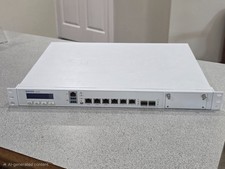
Sophos XG 210 Rev. 3 Firewall Appliance – 8GB RAM / 128GB SSD – Tested & Reset
$149.99
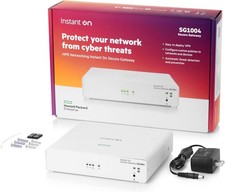
HPE Networking Instant On Secure Gateway Smart-Managed Switch (S0G33A#ABA) - New
$269.99
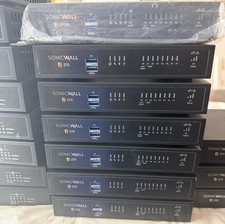
SONICWALL TZ270 Network Security Base Appliance Only (02-SSC-2821) - Open Box
$195.00



 Reply With Quote