
When I burned the k6.2 cd with image burn it says there are 2045 errors on the disk. I must not have a good 6.2.iso


When I burned the k6.2 cd with image burn it says there are 2045 errors on the disk. I must not have a good 6.2.iso
That makes little sense, I think if the iso were bad and it were burnt properly onto good media on a good drive than there would be no errors reported during the burn, the result simply would be as bad as the iso. But it is foolish to speculate that you might have a bad ISO file, there is a md5 file that will let you do a simple test to know with certainty if the file is good or not. See the downloading faq for details of how to run the md5 test. If you downloaded with BitTorrent it is extremely unlikely that you have a bad ISO file, but you got the md5 file for doing the test with the ISO and other files. If you ignored the advice to use the torrents and used the mirrors then the chances for a bad downloaad goes up greatly (about 50% of my mirror downloads for Knoppix were bad before the torrents became available), but you can downlod the md5 file from the mirror and do the test, and frankly it would be extremely unwise to burn a mirror download ISO without first doing the md5 test.Originally Posted by sbininit
I expect that you'll find that the ISO is good (if you are even willing to learn to do this very simple test. Some people seem irrationally unwilling to learn to do this simple test.). If it is good you likely have some other problem, maybe a bad drive, maybe bad media, perhaps even failing memory in the system that you are burning on. And, as always, it is extremely important to burn the ISO file at low speed.
The md5sum checks out fine and it will boot with qemu from within knoppix 5.3.1 but simply will not boot in my lap top or my desktop with any of the cheat codes I have tried. If I try testcd it says can't find kernel Both machines boot 5.3.1, DSL 5.1 puppy 4.21 and all my ubuntu cd's without hesitation.
I'll try it again and post some of the errors its giving.
That the md5 checks out fine confirms my point, you do not have a bad iso file, you have some other problem. I have no idea what booting from within Knoppix 5.3.1 means. Normally a bad or high speed burn causes other problems, such as the popular "cannot find Knoppix file system" error. I'm at a loss to know just what your problem actually is, but thank you for confirming that it is not a bad iso file. My main suspects are media, the drive, or a high speed burn.
I finally got it to boot with grub2 by this menuentry
menuentry "Knoppix 6.2.0 from sdb9 ISO" {
set root=(hd1,9 )
search --no-floppy --fs-uuid --set b9b2a745-e246-4d84-bfe5-6065fbd734b8
linux /boot/k620/linux root=UUID=b9b2a745-e246-4d84-bfe5-6065fbd734b8 bootfrom=/dev/sdb9/boot/k620/*.iso lang=us ramdisk_size=100000 init=/etc/init apm=power-off dma screen=1024x768 noprompt noeject nomce vga=791 quiet hostname=auto-clock loglevel=0 lsdibata.atapi_enabled=1 SELINUX_INIT=NO nmi_watchdog=0
initrd /boot/k620/minirt_620e.gz
}
Its almost identical to the entry I use for 5.3.1. except I use /bootfromhd/KNOPPIX on it as I never got the .iso to boot
I like 6.2 alright, its beautiful. I'd like to speed up that crumbling page when you x out of a file a bit so it doesnt' get in the way. I never got the web to work. I could ping google fine but no browsing. It had to be something I guess.
I want to learn to open vmlinuz and minirt.gz files in the near future and do other things besides just multi-booting.
I made a Knoppix 6.2 flash drive from the poormans install I have on my desktop and it will boot in the lap top but not in the desktop. I have been tinkering with it a bit and I really like it. I never could get the internet to work on the poormans desktop install. I could ping google all day long but couldn't log on with any of the settings in preferences. I ran damn small linux in virtual machine and it had web.
Web works fine on the lap top booting from the thumb drive now. I still have not got a 6.2 cd to boot. I get a - KNOPPIX compressed image broken dropping you to a root shell- when using the : " toram" cheat code on the desktop. That cheat code gets it farther than anything I have tried. I may not have my ATAPI DVD writer configured just right for linux. Probably not getting a good burn.
I really do like 6.2 though, it may turn out to be my favorite. Synaptic runs much better once you get it on USB. I also like the way it displays the size of the hard drives and the available space at the bottom of the folder.
Virtual Machine is really awsome running a small program like DSL linux its the only one Ive tryed. I noticed you can't see outside of the virtual machine with the command line. I wonder if there is a work around for that?
I finally got a working Knoppix 6.2 cd with Image Burn in Windows XP at 1x speed
I think most of my problem stemmed from trying to use a CD-RW that had been used for 6.1
I used a CD-R and got perfectly the first time. Too much of a tight wad I guess.
I can not access the web no matter what I do from the Knoppix 6.2 Cd with Iceweasel. Is there some trick to that?
yup, good media, low speed burns and a good optical drive are the formula for success.
Not enough information to resolve this. Try putting IP addresses in IceWesal rather than URLs and see what happens. Can you ping sites like this one by both IP address and URL (or just by IP)? What you may have is an ipv6/ipv4 conflict. I've seen some discussion of this but never experienced it myself because my ISP offers no ipv6 support (as far as I know). If that turns out to be your problem I think there is a setting in IW somewhere to disable ipv6 support.
---
Verifying of md5 checksum and burning a CD at slow speed are important.
There was an error in dmesg that mentioned no IPv6 routers present.
Yes, more often that not the content of error messages actually means something and for that reason it does help to report error message content when asking for assistance. Find the setting in IW to disable IPv6 and try again.
---
Verifying of md5 checksum and burning a CD at slow speed are important.
 Posting Permissions


Yealink T48S VoIP/SIP Phone, 2 x Gigabit Ports PoE 7" Color SIP-T48S | TESTED
$34.95
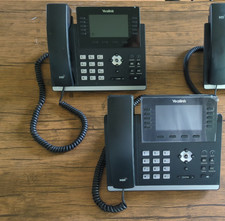
Used Yealink SIP-T46U IP Phones - Black - Bundle of 2
$49.99

SIM Bank 32 SIM Card Slots Ethernet SIM Server for GoIP
$600.00

Grandstream WP810 Portable Cordless Wi-Fi IP Phone
$49.28
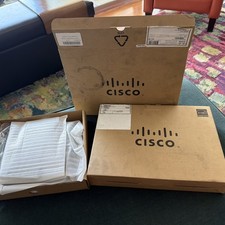
2 BRAND NEW CISCO IP Phones (CP-8811-K9) VoIP 8811 Series Phone NEW OPEN BOX
$98.75
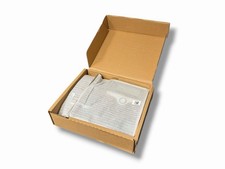
Cisco CP-7841-K9 IP Phone 4-Line Gigabit VoIP Desk Phone with HD Audio & PoE
$59.99

Cisco / Linksys SPA2102 VoIP 2FXS Phone Adapter with Router (unlocked)
$18.99

Cisco/Linksys SPA2102 VoIP Phone Adapter Router 2FXS (Unlocked)
$17.99
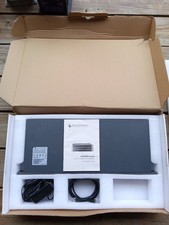
Grandstream GXW4501 Digital VoIP Gateway Works TESTED W Box It Came In.
$290.36

Poly CCX 400 Desktop Business Media Phone VoIP 2200-49700-019
$49.99

 Reply With Quote