

 Reply With Quote
I'm pretty sure there's a cheatcode that will use the Gnome desktop, that's what you mean; try knoppic desktop=gnome and see what it does.Originally Posted by exzhou
Krishna


I am new to both linux and unix. I just installed Gnome to the hard drive on a very old laptop. According to the documentation on this website, "To install Gnome, you have to comment all the lines in /etc/apt/sources.list except the unstable ones." This must happen before typing:
apt-get update
apt-get install gnome
Is there anyone who knows how to do the first step (commenting /etc/apt/sources.list)? I think I generally understand how the apt-get function works, but why do I need to comment all the lines in /etc/apt/sources.list?
I'm pretty sure there's a cheatcode that will use the Gnome desktop, that's what you mean; try knoppic desktop=gnome and see what it does.
Krishna
 Posting Permissions


Dell 6P85J 4TB ST4000NM0063 7.2k 6Gb/s 3.5” SAS SED Hard Drive with Tray
$39.99

Western Digital HUS726T4TAL5204 4TB 7.2K SAS 12Gb/s 3.5" 512e HDD NetApp X375A
$64.00

HGST Ultrastar HUS726040AL5210 4TB 7200RPM SAS 12Gb/s Enterprise HDD
$41.00

DELL 2TB Enterprise HDD (7200RPM, 3.5", SATA III, 128MB Cache) HUS722T2TALA600
$49.95

Seagate Exos ST2000NX0253 HDD 2TB SATA 7.2K 2.5" 512b/s
$55.00

Lot of 2 HP 4TB / 128MB SATA 7.2K RPM 3.5" Hard Drive MB4000GCWDC /ST4000NM0033
$125.00

Dell ST6000NM0034 1HT27Z-150 NWCCG 6TB SAS 3.5 7.2K ENTERPRISE SERVER DRIVE
$68.99
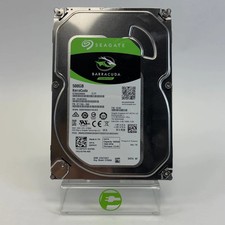
Seagate 2.5" Barracuda 1TB SATA III 6Gbps HDD 2F110A-500
$19.99

Western Digital 1TB 3.5" SATA III 7200RPM Desktop Hard Drive
$34.99

Toshiba DT01ACA100 1 TB 3.5" SATA III 3.5 in Desktop Hard Drive
$24.99