

 Reply With Quote
Looks like a nice rescue disk, but where's the download link, or any instructions at all?
Originally Posted by rusty


Don't forget to create the Windows recovery disk set under Windows 7 before you start to do any thing. This is the last resort you have if something went wrong on this machine.
After doing that, if you are leaning forward to have multiply partitions in your windows 7 machine, you can use the windows 7 build in function to do so.
A new Windows machine usually have 2 NTFS partitions, one contains the windows 7 software (a smaller partition, sometime it is hidden), the other partition will use up all the remaining disk (i.e. that is your c: drive)
In order to have more partitions, you need to shrink that big partition. In Windows 7, under Disk Management screen, right click on the partition you want to shrink. Select "shrink volume", then follow the dialog box and fill in the sizing value. Then windows will shrink that partition and the remaining space will be marked un-used.
If you plan to install Linux on this machine too, I recommend you have another FAT32 partition allocated here. But do not use up all the space. The remaining un-allocated space is for your Linux installation. You have to do the math yourself and see how big you want the FAT32 partition. It is for data transfer between your Linux OS and Windows OS.
Then install the anti-virus software on your new Windows 7 machine. Turn on the feature to check all incoming files. This could prevent the infection if the virus is embedded on any of your files in the old hard disk.
Then copy the data files back from the old machine. Either FTP or share drive approach will work.
The last step is to install Linux, Ubuntu has the best installation program so far I see, but it does not matter. Just go for the distro you like. During Linux installation, it will ask you to create a swap disk, just create one with the size 2 times of your RAM is good enough.
Rgds,
Chip
Looks like a nice rescue disk, but where's the download link, or any instructions at all?
@krishna.murphy
h i r e n . i n f o / p a g e s / b o o t c d, a collection of various recovery/repair/diagnostic tools.
OOPS - looks like the download link is not live on the page. Try entering "Hirens torrent" in a google bar.
Thanks! Torrent = cool, but not as easy as download. I found it at on Thai website that led me to one with high-speed downloads.here:
w w w . h i r e n s b o o t c d . n e t
-Krishna
 Posting Permissions


Dell 6P85J 4TB ST4000NM0063 7.2k 6Gb/s 3.5” SAS SED Hard Drive with Tray
$39.99

Western Digital HUS726T4TAL5204 4TB 7.2K SAS 12Gb/s 3.5" 512e HDD NetApp X375A
$64.00
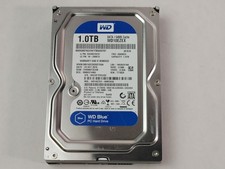
Western Digital WD Blue WD10EZEX 1 TB 3.5" SATA III Desktop Hard Drive
$23.99

DELL 2TB Enterprise HDD (7200RPM, 3.5", SATA III, 128MB Cache) HUS722T2TALA600
$49.95
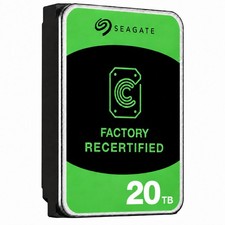
Seagate Exos ST20000NM003C 20TB CMR 7200RPM SATA6Gb/s 3.5" Enterprise Hard Drive
$509.99

Seagate Exos ST2000NX0253 HDD 2TB SATA 7.2K 2.5" 512b/s
$55.00

Dell ST6000NM0034 1HT27Z-150 NWCCG 6TB SAS 3.5 7.2K ENTERPRISE SERVER DRIVE
$68.99

Toshiba 14TB MG07 MG07ACA14TEY 7.2K RPM SATA 6Gb/s 512e 3.5" Enterprise HDD
$339.00

Western Digital 1TB 3.5" SATA III 7200RPM Desktop Hard Drive
$34.99

Seagate ST8000NM0075 Enterprise Capacity 3.5 HDD 8TB SAS Hard Drive 8TB EXOS
$184.99
 }
}