-
Senior Member
registered user

Originally Posted by
marmeduke
I've listened to you all about the registry editing. I purchased a new computer. It came with Windows 7. I now have 2 questions; one of which has been touched on. I want to safely move some of the data from the old hard drive to the new one. I want to do this without exposing my new system to the virus. 2) I'm leaning towards making a partition on the new system hard drive and loading a linux based os there. Can you speak to the advantage to doing that? I'm also still pondering going fully with a linux based system also. I presume this would mean fomatting the hard drive and starting from scratch? Thanks again to all the great help. Colin
Don't forget to create the Windows recovery disk set under Windows 7 before you start to do any thing. This is the last resort you have if something went wrong on this machine.
After doing that, if you are leaning forward to have multiply partitions in your windows 7 machine, you can use the windows 7 build in function to do so.
A new Windows machine usually have 2 NTFS partitions, one contains the windows 7 software (a smaller partition, sometime it is hidden), the other partition will use up all the remaining disk (i.e. that is your c: drive)
In order to have more partitions, you need to shrink that big partition. In Windows 7, under Disk Management screen, right click on the partition you want to shrink. Select "shrink volume", then follow the dialog box and fill in the sizing value. Then windows will shrink that partition and the remaining space will be marked un-used.
If you plan to install Linux on this machine too, I recommend you have another FAT32 partition allocated here. But do not use up all the space. The remaining un-allocated space is for your Linux installation. You have to do the math yourself and see how big you want the FAT32 partition. It is for data transfer between your Linux OS and Windows OS.
Then install the anti-virus software on your new Windows 7 machine. Turn on the feature to check all incoming files. This could prevent the infection if the virus is embedded on any of your files in the old hard disk.
Then copy the data files back from the old machine. Either FTP or share drive approach will work.
The last step is to install Linux, Ubuntu has the best installation program so far I see, but it does not matter. Just go for the distro you like. During Linux installation, it will ask you to create a swap disk, just create one with the size 2 times of your RAM is good enough.
Rgds,
Chip
Similar Threads
-
By xihuitl in forum Hardware & Booting
Replies: 0
Last Post: 07-22-2007, 04:21 AM
-
By code_orange in forum MS Windows & New to Linux
Replies: 2
Last Post: 10-19-2006, 04:05 AM
-
By FONE_STAR in forum Networking
Replies: 0
Last Post: 08-15-2006, 09:03 AM
-
By bobyd54 in forum MS Windows & New to Linux
Replies: 3
Last Post: 07-12-2005, 06:52 PM
-
By shane25119 in forum General Support
Replies: 1
Last Post: 06-16-2004, 07:53 PM
 Posting Permissions
- You may not post new threads
- You may not post replies
- You may not post attachments
- You may not edit your posts
-
Forum Rules


Intel Core i5-12500T SRL5W 2GHz 18MB 6 Core Socket LGA1700 Desktop CPU Processor
$114.99
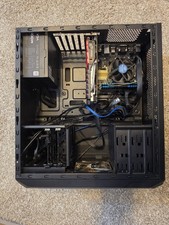
Used PC Corsair Vengeance Intel i7-4770 3.40GHz 16GB DDR3 Gtx 1050 Ti Msi
$135.00

INTEL CORE I9-10940X X-SERIES PROCESSOR | 3.30GHZ | SRGSH
$179.99
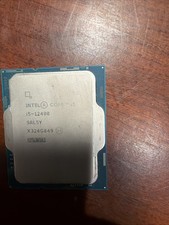
Intel Core i5-12400 CPU 2.50GHz 6-Core 12-thread SRL5Y LGA 1700
$121.99

Intel Core i7-9700 Octa-Core 3 GHz Desktop Processor LGA 1151
$79.99

Intel Core i7-3770K 3.5 GHz Processor
$39.00

Intel Core I7-7700 SR338 3.60 Ghz Processor
$39.99

Intel Core i7-7700K SR33A 4.20GHz 4-Core LGA1151 CPU Processor
$62.95

Intel Core i7-4770 3.40GHz Quad Core SR149 LGA 1150 CPU Processor tested
$35.00

AMD - Ryzen 7 5800X3D 8-Core - 16-Thread 3.4 GHz (4.5 GHz Max Boost) w/ Ice Pad
$355.99



 Reply With Quote