-
Borked MBR but think I know what problem is
Silly me, I did a hard drive install before reading all the information about not installing to the hard drive. I suppose, if it is that problematic, there should be a warning if you choose that option. Anyway, the installation borked my MBR and now neither windows, nor my linux mint installation is there.
I think I know what the problem is though. In the menu.lst of grub it says
norootverify (hd,1,0)
and then it tells me the disk doesn't exist.
I think is should be (hd0,2) since the windows partiion is sda2
I, however, am stupid and cannot figure out how to edit the menu.lst file. I would need some really idiot proof instructions
Also this computer is an Acer Aspire One. I seem to have lost the ability to do an erecovery whiich was not an issue with using grub with linux Mint. That is on partition sda1. So if anyone knows how to get that accessible that would be appreciated.
Hope someone can help me with this
Peter
-
addendum
Ooops I should have said the windows option is there. It just doesn\'t work. But a linux mint option isn't
-
Senior Member
registered user
Re: Borked MBR but think I know what problem is

Originally Posted by
yachp
Silly me, I did a hard drive install before reading all the information about not installing to the hard drive. I suppose, if it is that problematic, there should be a warning if you choose that option. Anyway, the installation borked my MBR and now neither windows, nor my linux mint installation is there.
I think I know what the problem is though. In the menu.lst of grub it says
norootverify (hd,1,0)
and then it tells me the disk doesn't exist.
I think is should be (hd0,2) since the windows partiion is sda2
I, however, am stupid and cannot figure out how to edit the menu.lst file. I would need some really idiot proof instructions
Also this computer is an Acer Aspire One. I seem to have lost the ability to do an erecovery whiich was not an issue with using grub with linux Mint. That is on partition sda1. So if anyone knows how to get that accessible that would be appreciated.
You must post more information if you want help.
Post the entire, precise, content of /boot/grub/menu.lst.
Post the entire, precise, content of /boot/grub/device.map - if it exists.
Also, post the output of fdisk -l.
In the old days, starting DOS from a diskette and issuing the fdisk /mbr command would normally get you Windows back, if no partition changes had occurred.
Similar Threads
-
By Henk Poley in forum Hdd Install / Debian / Apt
Replies: 2
Last Post: 04-27-2003, 07:50 PM
 Posting Permissions
- You may not post new threads
- You may not post replies
- You may not post attachments
- You may not edit your posts
-
Forum Rules


Lenovo ThinkPad L13 Yoga Touch Laptop 13.3” Core i5 8GB RAM 256GB SSD Win 11 Pro
$239.99

Lenovo ThinkPad L15 Gen 3 15.6" 16GB, Thunder Black
$241.50

Lenovo ThinkPad E14 Gen 2 Laptop 14” HD Ryzen 5 16GB RAM 512GB SSD Win 11 Pro
$319.99

Lenovo ThinkPad L15 Gen 3 15.6" 16GB, Thunder Black
$241.50

Lenovo ThinkPad T14 Gen 1 14" AMD Ryzen 5 16GB 256GB SSD
$219.99

Lenovo Thinkpad T14 Gen 2i 14" 16GB 512GB, Black
$313.00

Lenovo ThinkPad E14 Gen 3 Laptop 14” FHD AMD Ryzen 5 16GB RAM 512GB SSD Win 11
$374.99
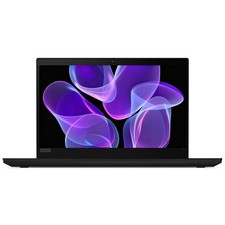
Lenovo Thinkpad T14 Gen 2 14" 16GB, Thunder Black
$387.46

Lenovo ThinkPad T495 14” Laptop AMD Ryzen 5 PRO 16GB RAM 256GB SSD Windows 11
$229.99
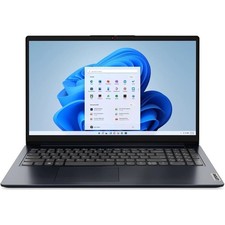
Lenovo IdeaPad 1 15AMN7 15.6" 8GB 512GB, ABYSS BLUE
$190.99



 Reply With Quote