

 Reply With Quote
Can you access either the boot menu (f12) or the bios (f2) when starting the dell, either with the cd in the drive or not?
Does the cd drive appear to be spinning , does the light come on?
Can the cd be booted in another computer?


In 2006 I downloaded Knoppix V5.0.1 and was able to recover files my sister had on her Gateway laptop when it crashed.
The harddrive on my Dell Dimension 4500 desktop with Windows XP appears to have frozen. I've tried rebooting with the same Knoppix CD I used several years ago but it won't boot. All I get with trying the CD, or without using it fore that matter, is the Dell image that always comes on screen before any system loads. I can't get past the Dell image so the CD doesn't work nor does F8.
Any ideas or suggestions will be appreciated.
Thanks
Can you access either the boot menu (f12) or the bios (f2) when starting the dell, either with the cd in the drive or not?
Does the cd drive appear to be spinning , does the light come on?
Can the cd be booted in another computer?
I left the CD in the drive. It sounded like it's spinning. I pressed f12 and got the windows xp start up screen and eventually it returned to what appears to be normal. I tried a few programs and opened a few files and it appears to be ok.
I know when I used Knoppix a few years ago, the startup screen did not look like windows XP so the knoppix cd had nothing to do with me getting my computer back in operation. I'm sure knowing about f12 is old hat to you and just basic computer knowledge, but I didn't know about it and saved me a lot of heartaches.
Thank you so much for the tip.
Now that my computer is operational again, anything I should do with Knoppix now to help me in the future in case other problems arise? I see many of the threads talk about installing it on the hard drive. Do you recommennd that?
Thanks again.
It would probably be a good idea to make sure the Knoppix CD is still good. I would also back up the data on that XP computer, from what you've described you may be in for more trouble.
As far as a hard disk installation, many here would advise against using Knoppix for that. Other linux distros are thought to be better suited, Debian, Ubuntu, Fedora are a few of the popular ones.
The power went out and of course my computer went off. Can't get it to come back up even when pressing f2 or f12. Any ideas on what I can try next?
Thanks
Your problems may have to do with a failing power supply. If it is stone dead, that is the most likely reason. If you suspect your hard disk to be at fault, you could remove all connections to that and try again. That is, I think, the least drastic thing to try.Originally Posted by MaxHeadRoom
Actually I have the same problem as noted in my first post. It runs but I can't et past the dell logo on the screen. f2 and f12 don't work this time like last time. The Knoppix CD is running. I'm stuck on the dell scren and can't get past it.
When you said remove connections, do you mean uplugg all cords from back of computer?
I feel like an idiot for not having replaced the computer when I got it running the last time it went on the fritz.
Thanks again.
Try to boot again after disconnecting the cables on the back of the hard drive itself (inside the computer case). It probably has a wide ribbon cable and a 4-wire power connector. If the HD is bad then you should be able to boot knoppix then. Is there anything you really need on it?
Krishna
I found the 4 wire power connector and disconnected it. Saw many ribbon cables but none to what I think is the hard drive they all cam from the cd & dvd drives, the floppy drive and zip drive .. yea it's an old computer. I did find a pin connector that had maybe 10 wires or to it, so I disconnected it. Nothing would happen. Had to plug both in to get it to start, but still stuck on dell screen.
If it is an old computer it almost certainly has an IDE drive with a wide ribbon cable, just as wide as go to the CD or DVD. Even older drives than IDE had slightly different ribbon cables, but still wide ribbon cables. Newer computers have SATA drives that use a much smaller data cable.
You might want to do a Google search for IDE drive, then look at the "images" option to see a lot of helpful pictures of IDE drives. That will let you determine if you are looking at the correct thing. You'll also come across comparison pictures that show both IDE and SATA type drives, so if you do have a newer SATA drive you should be able to identify it.
Disconnecting the hard drive might be enough to let you boot, particularly if the drive has failed and is pulling down the power supply. But I don't think it is very likely that this will resolve your issue, although worth a try. Just disconnecting the power cable should be enough, but it is important that you are disconnecting the power cable from the proper thing, so determining what the hard drive should look like is worth doing.
 Posting Permissions


Dell PowerEdge VRTX 2.5"x25 Bay Blade Enclosure 4x1600W + 4X M640 (4X Blades)
$1599.99

Dell PowerEdge M630 Blade Server 2x Xeon E5-2680 v4, 2F3MP , 4GDP5 ,R10KJ ,JVFVR
$96.60

Dell PowerEdge M640 Blade Barebone Server Dell P/N: HHB006 Tested Working
$149.99

Supermicro 938-16 16-LFF MicroCloud SuperServer 5038MR-H8TRF *No Blade Servers*
$159.99

Datto S4P10 1U Blade Rack Server Intel Xeon D-2143IT 2.20GHz 48GB DDR4 4-Bay PSU
$197.76

NETAPP HCI NAF-1701 SuperMicro Server 4X BLADE H410C 8X GOLD 5120 4 NODE SERVER
$1499.97

Dell Poweredge C6400 24x 2.5’’ 2x 2400W 4x C6420 Nodes H330 | 2x SFP | 8x Trays
$799.99
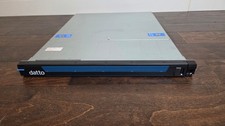
Datto S3P4000 4x 3.5" 1U Blade Rack Server Intel Xeon D-1541 @2.10GHz 48GB DDR4
$137.56

Dell PowerEdge M620 Blade Server 2x Xeon E5-2680v2 256GB DDR3 RAM NO HDD
$349.99

Cisco UCS 5108 Blade Server Chassis Enclosure N20-C6508 4x PSU 8x Fans 2x Fabric
$174.99