-
Borked MBR but think I know what problem is
Silly me, I did a hard drive install before reading all the information about not installing to the hard drive. I suppose, if it is that problematic, there should be a warning if you choose that option. Anyway, the installation borked my MBR and now neither windows, nor my linux mint installation is there.
I think I know what the problem is though. In the menu.lst of grub it says
norootverify (hd,1,0)
and then it tells me the disk doesn't exist.
I think is should be (hd0,2) since the windows partiion is sda2
I, however, am stupid and cannot figure out how to edit the menu.lst file. I would need some really idiot proof instructions
Also this computer is an Acer Aspire One. I seem to have lost the ability to do an erecovery whiich was not an issue with using grub with linux Mint. That is on partition sda1. So if anyone knows how to get that accessible that would be appreciated.
Hope someone can help me with this
Peter
Similar Threads
-
By Henk Poley in forum Hdd Install / Debian / Apt
Replies: 2
Last Post: 04-27-2003, 07:50 PM
 Posting Permissions
- You may not post new threads
- You may not post replies
- You may not post attachments
- You may not edit your posts
-
Forum Rules


HP PROLIANT TPS-W003 MICRO- SERVER TOWER Gen 8, 16G RAM
$195.00

Supermicro 1U Network Server Appliance 16GB RAM 800GB SSD 6 LAN Ports Powers On
$450.00

Supermicro CSE-937 3U Storage Chassis No CPU No HDD No Ram Tested & Reset
$129.99

Supermicro 505-2 Server
$280.00

HP ProLiant MicroServer Gen8 G1610T @2.3 GHz, 16GB, 712317-001 NO HDD/OS
$199.00

Supermicro 1027GR-TSF 1U Rackmount Server 2x Xeon 2.3GHz 128GB DDR3
$219.99

Supermicro 2U X10DRU-i 2x E5-2680 v3 2.5ghz 32gb Ram 240gb SSD 2x GPU *READ*
$369.99
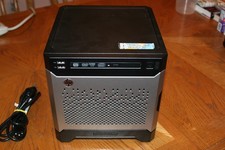
HP Proliant MicroServer Gen8, 4.5TB, (4) HDD, EXCELLENT COND.
$625.00

Supermicro CSE-216 No CPU No Ram No HDD Tested & Reset
$149.99

Nasuni NF-50 Supermicro Server, Atom CPU C2558, @ 2.40GHz, 8GB RAM-No HDD/OS/AC
$187.50



 Reply With Quote