-
Senior Member
registered user
i do not quite "trust" gpart, mainly cause of the tendency to make wrong diagnosis of large disk geometries, it is slightly unstable above 1024 cylinders (which is quite common today)
-
Senior Member
registered user
Don't prepend the'http://' with wget
I had a suspicion, and tried the address given here, w/o the http:// prefix:
Code:
root@Microknoppix:/home/knoppix# wget ftp.us.debian.org/debian/pool/main/g/gpart/gpart_0.1h-4.1_i386.deb
--2010-02-04 22:48:15--  http://ftp.us.debian.org/debian/pool...h-4.1_i386.deb
Resolving ftp.us.debian.org... 35.9.37.225, 64.50.236.52, 128.30.2.36, ...
Connecting to ftp.us.debian.org|35.9.37.225|:80... connected.
HTTP request sent, awaiting response... 200 OK
Length: 36310 (35K) [application/octet-stream]
Saving to: `gpart_0.1h-4.1_i386.deb'

100%[======================================>] 36,310      45.7K/s   in 0.8s

2010-02-04 22:48:16 (45.7 KB/s) - `gpart_0.1h-4.1_i386.deb' saved [36310/36310]
So, nothing wrong with the advice, really. And wget is your friend.

-

Originally Posted by
OErjan
i do not quite "trust" gpart, mainly cause of the tendency to make wrong diagnosis of large disk geometries, it is slightly unstable above 1024 cylinders (which is quite common today)
Is there a better way to recover the partition table? gpart rocked for me on that particular occasion. It might not the next time around. Maybe thats why it isn't included on Knoppix6.2.
-
Senior Member
registered user
sadly every tool has it's limits, to eliminate errors I use several to get all information I can on the disk first
smartmontools
fdisk
sfdisk
testdisk
also I frequently use ddrescue and regular dd with flags conv=noerror,sync to "save" images of drives, it takes forever on large disks but it can save me in long run.
also I frequently use gzip to compress the image.
Code:
dd if=/dev/sdaX conv=noerror,sync | gzip -9 > /dev/sdbY/image.gz
sometimes I have used hex-edit to "rescue" important documents form such drive-images of damaged disks, it can be, uhm challenging but beter than total loss.
this is a jungle, I have been called by friends and friends of friends... to rescue "crashed" computers for two decades+ and I have only scratched the surface over that time, i have no banks of circuitboards from HDD's (ok a few), no clean rooms... i just try as best i can, if i see i can not do anything i say so and inform them about the more competent alternatives, sadly those come at a cost, some opt for that others not.
-
Originally Posted by
OErjan
sadly every tool has it's limits, to eliminate errors I use several to get all information I can on the disk first
smartmontools
fdisk
sfdisk
testdisk
also I frequently use ddrescue and regular dd with flags conv=noerror,sync to "save" images of drives, it takes forever on large disks but it can save me in long run.
also I frequently use gzip to compress the image.
Code:
dd if=/dev/sdaX conv=noerror,sync | gzip -9 > /dev/sdbY/image.gz
sometimes I have used hex-edit to "rescue" important documents form such drive-images of damaged disks, it can be, uhm challenging but beter than total loss.
this is a jungle, I have been called by friends and friends of friends... to rescue "crashed" computers for two decades+ and I have only scratched the surface over that time, i have no banks of circuitboards from HDD's (ok a few), no clean rooms... i just try as best i can, if i see i can not do anything i say so and inform them about the more competent alternatives, sadly those come at a cost, some opt for that others not.
Will dd work when you cant actually see that the hard drive exists with fdisk, df, or blkid?
-
Re: Yahoo!
Originally Posted by
sbininit
Originally Posted by
rusty
Lets try it another way then. In a root terminal type:
and then
Code:
dpkg -i gpart_0.1h-4.1_i386.deb
Thanks I couldn't get it with wget for some reason-
root@Microknoppix:/home/knoppix# wget http//ftp.us.debian.org/debian/pool/main/g/gpart/gpart_0.1h-4.1_i386.deb
--2010-01-31 08:38:59--
http://http//ftp.us.debian.org/debia...h-4.1_i386.deb
Resolving http... failed: Name or service not known.
wget: unable to resolve host address `http'
root@Microknoppix:/home/knoppix#
but I manually found found the .deb and opened it with debi package installer and now it works.
Hey-
note the extra http here: http://http//ftp.us.debian.org/ - happens all the time, IMHO
-Krishna 
Similar Threads
-
By ktas in forum Hardware & Booting
Replies: 12
Last Post: 09-08-2005, 12:01 AM
-
By OpenIntro in forum General Support
Replies: 17
Last Post: 04-04-2005, 10:33 PM
-
By Albretch in forum Hardware & Booting
Replies: 0
Last Post: 12-23-2004, 10:49 AM
-
By Baraboo in forum Hdd Install / Debian / Apt
Replies: 1
Last Post: 07-09-2004, 02:06 PM
-
By jackren in forum Hdd Install / Debian / Apt
Replies: 0
Last Post: 05-21-2004, 12:21 PM
 Posting Permissions
- You may not post new threads
- You may not post replies
- You may not post attachments
- You may not edit your posts
-
Forum Rules


Intel i7-8700 Coffee Lake 3.2GHz 6-Core Max Turbo 4.6GHz Processor
$69.99
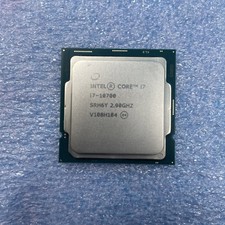
Intel Core i7-10700 CPU 2.90 GHz Desktop Processor (SRH6Y)
$130.00
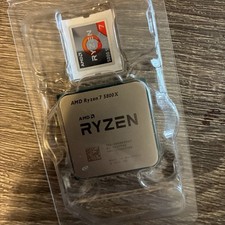
AMD Ryzen 7 5800X Desktop Processor (4.7GHz, 8 Cores, Socket AM4)
$169.99

Corsair RM750e 750W Fully Modular 80 Plus Gold ATX 3.1 PSU Certified Refurbished
$52.99

Intel Core i7-7700T 2.9GHz 8MB Socket LGA1151 Quad Core Processor SR339
$39.99

Intel 4th Gen Core i7-4790 SR1QF 3.60GHz (Turbo 4.00GHz) 8M 4-Core LGA-1150 CPU
$39.99
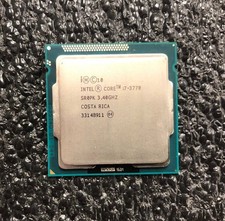
Intel i7-3770 Quad Core 3.40 Ghz Ivy Bridge Desktop Processor LGA 1155
$24.99
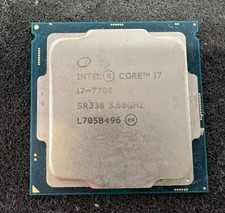
Intel 7th Gen Core i7-7700 3.6GHz 4 Core 8 Thread LGA1151 CPU SR338
$42.99
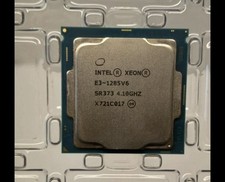
INTEL XEON E3-1285 SR373 V6 4.10GHz 4-CORE 8 MB LGA 1151 CPU PROCESSOR
$89.00

Intel Core i7-9700 3.0 GHz 8 Core Processor
$85.00



 Reply With Quote