-
Attempting to repair xp
I was hit with a nasty virus a few days ago which blanked out my desktop and won't allow access even in safe mode. I'm attempting to fix or recover by using knoppix. Yesterday i downloaded the latest version, 11/18 I believe and put it on a dvd. I have accessed it and am able to get online but what I need to do is to be able to accss my hard drive and edit the registry. I have found information on running regedit in a console window but I have yet to figure out how to open a console window. I have typed rededit, console, konsole, etc into thr run command window without success. All help is appreciated. I'm running xp.
-
Administrator
Site Admin-
Don't edit the registery. Knoppix has no tools to edit a Windows registery, and assuming the partition is NTFS it is not safe to write to it with Knoppix. Instead back up whatever you need and don't have a good backup of, then reinstall from original media. When doing backups, I choose to transfer the files to another Windows box across the network by FTP, putting a free ftp server on the destination Windows system, but there are many ways to back up files depending on how much needs backed up.
---
Verifying of md5 checksum and burning a CD at slow speed are important.
-
thank you but I need to get into the registry. I will only look to backup files once I verify that the hard drives or computer is toast. I have not done so as of yet. My understanding is that it is possible to run regedit from knoppix?
-
Administrator
Site Admin-
If you manage to write to that partition (not easy, as Knoppix will not do so by default), you risk destroying any data that you still have. I will not help in doing that.
---
Verifying of md5 checksum and burning a CD at slow speed are important.
-
My understanding is that this particular virus deposits two lines of information in the windows registry that disables task manager making it iimpossible to use windows. I need to get into the registry to delete those lines. I don't understand your relunctance to help? If this can't be done through knoppix, that is one thing but the information I have found indicates that it is possible? Without doing this my hard drive is useless.
Also, I have found and opened lxterminal...is this the access?
-
Administrator
Site Admin-

Originally Posted by
marmeduke
...If this can't be done through knoppix, that is one thing but the information I have found indicates that it is possible? Without doing this my hard drive is useless....
Some people think that Knoppix can safely write to a NTFS partition. Maybe one of them posted the information that has you believing that you can safely write to NTFS. Years of experience on this forun has convinced me that this has never been safe and is still not, at least not with the default drivers in Knoppix. So I always advise against doing any operation that would write to NTFS, as this can make all data on the partition corrupt. And editing the registry is clearly a write to the NTFS partition.
Your hard drive is far from useless. It sounds like you can still read data from it. The safe way to proceed is still to recover that data that you want and then reinstall from original media, which no entry in the current registery will prevent.
This will be my last post on this matter here.
-
Senior Member
registered user
Originally Posted by
marmeduke
My understanding is that this particular virus deposits two lines of information in the windows registry that disables task manager making it iimpossible to use windows. I need to get into the registry to delete those lines. I don't understand your relunctance to help? If this can't be done through knoppix, that is one thing but the information I have found indicates that it is possible? Without doing this my hard drive is useless.
Also, I have found and opened lxterminal...is this the access?
Marmeduke,
If I were you, I will boot up knoppix, backup all my existing data I need. Then reinstall windows. Then perform a ghost disk copy.
However, you seem to want to go the hard way, here is a link you can refer to:
http://www.pcregedit.com/
This product claims it can boot up with a Linux live CD and fix the windows registry.
Be warned, I personally never use this software before and you use it on your own risk. And I am not responsible on any side effect it might has.
Good Luck and let us know if it works.
Rgds,
Chip
-
Junior Member
registered user
i prefer Eterm.
just open a terminal window. ( like xterm), if thats what your asking.
you will have to mount that partition 1st btw.
btw.
why, o why would you want to get xp running again.
learn from mistakes
if (and i stress if, b/c it wont) this happened in gnu/linux, you could easily copy /home (and whatever else) and completely reinstall your distro....(and then, even leave /home alone, and not format that partition on a simple reinstall. (etc would need it tho)) .
i understand why people are reluctant to help. but don't let it stop you from self obliteration.
i have completely stopped supporting all of my friends "winblows" problems by 1 simple step.
when they call me for help, i say, "i can show you how to instlal linux" and thats it.
the few who have done this, have learned to fly, the others who stay in windows just cry and cry every other week about it. from youtube lags to issues your facing now (and will continue to deal with in a m.s. env).
so, here you are.
at the crossroads of a very problematic o.s. and know how to at least boot into a great one.
why not just make the change.
if you truly need windows, just use virtualbox or something.
you would NEED to have already backed up your registry before attempting this (unless you have a photographic memory of what it used to be valued at)
a shell (like python) or some script/ editor
possibly run wine, from linux, and open a windows program under its own power ?
but this should lead to failure.
1st, back up your stuff. (never say it enough, its the 1 standard that will save the day)
and sometimes, we have mechanical failures, such as HD's just breaking. we never know. so back it up frequently.
good luck.
-
Junior Member
registered user
i replied with some links, but the spam blocker is preventing it from posting now.
so, wait a while...and they should arrive here...
-
I want to thank all who have replied...the help is greatly appreciated. Some great information, a bit of smugness that I can do without, but mostly a positive experience. To answer a question as to why would I want to repair XP - Very simply because I've been running Windows for many, many years now and I have many things integrated into it. Does this mean I will continue with it? Not really. I am new to the Linux world. I do like most of what I'm seeing and I suspect that the deficiencies are because of my inexperience. But before I move on I need to save my documents, photos, financial information, etc.
I'm at the point where I believe I may not be able to repair and am attempting to come up with a strategy for saving/moving what I can to a new hard drive. Can members speak to this but please realize that I am a newbie to Knoppix so not only may I not know how to open an xterm window but I probably also do not even know what it is.
Similar Threads
-
By xihuitl in forum Hardware & Booting
Replies: 0
Last Post: 07-22-2007, 04:21 AM
-
By code_orange in forum MS Windows & New to Linux
Replies: 2
Last Post: 10-19-2006, 04:05 AM
-
By FONE_STAR in forum Networking
Replies: 0
Last Post: 08-15-2006, 09:03 AM
-
By bobyd54 in forum MS Windows & New to Linux
Replies: 3
Last Post: 07-12-2005, 06:52 PM
-
By shane25119 in forum General Support
Replies: 1
Last Post: 06-16-2004, 07:53 PM
 Posting Permissions
- You may not post new threads
- You may not post replies
- You may not post attachments
- You may not edit your posts
-
Forum Rules


Kingston 32GB 64GB 128GB 256GB USB 3.0 Flash Drive Thumb Memory Stick Pen lot
$285.90

Micro SD Adapter To SD HC SDHC Memory Card Adapter Reader NEW
$1.39
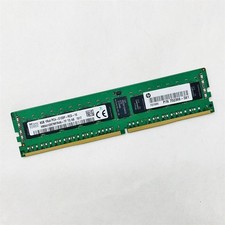
SK Hynix 8GB 1RX4 PC4-2133P-RC0-10 Registered Server RAM HMA41GR7MFR4N-TF TD AB
$34.99

TF/SD Card Adapter Camera Reader Android Type-c For iPhone17 Pro Max Plusm lot
$573.98

USB 3.0 Flash Drive 32GB 64GB 128GB Memory Stick Thumb Stick Lot Pack
$826.09

A-Tech 8GB DDR3 1600 PC3-12800 Laptop SODIMM 204-Pin Memory RAM PC3L DDR3L 1x 8G
$21.68
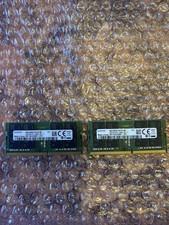
Samsung 64GB (2x32GB) DDR4-2666 PC4-2666V SODIMM Laptop RAM M471A4G43MB1-CTD
$250.00
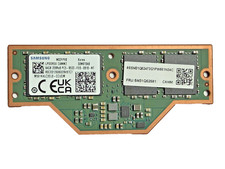
NEW Lenovo Samsung 64GB LPDDR5X 8533 MHz LPCAMM2 Memory,For ThinkPad P1 Gen7,8,9
$1349.00
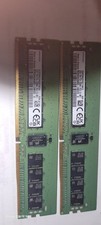
Samsung 32GBX2 1Rx4 PC4-3200AA DDR4 ECC Server Memory M393A4G40AB3-CWEBQ 64GB EC
$370.00
DDR3 DDR4 DDR5 Laptop to Desktop Memory Adapter Card SO-DIMM To PC DIMM Lot
$55.27



 Reply With Quote