

 Reply With Quote
Right click on the clock, choose "Digital Clock" Setting, change %R to %r, close.


I've got 6.2 and the clock display shows military 24 hour time. I want it to show 12 hour time but I've been unable to find how to make it happen. Any ideas?
Right click on the clock, choose "Digital Clock" Setting, change %R to %r, close.
Incredible. Thank you so much. Now please enlighten me, how did you know this?
GIYF (Google Is Your Friend) I entered "lxde clock format" in a google bar and voila
 Posting Permissions


Cisco Nexus N9K-C92160YC-X 48P 25GbE SFP28 6P QSFP+/QSFP28 PE Switch
$439.00

Cisco WS-C3650-12X48UR-L 48-Port Stackable Layer 3 8x10G SFP+ Port Switch
$129.99

Cisco Catalyst C9130AXI-B WiFi 6 802.11ax Wireless Access Point Brand New
$101.99

Cisco Acacia DP04QSDD-E25-840 400G QSFP-DD Coherent DCO Transceiver Module
$699.99

Cisco | N3K-C3232C | 32-Port 100G QSFP Network Switch W/ 2x PSU, 2x Power Cords
$205.00

CISCO Services Router C891F-K9, Grade B, SKU 16188
$24.94
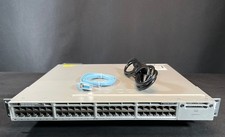
Cisco WS-C3850-48P-S 48-Port PoE+ Gigabit Switch w/ 10G Uplink Module Options
$259.99

Cisco Catalyst WS-C2960X-48FPD-L 48-Port Gigabit Managed PoE+ Ethernet Switch
$69.99

$75.00

Cisco QSFP-40G-SR-BD Module 10-2945-02 NEW CLAMSHELL
$45.50