-
black screen no graphical program menu shell startx not work
Black screen, no graphical programs in menu, shell startx not work, upgrade got kde, sudo init 1, sudo init 5
WOAH!! How cool is this!
I reinstalled Knoppix on top (over the previous install) and...............
EVERYTHING IS STILL THERE!!!! I mean.........EVERYTHING!!!
This on a Toshiba Satellite laptop L35 with Knoppix the sole install on the hard drive.
Here is what happened.
I saw that there were a bunch of updates, 94 to be exact. So I decided to do the updates.
I've run into this before with other distros, the updates gave me plain vanilla KDE instead of the original community version.
I THINK that the way to NOT get plain vanilla KDE...... I THINK......if someone has further information PLEASE POST IT is.....
There, were, I think, five places where, after the download of the updates, that I was asked if I wanted to “keep the old ” or "use the new”.
KEEP THE ORIGINAL. At least I....think.....that is what you should do, it worked with an Ubuntu distro.
It may be that there are only a couple of those that really affect things dunno...if someone knows please post. It might save a few posts from frustrated people! 
But, here are the problems caused by the “updates”:
a) I lost “graphical programs” in the original menu.
b) “startx” in shell started the OS, I could see the desktop for a few seconds, and then it fell back to the “black screen”.
I couldn't get past the black screen, there were a lot of commands there but I couldn't get anything to work.
So, I got on another computer and found a thread that was a reply to a similar situation.
At the prompt type:
sudo init 1
hit enter
then
sudo init 5
hit enter.
This will then boot the system. However, I was in “KDE”. All of the apps and my stuff was there but no Compiz. I restarted Compiz with the mouse but then found that the keyboard was not working.
And, no matter what I did, using the keyboard function in the menu etc. I couldn't get the keyboard to work.
HOWEVER the thing about getting to this situation is that you could insert a usb flash drive, and with right click, copy and past your data into the flash drive. Somewhat tedious but doable.
Well, I keep all of my “current” data on both the machine and a usb flash drive so recovering the data, in and of itself, was not a problem.
However, I was kinda irritated about losing my tweaks!
So, I did a reinstall and.....
WOAH!!!! GOT THE WHOLE SYSTEM BACK, the tweaks, the data, all of it 
HOW COOL IS THAT!!!!
Great Job Knoppix developers!!!!!
Again, if anyone has information to add please do so.
woodhavingfunsmoke
Similar Threads
-
By Blether in forum General Support
Replies: 4
Last Post: 06-22-2004, 01:13 AM
-
By garyng in forum General Support
Replies: 3
Last Post: 06-05-2004, 03:51 AM
-
By ykhov in forum General Support
Replies: 1
Last Post: 04-02-2004, 05:11 PM
-
By knulle in forum General Support
Replies: 3
Last Post: 03-18-2004, 12:03 PM
-
By rsheridan6 in forum Ideas
Replies: 0
Last Post: 04-17-2003, 11:35 PM
 Posting Permissions
- You may not post new threads
- You may not post replies
- You may not post attachments
- You may not edit your posts
-
Forum Rules

Lenovo ThinkPad L14 Gen 1 Core i5-10310U 1.7GHz 16GB 512GB 14" W11P Laptop
$197.10
Lenovo ThinkPad T14s Gen 2 14" 32GB, Thunder Black
$318.83

Lenovo Thinkpad E15 Gen 2 8GB RAM 256GB SSD Intel Core [email protected] Laptop
$220.36
LENOVO 83A100PBUS Lenovo V15 G4 IRU 15.6" FHD i3-1315U 1.2GHz Intel UHD Graphics
$346.00

LENOVO THINKPAD T14s GEN 2a Ryzen 7 PRO 5850U 1.9GHz 16GB 256GB TOUCH - NO OS
$299.95

Lenovo - Idea Tab Plus - 12.1" 2.5K Tablet - 8GB RAM - 128GB UFS - Luna Grey
$209.99

Lenovo ThinkPad 14" T440P Intel Core i7-4600M 2.9GHz 4GB DDR3 NO SSD NO CHARGER
$100.00
Lenovo ThinkPad T14 Gen 1 Core i5 1.70GHz, 16GB RAM , 256GB SSD
$259.99
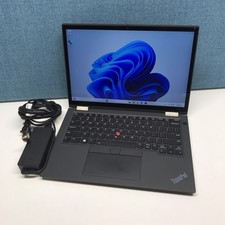
Lenovo Lenovo ThinkPad X13 Yoga Gen 2 i7-1185G7 32GB RAM 512GB NVMe SSD
$449.00

Lenovo ThinkPad L14 Gen 3 Laptop 14” FHD Core i5 12th 16GB RAM 512GB SSD Win 11
$359.99



 Reply With Quote