

 Reply With Quote
Most of his suggestions don't appear to apply to v 6.2.1.
Steve


Kyle Rankin, author of Knoppix hacks back in 2008 wrote an article in Linux Journal http://www.linuxjournal.com/article/10075 which has become even more actual with 6.X.
The essence is, you can now obtain most of what you get with a remastering just by tweaking initialization parameters (up to, and including, tweak of initrd), using the persistent image for just about everything you need to make Knoppix work like an ordinary distro. (Nobody with some basic Linux skills really has a good reason to complain about missing packages on the CD/DVD anymore.) There is a small article about Rankin's advice on the wiki, but I wanted to post it here.
What has become a bit of an issue with the new possibilities, is the FAT32 4GB filesize limit effectively limiting the persistent image. This should not be regarded a serious limitation for data, for databases etc can just be stored on other file systems - it's about what can be installed/upgraded.
If we could easily add another 4GB persistent image, it would be nice. Anybody having experience with this?
Most of his suggestions don't appear to apply to v 6.2.1.
Steve
It's become even easier, or unnecessary, to perform some steps, yes. But the basic ideas are still valid. And to answer my own question about adding persistent images: No problem, I have described the procedure in another post here.Originally Posted by stevesr0
Capricorny,
(1) The article used utilities not found in 6.2.1...
(2) where did you describe how to add persistent images?
Thanks
Steve
1. The CONTEXT here is remastering, not customizing. IF you are thinking about remastering, seriously, then you know so much about Linux in general and Knoppiix in special that you can make use of that information, even if it applies to 5.X, right? Remastering is not for Linux newbies, and now there is no reason for attempting it until one has made the most out of 6.X customization. When you respond to posts about remastering, you are supposed to know your way in that domain. I know very well that i am not extremely polite now, but there is a problem with people approaching these issues without the necessary respect for the intricacies involved.
2. Ever tried forum search? With "persistent images" it might get you somewhere.
 Posting Permissions


Cisco WS-C3650-12X48UR-L 48-Port Stackable Layer 3 8x10G SFP+ Port Switch
$129.99

Cisco Catalyst C9130AXI-B WiFi 6 802.11ax Wireless Access Point Brand New
$101.99

Cisco Acacia DP04QSDD-E25-840 400G QSFP-DD Coherent DCO Transceiver Module
$699.99

Cisco Catalyst WS-C2960+24TC-S 24-Port Gigabit Managed SFP Switch
$39.99

CISCO Services Router C891F-K9, Grade B, SKU 16188
$24.94

Genuine Cisco SFP-10G-SR 0-2415-03 10 Gigabit Transceiver
$5.40

Cisco Nexus N9K-C92160YC-X 48P 25GbE SFP28 6P QSFP+/QSFP28 PE Switch
$439.00
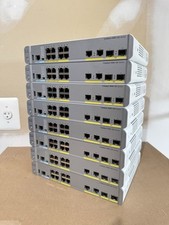
Cisco Catalyst WS-C3560CX-8PC-S Managed Switch 8 PoE+ Port | Quantity Available
$97.49

Cisco Catalyst C9120AXI-B Wi-Fi 6 Access Points
$36.00

NEW Sealed Cisco SFP-10G-LR 10GBASE-LR SFP+ 1310nm 10km *US Shipping*
$24.00