-
Finding a command line
I have a problem with knoppix booting on two Dell computers, they load showing much of the boot scripts but finish with a black screen. After searching these pages I've learned about cheat-codes to try at the boot-command prompt.
My trouble is that I never see a prompt - or am required to press [Enter] to continue boot. This is ver. 6.x.x and on the computers it has worked on, It just cranks right on through to the GUI desktop.
I keep trying combinations of [Alt-Fx] or [Ctrl-Alt-Fx] (yes just trying all the function keys). This takes a loooonnng time and I keep coming back to search for info here. I did get some run levels and a root terminal screen but no command line.
Some notes found here:
http://www.knoppix.net/wiki/Syslinux_bootprompt
The syslinux bootprompt is a visual command line prompt that appears right after the host computer has started knoppix from the CD or other media. The syslinux bootprompt allows you to put in Cheat Codes.
It looks like this:
boot>
The rapid rabbit start-up that makes it nearly impossible to do cheat-codes, not nice.
Please, at what point in boot sequence is the command line accessed? How do you interrupt boot loading to get a cheat-code submitted?
-
Re: Finding a command line

Originally Posted by
topcat
I have a problem with knoppix booting on two Dell computers, they load showing much of the boot scripts but finish with a black screen. After searching these pages I've learned about cheat-codes to try at the boot-command prompt.
My trouble is that I never see a prompt - or am required to press [Enter] to continue boot. This is ver. 6.x.x and on the computers it has worked on, It just cranks right on through to the GUI desktop.
I keep trying combinations of [Alt-Fx] or [Ctrl-Alt-Fx] (yes just trying all the function keys). This takes a loooonnng time and I keep coming back to search for info here. I did get some run levels and a root terminal screen but no command line.
Some notes found here:
http://www.knoppix.net/wiki/Syslinux_bootprompt
The syslinux bootprompt is a visual command line prompt that appears right after the host computer has started knoppix from the CD or other media. The syslinux bootprompt allows you to put in Cheat Codes.
It looks like this:
boot>
The rapid rabbit start-up that makes it nearly impossible to do cheat-codes, not nice.
Please, at what point in boot sequence is the command line accessed? How do you interrupt boot loading to get a cheat-code submitted?
Try pressing F2 (without any extras like Ctrl- or Alt- ) - that will stop the countdown to auto-boot.
-
Thanks,
When pressing F2 it would open the Dell system BIOS. Had previously used this to set CD as #1 in boot priority.. when exiting BIOS screens it continues to boot knoppix to a black screen.
-
Originally Posted by
topcat
Thanks,
When pressing F2 it would open the Dell system BIOS. Had previously used this to set CD as #1 in boot priority.. when exiting BIOS screens it continues to boot knoppix to a black screen.
At the point where it says "Hit Enter to boot" you should able hit any key on the keyboard to end the timeout, whereupon you'll have more time to read the directions on-screen. 
-
One other thing-
I've had no luck getting to the shell with Ctrl-Alt-Fx when I'm in the GUI. 
If I do an init 2 I can then use those key-combos, but I've already got a command line, too. This used to work...
Krishna
Similar Threads
-
By borgward in forum Networking
Replies: 2
Last Post: 08-18-2009, 11:30 AM
-
By Mongoose in forum MS Windows & New to Linux
Replies: 2
Last Post: 06-07-2006, 12:23 AM
-
By teccim in forum Hdd Install / Debian / Apt
Replies: 8
Last Post: 06-14-2005, 04:09 PM
-
By greygooseplz in forum General Support
Replies: 1
Last Post: 11-25-2004, 05:58 AM
-
By Ambrose in forum General Support
Replies: 1
Last Post: 08-08-2003, 02:17 AM
 Posting Permissions
- You may not post new threads
- You may not post replies
- You may not post attachments
- You may not edit your posts
-
Forum Rules


Dell 6P85J 4TB ST4000NM0063 7.2k 6Gb/s 3.5” SAS SED Hard Drive with Tray
$39.99

Western Digital HUS726T4TAL5204 4TB 7.2K SAS 12Gb/s 3.5" 512e HDD NetApp X375A
$64.00

HGST Ultrastar HUS726040AL5210 4TB 7200RPM SAS 12Gb/s Enterprise HDD
$41.00

Tested WD Ultrastar DC HC520 12TB 7.2K RPM SATA 6Gb/s 3.5" HDD HUH721212ALN600
$239.99

Dell ST6000NM0034 1HT27Z-150 NWCCG 6TB SAS 3.5 7.2K ENTERPRISE SERVER DRIVE
$68.99

Seagate Barracuda ST1000DM003 1 TB SATA III 3.5 in Desktop Hard Drive
$23.99

Seagate ST3000NM0005 HDD 3TB SATA 6Gb/s 7.2K 3.5" 512 b/s
$59.00

Toshiba 14TB MG07 MG07ACA14TEY 7.2K RPM SATA 6Gb/s 512e 3.5" Enterprise HDD
$339.00

Seagate ST8000NM0075 Enterprise Capacity 3.5 HDD 8TB SAS Hard Drive 8TB EXOS
$184.99
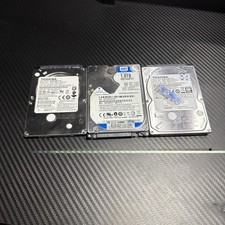
Lot of 3 1TB Samsung WD Toshiba SATA 2.5" HDD Hard Drives - Wiped and Tested
$79.99



 Reply With Quote