-
I agree, re: the cause of the mount; in fact I mentioned that as the probable cause.
I disagree, re: automounting without warning. I've made extensive use of the r/w auto-mounted NTFS drive with only minor problems, and never any data loss not caused by me. The worst problem I had is when usage went beyond a certain threshold, it maxed out processor usage and sometimes forced me to shut it down with the power switch "Grand warnings" would frighten people for no good reason IMHO.

Originally Posted by
Capricorny
Originally Posted by
garaden
Krishna, that /dev/sda1 mount's probably from the cheat code, not from the OS. The device containing the Knoppix files (either the Live CD or the fromhd= device) is always mounted at /mnt-system as far as I can tell (apparently that directory used to be called /cd-rom before USB and HDD boots became common). That is, if you're able to mount it at all >_< (see my own
thread of distress!)
That said, I don't know enough about GNOME to figure out why it's mounting everything at startup (sounds like a "just works"/windows copycat feature), but if you want tight control over filesystems I feel like the command line's the best way to do it, HelpPleas. I know that's kind of a cop-out since GUI functionality existed in the past, but honestly I prefer the command line myself for delicate work. It's less intuitive than the GUI but once you get used to it the extra control is well worth it, especially for things like this where the default GUI behavior is not what you want. Once you know what you want better than the GUI does, it's definitely time to "trust yourself"

I completely agree. And I think we have at least two serious bugs from this thread, if reports are correct:
1. Auto-mounting rw (PCman/GNOME)
2. Mounting NTFS rw without grand warnings - even if it is just to rw-access the persistent image.
I think both should be fixed. RO-mounting is an entirely different issue - doing that automatically is fine with me, even though I prefer a somewhat more lazy system. PCman could be set up with reasonable defaults, I think.
-
Senior Member
registered user
Originally Posted by
krishna.murphy
....
I disagree, re: automounting without warning. I've made extensive use of the r/w auto-mounted NTFS drive with only minor problems, and never any data loss not caused by me. The worst problem I had is when usage went beyond a certain threshold, it maxed out processor usage and sometimes forced me to shut it down with the power switch "Grand warnings" would frighten people for no good reason IMHO.
....
OK, this was Windows... NT4,2000,XP,Vista,7? It's all 'NTFS', and I don't know if that example you give is not something that should warrant a warning. But 'grand', that may be a bit too much - at least if most users have experiences similar to yours. I just wonder why it is not more broadly recommended if it is as safe as you experience?
-
Originally Posted by
Capricorny
Originally Posted by
krishna.murphy
....
I disagree, re: automounting without warning. I've made extensive use of the r/w auto-mounted NTFS drive with only minor problems, and never any data loss not caused by me. The worst problem I had is when usage went beyond a certain threshold, it maxed out processor usage and sometimes forced me to shut it down with the power switch "Grand warnings" would frighten people for no good reason IMHO.
....
OK, this was Windows... NT4,2000,XP,Vista,7? It's all 'NTFS', and I don't know if that example you give is not something that should warrant a warning. But 'grand', that may be a bit too much - at least if most users have experiences similar to yours. I just wonder why it is not more broadly recommended if it is as safe as you experience?
It's XP SP3, when it's not knoppix. Not sure, but it might be due to OLD problems, or maybe the problems I experienced would have been worse for others.
-
Senior Member
registered user
I have just looked a little bit around, and it seems that using ntfs-3g for writing may now be considered acceptably safe. I don't think the Open SUSE wiki entry, http://en.opensuse.org/NTFS , which has been recently edited and reviewed, would have recommended it , also for ordinary users, otherwise. SUSE is much focused on interoperability. But they advise against mounting damaged systems rw.
From the descriptions of NTFS 3.1, it seems that changes with new OS versions mostly have to do with metadata use, so while writing may imply a risk of getting impaired functionality in some respects, the likelihood of messing up the whole file system is much less. And, in particular, when using NTFS only for the KNOPPIX structure with the persistent image, almost all updating happens inside that file - which ought to minimize the risk of file system damage. So, at least, "installing" the Knoppix files on NTFS seem to be relatively safe. A small warning would still be in place at such "installs", as it is not foolproof, but I think I agree with your considerations
Edit: Fixed link, it should work now.
-
Originally Posted by
Capricorny
I have just looked a little bit around, and it seems that using ntfs-3g for writing may now be considered acceptably safe. I don't think the Open SUSE wiki entry,
http://en.opensuse.org/NTFS, which has been recently edited and reviewed, would have recommended it , also for ordinary users, otherwise. SUSE is much focused on interoperability. But they advise against mounting damaged systems rw.
From the descriptions of NTFS 3.1, it seems that changes with new OS versions mostly have to do with metadata use, so while writing may imply a risk of getting impaired functionality in some respects, the likelihood of messing up the whole file system is much less. And, in particular, when using NTFS only for the KNOPPIX structure with the persistent image, almost all updating happens inside that file - which ought to minimize the risk of file system damage. So, at least, "installing" the Knoppix files on NTFS seem to be relatively safe. A small warning would still be in place at such "installs", as it is not foolproof, but I think I agree with your considerations
I
Okay, cool. I appreciate the research you did and the time you give. FYI, in my experience it's confusing for newb-z if you send a link like that; the comma at the end caused a "page not found" error when I clicked it. No problem for me, of course, but others may see it and get frustrated when it doesn't "just work."
Similar Threads
-
By Paul_R in forum Hardware & Booting
Replies: 1
Last Post: 01-09-2007, 11:23 PM
-
By fungi in forum General Support
Replies: 0
Last Post: 01-25-2006, 07:31 PM
-
By varaahan in forum Networking
Replies: 0
Last Post: 11-29-2005, 05:32 PM
-
By zer0frost in forum Networking
Replies: 16
Last Post: 11-10-2005, 03:01 AM
-
By reub2000 in forum Customising & Remastering
Replies: 2
Last Post: 09-29-2005, 03:43 PM
 Posting Permissions
- You may not post new threads
- You may not post replies
- You may not post attachments
- You may not edit your posts
-
Forum Rules

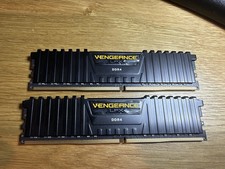
Corsair Vengeance LPX 32GB (2x16GB) RAM DDR4 3200MHz CMK32GX4M2E3200C16
$160.00

16GB KIT (2x8GB) DDR4 Gamer Desktop RAM PC4 MIXED BRANDS
$65.00

Netac DDR4 32GB 16GB DDR4 3200MHz UDIMM C16 Desktop Internal Memory RAM Kit
$99.99

A-Tech 8GB DDR3 1600 PC3-12800 Laptop SODIMM 204-Pin Memory RAM PC3L DDR3L 1x 8G
$21.68
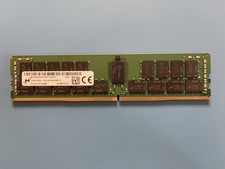
Micron 32GB MTA36ASF4G72PZ-3G2E7 RAM 2Rx4 PC4-3200AA ECC REG Memory
$249.99
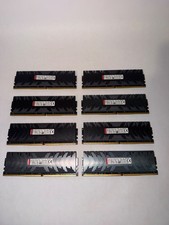
128gb DDR4 Ram Hpyerx HX430C15PB3K8/128 16x8 3000 MHZ CL15 Tested Read DESC
$300.00

MINT Micron Cisco 32GB PC4-2400T DDR4 2Rx4 RDIMM RAM MTA36ASF4G72PZ-2G3 LOT
$159.99

DDR4 Laptop RAM 4GB 8GB 16GB 32GB 2400 2666 3200 Samsung Hynix
$30.00

16GB ( 4X 4GB ) MEMORY DDR3 PC3-10600 1333MHz FOR DELL OPTIPLEX 790 780 990 980
$39.99

RAMAXEL Lenovo 32GB LPDDR5X CAMM2 7500MHz Laptop RAM | UNTESTED
$445.00



 Reply With Quote