

 Reply With Quote
You can make install from Win
http://www.pendrivelinux.com/install...ve-in-windows/


I have a 16 GB USB flash drive partitioned as follows:
/dev/sdb1 FAT32 size: 7.46 GB unused: 6.16 GB boot,lba
/dev/sdb2 linux-swap size: 1.95 GB
/dev/sdb3 ntfs size: 5.51 GB unused: 2.06 GB
I have Puppy Linux 4.3 installed in sdb1 and sdb3 is used for data storage only.
I have been using a Knoppix 6.2 live CD and would now like to install it in sdb1 so that I can dual boot with Puppy. Is this possible? If it can be done, can you please give a brief explanation of how to do it? If Knoppix cannot be installed alongside with Puppy, I would like to remove Puppy and just have Knoppix on sdb1 only. Would appreciate a brief explanation of how this can be done please. I would like to leave sdb3 intact because I have some important data in there.
I am rather new to Linux so please forgive my ignorance. Many thanks.
You can make install from Win
http://www.pendrivelinux.com/install...ve-in-windows/
It worked! Thank you so much.
 Posting Permissions


Intel Core i7-3770K 3.5 GHz Processor
$39.00

INTEL CORE I7-870 SLBJG 2.93GHZ LGA1156 4 CORE CPU PROCESSOR
$23.00
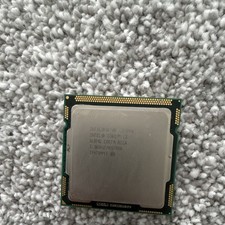
Intel Core I3-540 SLBTD 3.067GHz CPU Processor LGA1156
$13.00

INTEL CORE I9-10940X X-SERIES PROCESSOR | 3.30GHZ | SRGSH
$179.99

AMD Ryzen 5 5500 Processor ( read Description)
$59.00

Intel Core i7-9700 Octa-Core 3 GHz Desktop Processor LGA 1151
$79.99

Intel Core i5-12500T SRL5W 2GHz 18MB 6 Core Socket LGA1700 Desktop CPU Processor
$114.99

Intel i7-8700 Coffee Lake 3.2GHz 6-Core Max Turbo 4.6GHz Processor
$67.99

(LOT OF 20) Intel Core i5-8400 CPU 2.80GHz Desktop Processor (SR3QT)
$700.00

PS5 Over Heating Problem Solver 1.5 Grams Liquid metal thermal paste CPU, GPU
$15.99