-
Junior Member
registered user
Default KNOPPIX Download - No Network Support
Hello,
I have downloaded the KNOPPIX default english ISO and I am not able to get access to the internet. I downloaded it a while back it says its release 3.1 from 06-08-2002.
I receive an error message from the browser that says:
"An error occured while loading http://www.knoppix.com
Unknown host knoppix.com"
I have tested it on several computers that have 3COM, SMC, DEC, Digital and Intel NICs .... none seem to work.
DOESN'T KNOPPIX AUTO DETECT AND SETUP THE NETWORK CARD FOR NETWORK AND INTERNET ACCESS?
I would like to add the Sun Java 1.4 Support to the CD so that I can run an application that requires it. Can I burn KNOPPIX, JAVA, and the application all onto one CD without any problems?
Thanks in advance!
-
Starting the network
I'm a newbie to Knoppix (but not to GNU/Linux) and only have used Knoppix 3.2, but I think you have made an incorrect assumption. From my limited experience, Knoppix does not boot with the network enabled.
If you will go into the Knoppix menu, there is a configure of an internet item that will present you with a dialogue for setting up the network. You can opt for DHCP if that is running on your network, or you can manually set the host IP address, name server, and gateway.
There was no need to specify the NIC driver, so the autodectect must have taken care of that much.
I'm not near a system I can just reboot to run Knoppix and give you the exact line of menu selections. You might check the FAQ's and see if it is already listed there.
I hope this is enough to get you on the Internet
Pat
PS, you may want to save your configuration to be able to restore your network configuration the next time you boot Knoppix.
-
Junior Member
registered user
I can't find anything 
ps. i'm a newbie too.
-
Check the fourth question in
FaqNetwork
"For v3.2, K-menu > KNOPPIX > Network/Internet > Network card configuration -- same as "sudo netcardconfig" command." You'll need to open a shell window to do the latter. Try "K-menu > Run Command" and then type in the sudo command (without the quotes).
If you can't find either the menu selection or the command, I don't know what would work for Knoppix 3.1. You could download 3.2 and give it a try. A new version was released just yesterday, and I am downloading a copy right now.
If this doesn't help, please give some specifics on your situation, like:
<ul> [*]How experienced are you in doing a systems network configuration.[*]What if anything you type at the initial boot: prompt?[*] What network card is in the system?[*]Does the driver for the network card show in an 'lsmod'?[*]Does the LAN use DHCP or static IP addressing?[/list]
-
Junior Member
registered user
Knoppix does, or should, automatically give you an internet connection. But lots of people have been having problems connecting, despite initially connecting fine through knoppix - see other threads
-
Junior Member
registered user
I will try that...but before I do one quick question.
I need Sun Java on the CD too...
http://java.sun.com/j2se/1.4.1/download.html
Which one should I download?
Linux RPM in self-extracting file
Linux self-extracting file
I will try the network thing once the download is done.
-
Junior Member
registered user
I have the following setup.
I have a TCP/IP Network, with Windows 2000 as a DHCP running ICS to share the internet. All internal IPs are 192.168.0.x
I have a norton firewall on, but permitting all internal IPs with 192.186.0.x
I have several NICs on all different systems. I would like to use KNOPPIX on all systems....for general usage.
The cards are:
3COM, SMC, DEC, Digital and Intel
If you want specs I can tell you only 6 NICs at the moment.
Megahertz CCXJ10BT Ethernet Adapter
Sis 900 PCI Fast Ethernet Adapter
Intel PRO/1000MT
Intel PRO/1000B (TX)
Intel 21041 Based PCI Ethernet Adapter
3COM EtherLink XL 10/100 PCI NIC (3C905-TX)
-
Junior Member
registered user
Hello,
what version of seti do i download?
http://setiathome.ssl.berkeley.edu/unix.html
I have downloaded the updated KNOPPIX and before burning it I can view the contents of the CD. Can I remove anything from the ISO to make it smaller before I burn it?
Thanks.
-
Junior Member
registered user
I would like to burn KNOPPIX (new one), SETI and the Java files on the CD but I am still waiting for someone to tell me which one to download.
-
Administrator
Site Admin-
Re: Starting the network

Originally Posted by
pmilligan
I'm a newbie to Knoppix (but not to GNU/Linux) and only have used Knoppix 3.2, but I think you have made an incorrect assumption. From my limited experience, Knoppix does not boot with the network enabled.
No, Knoppix 3.1 starts up with the network connected just fine. If iyou are on a local network and can get a DHCP connection it will work just fine.
Some routers, like the Linksys, work just fine with Knoppix. I've seen problems with some others and the DHCP fails. I don't yet know why it fails,
but something is obviously different enough to be an isssue.
I would suggest the following:
Start up Knoppix. If you can't get a connection, try running Ntecardconfig (from the menu or a shell) and see if yoy can get a DHCP configuration. If not, try running netcardconfig again and manually setting the values (You will need to know tour sub-net values for this, an available IP address, your default gateway (the ip address of the router) , the proper network mask, and at least one available DNS server's IP address. Try to see if you are connected now (I expect you will be). If you can figure out why some DHCP servers seem to work with Knoppix and others do not, please let us know.
If one still can't connect (and all of the above has been double checked), they might have the problems we've been discussing in other threads., but I doubt it based on your seeing the problem with several NICs.
Similar Threads
-
By Officer_Dufus in forum General Support
Replies: 19
Last Post: 01-24-2005, 02:00 AM
-
By vic9868 in forum Ideas
Replies: 0
Last Post: 09-17-2004, 02:20 AM
-
By ruymbeke in forum Networking
Replies: 3
Last Post: 05-13-2004, 10:05 PM
-
By ezuk in forum Networking
Replies: 3
Last Post: 04-22-2004, 06:42 AM
-
By FelixDzerzhinsky in forum Hdd Install / Debian / Apt
Replies: 1
Last Post: 08-10-2003, 04:50 PM
 Posting Permissions
- You may not post new threads
- You may not post replies
- You may not post attachments
- You may not edit your posts
-
Forum Rules


Apple MacBook Air 13.6” M2 8GB 256GB SSD 2022 MLY33LL/A 8‑Core CPU 8‑Core GPU
$529.95

8-core 10-core GPU baseboard 8654 to PCIE 5.0x16 GPU expansion baseboard
$377.77

Panasonic Toughbook CF19 MK8 Core i5 3610ME 2.7GHz 12GB RAM 512GB SSD Win 10 Pro
$319.00
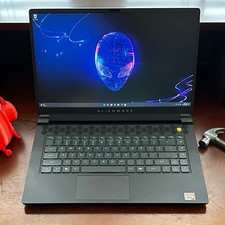
Dell Alienware m15 R7 AMD Ryzen 7 6800H 16GB DDR5 1TB SSD RTX 3070 Ti WIN 11 PRO
$920.00
HP - OmniBook 3 16" 2K Touchscreen Laptop - Intel Core Ultra 5 (2025) - 8GB M...
$479.99

(New) AMD Ryzen 7 5700X 8 Core 16 Thread AM4 Unlocked 3.4 GHz CPU OEM Tray
$169.99

Lenovo LOQ 15 15.6" FHD 144Hz 8-Core i5-12450HX 16GB 512GB SSD GeForce RTX 4050
$799.00
Dell - XPS 13.4" 3K Touchscreen Laptop - Intel Core 5 Series 3 320 2026 - 8GB...
$699.99
HP 15-dy1031wm 15.6” Laptop Intel Core i3-1005G1 8GB RAM 256GB SSD
$115.00
Lenovo ThinkPad T480 Core i5-8250u 1.6GHz 8GB 256GB SSD 14" ***Boot to Bios
$110.00



 Reply With Quote