-
Scripts are turned off by default in Iceweasel!
<edit: This thread created from posts split from here - Admin>

Originally Posted by
Capricorny
Originally Posted by
seribas
I have java script enabled through my web browser (ice weasel) but i dont believe i have the right plug in, when attempting to download the plug in I dont know which one to pick/ or how to get it enabled.
I am super super new to not only linux/knoppix but with computers in general. so if you can dumb it down as much as possible that would be great. this is getting way off topic from faq's though, im going to move back to general support under: how to get Java to work
It's quite natural that you have missed this: In contrast to many other versions, even though Javascript is enabled, scripts are turned off by default in Iceweasel. I think you will soon learn to appreciate this feature - it's certainly not a bug

.
But you must allow scripts, preferably page-wise. To do that, you right-click the script-icon in the bottom right corner of the browser window. Then you have a few choices, don't start with "Allow scripts globally", but in some cases you must choose "allow all this page" to make it work right. Just experiment. Good luck!
Personally, I hate this "feature" - when using the DVD boot (not persistent image) I always get rid of the NoScript addon. There are several IceWeasel annoyances that I gladly shed when I can use Chrome. I have NEVER benefited by the "protection" of these types of things, but they are most likely needed by others sometimes, I guess.
Similar Threads
-
By djody in forum General Support
Replies: 2
Last Post: 05-15-2009, 08:46 PM
-
By bythesea in forum MS Windows & New to Linux
Replies: 3
Last Post: 05-28-2008, 04:35 AM
-
By tofergregg in forum General Support
Replies: 1
Last Post: 01-09-2005, 06:08 AM
-
By matteofb in forum General Support
Replies: 10
Last Post: 04-15-2003, 11:23 PM
 Posting Permissions
- You may not post new threads
- You may not post replies
- You may not post attachments
- You may not edit your posts
-
Forum Rules


Lenovo Thinkpad T14 Gen 2i 14" 16GB 512GB, Black
$313.00
Lenovo Thinkpad T14 Gen 2 14" 16GB, Thunder Black
$313.00

Lenovo ThinkPad L14 Gen 3 Laptop 14” FHD Core i5 12th 16GB RAM 512GB SSD Win 11
$374.99

Lenovo Thinkpad E15 Gen 2 8GB RAM 256GB SSD Intel Core [email protected] Laptop
$220.36

LENOVO THINKPAD T14s GEN 2a Ryzen 7 PRO 5850U 1.9GHz 16GB 256GB TOUCH - NO OS
$299.95
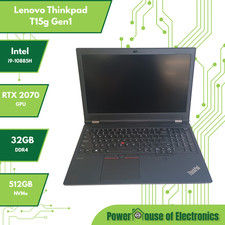
Lenovo ThinkPad T15g Gen 1 | i9-10885H | RTX 2070 GPU | 32GB RAM | 512GB NVMe
$499.99
Lenovo ThinkPad L15 Gen 3 15.6" 16GB, Thunder Black
$230.00
LENOVO ThinkPad E15 Gen 3 AMD Ryzen 5 5500U 8GB RAM 256GB NVMe Win11P
$207.99
Lenovo Thinkpad E15 15.6" Laptop i5/i3 8GB RAM Up to 1TB SSD HDD Tested Working
$136.55
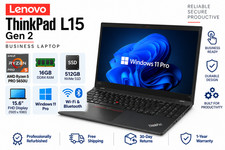
Lenovo ThinkPad L15 RYZEN 5 PRO 5650U gen 2 15.6" 16GB 512GB Wifi BT Win 11 Pro
$385.00



 Reply With Quote