

 Reply With Quote
[quote="I'm off to try an install Cinerrela now...[/quote]
No... I don't know what to do. No Cinerrela.deb that I can find.


OK, good morning.
I tried the "Knoppix screen=1920x1200" code. No complaints by the system about not finding a kernel. But when the desktop enviroment finally comes up the resolution is still 1024x768 with no other options.
I suspect the system has no idea what my graphic card or display are and is only using some default setting. In this case it's an Nvidia 9400M GeForce. I don't know about the display other than it is a 17" 1920x1200 laptop display. How can I tell the system what the hardware is?
I'm off to try an install Cinerrela now...
[quote="I'm off to try an install Cinerrela now...[/quote]
No... I don't know what to do. No Cinerrela.deb that I can find.
[quote=ngc7088]Could it be Cinelerra? That's what Google seems to think. Take a look at: http://cinelerra.org/getting_cinelerra.php#aptOriginally Posted by "I'm off to try an install Cinerrela now...[/quote
here you have a direct link,
http://www.kiberpipa.org/~minmax/cin...71030_i386.deb
also you may need to install
http://www.kiberpipa.org/~minmax/cin...71030_i386.deb
http://www.kiberpipa.org/~minmax/cin...71030_i386.deb
http://www.kiberpipa.org/~minmax/cin...71030_i386.deb
http://www.kiberpipa.org/~minmax/cin...50909_i386.deb
download them to /home/knoppix/desktop
then open a console (terminalwindow, xterm...) and typing
sudo dpkg -i ./home/knoppix/desktop/*i386.deb
should install the .deb files stored there.
keep asking, i will try helping.
OK OK thank you. I will try that next. You see I have been to that page:
http://cinelerra.org/getting_cinelerra.php
I got stuck for various reasons. One is the choice of processors. I was thinking I have not seen i386 since the 80's so that would not be it, then x(86) I'm pretty sure stands for 32 bit, so I had only Athlon 64 as most probable, only what I have is Intel, so that's why I asked before which processor should I choose. I'll go with i386 as you say.
But before an update. I was able to install kdenlive!
I found the synaptic program mentioned before (it was under "preferences"??!!)
Hit "reload" or something to that effect.
Then searched for Cinelerra, no luck there.
Then searched for Kdenlive, it was there!
So I marked it for installation, and it warned me it had to update and download and install many other programs that go with it, I said ok (90MB of stuff) and it seems to be running!
Why is the Cinelerra installation so different?
Nope, this is what I get
root@Microknoppix:/home/knoppix# sudo dpkg -i ./home/knoppix/desktop/*i386.deb
dpkg: error processing ./home/knoppix/desktop/*i386.deb (--install):
cannot access archive: No such file or directory
Errors were encountered while processing:
./home/knoppix/desktop/*i386.deb
root@Microknoppix:/home/knoppix#
Try putting in the exact name of the archive, or use gdebi instead to get a graphical environment where you can just "pick" the file. The reason that synaptic didn't find cinelerra is probably due to the /etc/apt/sources edit required to add an appropriate source location. I've never had much luck with that, and feel much more comfortable with the control I get over the process with apt and gdebi - but to each his own. It's the Linux Way...
There are typing errors. The "." at the beginning of the path has to be deleted and the directory name begins with "D". The right command would beCode:sudo dpkg -i /home/knoppix/Desktop/*i386.deb
wow, two typos indeed, no . and capital D (if the file is saved on the desktop)
This time something did happen. The Cinelerra now appears under "Sound & Video". But it does not run. Nothing happens. Not even error messages. These were the messages during instalation:
root@Microknoppix:/home/knoppix# sudo dpkg -i /home/knoppix/Desktop/*i386.deb
Selecting previously deselected package cinelerra.
(Reading database ... 99714 files and directories currently installed.)
Unpacking cinelerra (from .../cinelerra_2.1.0-2svn20071030_i386.deb) ...
Selecting previously deselected package libguicast.
Unpacking libguicast (from .../libguicast_2.1.0-2svn20071030_i386.deb) ...
Selecting previously deselected package libmpeg3hv.
Unpacking libmpeg3hv (from .../libmpeg3hv_2.1.0-2svn20071030_i386.deb) ...
Selecting previously deselected package libquicktimehv.
Unpacking libquicktimehv (from .../libquicktimehv_2.1.0-2svn20071030_i386.deb) ...
Selecting previously deselected package libsndfilehv.
Unpacking libsndfilehv (from .../libsndfilehv_1.2.2-4cvs20050909_i386.deb) ...
dpkg: dependency problems prevent configuration of cinelerra:
cinelerra depends on liblame0 (>= 3.97); however:
Package liblame0 is not installed.
cinelerra depends on libmjpegtools0 (>= 1:1.8.0); however:
Package libmjpegtools0 is not installed.
cinelerra depends on libopenexr2ldbl (>= 1.2.2); however:
Package libopenexr2ldbl is not installed.
cinelerra depends on libraw1394-8; however:
Package libraw1394-8 is not installed.
dpkg: error processing cinelerra (--install):
dependency problems - leaving unconfigured
Setting up libguicast (1:2.1.0-2svn20071030) ...
dpkg: dependency problems prevent configuration of libmpeg3hv:
libmpeg3hv depends on liba52-0.7.4; however:
Package liba52-0.7.4 is not installed.
dpkg: error processing libmpeg3hv (--install):
dependency problems - leaving unconfigured
dpkg: dependency problems prevent configuration of libquicktimehv:
libquicktimehv depends on liba52-0.7.4; however:
Package liba52-0.7.4 is not installed.
libquicktimehv depends on libfaac0 (>= 1.25); however:
Package libfaac0 is not installed.
libquicktimehv depends on libfaad0 (>= 2.5); however:
Package libfaad0 is not installed.
libquicktimehv depends on liblame0 (>= 3.97); however:
Package liblame0 is not installed.
libquicktimehv depends on libmpeg3hv (>= 1:2.1.0); however:
Package libmpeg3hv is not configured yet.
dpkg: error processing libquicktimehv (--install):
dependency problems - leaving unconfigured
Setting up libsndfilehv (1:1.2.2-4cvs20050909) ...
Processing triggers for man-db ...
Processing triggers for menu ...
Errors were encountered while processing:
cinelerra
libmpeg3hv
libquicktimehv
root@Microknoppix:/home/knoppix#
Also, there must be something wrong with the Kdenlive instalation too. The rendered video is a garbage file, players cannot play it.
 Posting Permissions

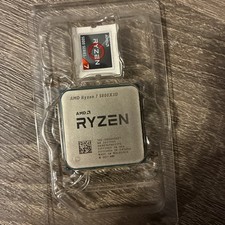
AMD Ryzen 7 5800X3D 8-Core 3.4GHz Socket AM4 CPU Processor 100-000000651
$299.99
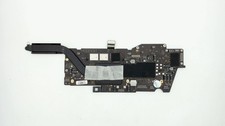
Apple Macbook Pro 13" A2338 M1 8-core CPU, 8-core GPU, 16GB, 1TB Logic Board
$295.00
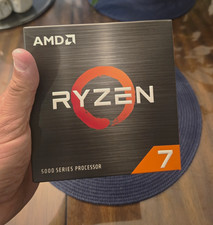
AMD Ryzen 7 5800XT 8-Core/16-Thread 3.8GHz Socket AM4 CPU 32MB L3
$275.00

Clear Touch Interactive Module CTI PCMOD PC55 ST i5 6core,8GB DDR4,256GB SSD NEW
$225.00

AMD Ryzen 7 9800X3D 8-Core 16-Thread AM5 Zen 5 Desktop Processor NEW
$395.00
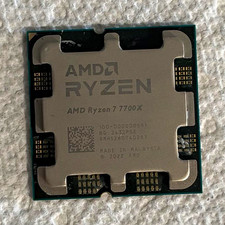
AMD Ryzen 7 7700X 8-Core 4.5GHz CPU Socket AM5 32MB L3 MPN 591
$125.00
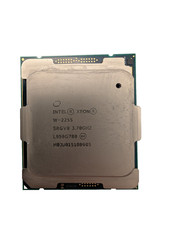
Used & Tested Intel Xeon W-2255 SRGV8 3.70GHz 19.25MB 10-Core CPU Processor
$194.99
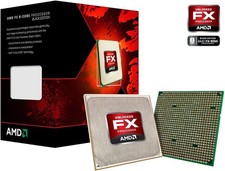
AMD FX-8150 Black Edition 8-Core 3.6GHz AM3+
$33.99

Intel Core i9-9900 SRG18 3.10GHz 16MB 8-Core LGA1151 CPU Processor
$177.21
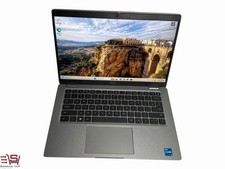
⭐️ Dell Latitude 5420 14" i5-1145G7 8GB RAM 256GB SSD Win11 Business Laptop⭐️
$239.99