-
New user question Why don't I see my HD or my USB flashdrive
Ok I'm new to Knoppix  and I'm excited about it. I bought the book "Knoppix Hacks" and I've sent for the new version 6.2.1
When it boots from the CD (in this case ver 5.1.1) should the desk top have my drives icons on it by auto-detection or do I need to use the "mount /dev/hda" codes?  From what I read they should be on the desk top as Icons and all I need do is determine which drive I want to see the files from.
-
Senior Member
registered user
depending on version it would or would not show on desktop.
personally I would go the manual way, not all would, but it is actually the "easy way", true it requires some typing but it almost always works. and if not we have more information to work with to solve the problem.
to find what disk it is we want you can type command below to list available disks.
(the l is lowercase L) to find the
then do
to se what (if anything) is mounted and where.
now do
to see if there is already a folder created for the disk and partition you want to reach.
if not create it
Code:
sudo mkdir /media/yourname
now mount it.
Code:
sudo mount -t filesystem /dev/diskname+partitionnumber/media/yourname
filesystem is the filesystem of the disk, ntfs, vfat, ext2, ext3, ext4, reiserfs...
ask further if you have problems, that book should have more information, not to mention the internet, but feel free to ask anyway.
-
Senior Member
registered user
oh, you could try the mount /dev/hdXY (X=disk letter Y=partition number) first, it should work, just did not mention that as it was implied in your answer that you knew about it.
my way is worth learning as it will work on most Linux and other Unix like systems.
-
Senior Member
registered user
uhm, the sudo part does NOT always work, but typing su and giving root password mostly does.
when the commands have been typed you then type
exit
to end the "root" session.
-
Thank you, OErjan the manual way is almost always better. I appreciate your answer and will give your instructions a try. I have lots to learn and I hadn't put together that the / hdX,Y command stood for drive letter and partion yet. Makes more since to me now...I kinda had one of those "Oh, duh" moments  Thanks again!
-
Senior Member
registered user
you are welcome, keep asking, we are many here that like to help.
Similar Threads
-
By benx009 in forum Hardware & Booting
Replies: 0
Last Post: 12-11-2006, 09:47 PM
-
By rybrns in forum MS Windows & New to Linux
Replies: 5
Last Post: 08-29-2006, 10:52 PM
-
By paulf in forum General Support
Replies: 0
Last Post: 07-01-2006, 02:02 AM
-
By kufel in forum Hardware & Booting
Replies: 0
Last Post: 09-12-2004, 06:42 PM
-
By redss in forum General Support
Replies: 4
Last Post: 06-02-2004, 05:32 AM
 Posting Permissions
- You may not post new threads
- You may not post replies
- You may not post attachments
- You may not edit your posts
-
Forum Rules


IBM POWER8 8286-42A S824 16-Core 128GB RAM 4.8TB SAS Fedora Linux Server PowerVM
$750.00

KTN-STL3 EMC VNX 15-slot Disk Array Expansion, full 15 x 2tb drives 100% health
$360.00

Start9 Server Pure 32GB 4TB Intel i7 Node StartOS — Box + PSU
$599.00

Ubuntu Server 26.04.1 LTS Bootable USB Flash Drive – Latest September 2026
$12.99

OPNsense pfSense 8-Core Atom C3758 2.2GHz 8GB DDR4 64GB SSD 8x NIC QAT AES VPN
$115.00

Microsoft SQL Server 2025 Standard 32 Core Unlimited CAL Retail License Package
$299.00

Ubuntu 26.04 LTS – 3 DVD Set Desktop - Server - Studio Edition - Grade AAA+
$14.99

All New Ubuntu 26.04 LTS Linux Bootable USB Flash Drive
$15.95
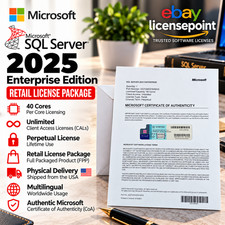
SQL Server 2025 Enterprise 40 Core Unlimited CAL Retail License Package Per-Core
$389.00
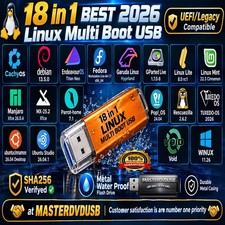
Multi-Boot Linux & Utility 18 in 1 USB – Best of 2026 Free Same-Day Shipping
$22.99



 Reply With Quote