-
Senior Member
registered user
sdream
My intent was to let you know that you do not need the entire Vista Install Disk. There is a part of it that could be used fix a boot issue. It is called the recovery environment. A search might find a downloadable iso to create the disk. One url to look at might be http://neosmart.net/blog/2008/window...disc-download/ or a similar offering. Most OEM machines do not come with the media needed to recover the machine, and sometimes you would need to create a set of disks from a special recovery partition. As a solution, the Recovery Environment for Vista can usually be found separately and used to repair the installations boot up functions. Of course, if you have a friend that can lend you the Install disk, it's easier than downloading a solution. If I am not mistaken, your system is based on an Intel chipset, so no special drivers should be needed during the boot process to access the RE disk. Some chipsets are not that easy, and can cause some issues when trying to run the RE disks.
I'm a firm believer in using Micro$oft tools to repair Micro$oft operating systems, whenever possible. "Free" is also good, and Micro$oft does offer a lot of tools in that category.
One suggestion I would make is to be sure to backup your data anyway. Just because they are on a separate partition does not ensure they are "safe". I have seen drives fail and take ALL of the partitions with it. They can go with little or no warning. A separate drive is a better bet. I have many systems with "Mirrored" drives, just for the extra security. I also use multiple network storage devices just for the extra measure of protection, with at least one "offsite" solution for select mission critical data.
Unfortunately, there are many articles about using Linux to repair a Windows installation. I'll have to agree with Harry, that writing to an NTFS drive with ANY form of Linux can be risky. I have no problem using Linux to "read" the drives in order to recover the data. I have had entire drives become corrupted and not just the partition that was written to. It is a LOT better than it used to be, but drives still appear to become corrupted by doing so. I had one go down just last week, several months after the write was done. Fortunately, the drive was imaged before the write and no real harm was done. A simple wipe and reimage was all that was required. If it were a disk that had been used for an OS install. it could have been a different story.
Good luck with your recovery efforts!
Similar Threads
-
By GCMartin in forum General Support
Replies: 2
Last Post: 06-21-2010, 01:40 PM
-
By johnrw in forum Tips and Tricks
Replies: 2
Last Post: 02-08-2009, 11:38 PM
-
By andyc in forum Hardware & Booting
Replies: 2
Last Post: 12-01-2006, 06:46 AM
-
Replies: 0
Last Post: 06-06-2006, 04:32 AM
-
By jjbergdolt in forum Hardware & Booting
Replies: 1
Last Post: 06-15-2005, 04:49 PM
 Posting Permissions
- You may not post new threads
- You may not post replies
- You may not post attachments
- You may not edit your posts
-
Forum Rules

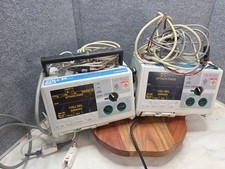
IBM PS/2 P70 8573-031 Vintage 386DX Portable Computer Parts Repair Orange Plasma
$950.00
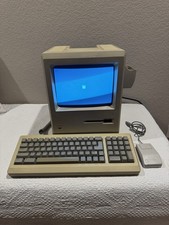
Apple Macintosh Plus 1Mb Vintage Desktop Computer w/ Keyboard & Mouse
$245.00

Vintage HP 21MX 1000 M-Series Minicomputer Chassis Backplane Parts AS-IS
$228.19
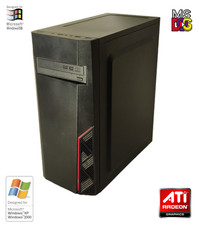
NEW* AMD Athlon 4850e 4GB ATI X1050 Win98 XP DOS Multiboot Retro PC w/ 50 Games
$389.00
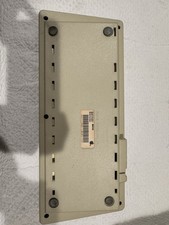
Vintage Apple Keyboard (MO110)
$61.30

Vintage Gray AC Power Cable Cord 3-Prong Plug to 3-Prong 3-Slot Connector
$50.00
Vintage 1980s 1990s Lot of 175 Used PC Computer 5.25" Floppy Disks IBM
$175.00

Original Vintage Old Style STANDARD Black CD Jewel Case (Heavy Duty) 90g Lot
$316.95

Ast Advantage Adventure 4050D Vintage Retro Computer Great Condition
$199.99

Lot of 2 Vintage Plextor PX-43CS SCSI CD-ROM Caddy Drives + 4 Caddies Used
$55.99



 Reply With Quote