-
Senior Member
registered user
This recipe only rewrites the master boot record

Originally Posted by
sdream
This is roughly what that author said (not in English) :
1. Run Linux Live CD (Knoppix or similar one) and enter the Rescue mode.
2. Be sure your PC is connected to internet.
3. Input these commands:
wget
http://cha.homeip.net/downloads/ms.mbr
-O /tmp/ms.mbr
dd if=/tmp/ms.mbr of=/dev/hda
exit and restart.
The effect is the same as fdisk\fxmbr.
This recipe only rewrites the master boot record (mbr), so if you get a correct mbr downloaded, it could work just ok to fix a damaged mbr problem. It doesn't touch NTFS per se. But if there are problems with winload.exe etc, it might not help much with them. Taking backups of mbr can be good practice, reversing the if and of in the dd command, and use the count and bs (blocksize) parameters (and perhaps not using /tmp for backup!  )
)
Unless you are quite sure that the problem is solely a damaged mbr, I think you are better off following ckamin's advice. Listen to people working seriously with such problems. Wrong writing to a file system might even mess up the partitions, so data in other partitions on a disk are not as protected as you (quite sensibly) might think.
Similar Threads
-
By GCMartin in forum General Support
Replies: 2
Last Post: 06-21-2010, 01:40 PM
-
By johnrw in forum Tips and Tricks
Replies: 2
Last Post: 02-08-2009, 11:38 PM
-
By andyc in forum Hardware & Booting
Replies: 2
Last Post: 12-01-2006, 06:46 AM
-
Replies: 0
Last Post: 06-06-2006, 04:32 AM
-
By jjbergdolt in forum Hardware & Booting
Replies: 1
Last Post: 06-15-2005, 04:49 PM
 Posting Permissions
- You may not post new threads
- You may not post replies
- You may not post attachments
- You may not edit your posts
-
Forum Rules


(New) AMD Ryzen 7 5700X 8 Core 16 Thread AM4 Unlocked 3.4 GHz CPU OEM Tray
$174.99

AMD Ryzen 7 PRO 8700GE 8-Core/16-Thread Up to 5.1GHz AM5 (FL1)
$189.00
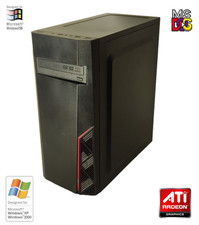
NEW* AMD Athlon 4850e 4GB ATI X300 Win98 XP DOS Multiboot Retro PC w/ 50 Games
$349.00

Dell OptiPlex 5070 SFF i7-9700 (8-Core) 3.0GHz 16GB 256 SSD Windows 11
$250.00

AMD Ryzen 7 7800X3D 4.20GHz Quad Core 100-000000510 8 Thread AM4
$279.99

Apple Macbook Pro 13" M1 8-Core 16GB 512GB - Good
$464.99
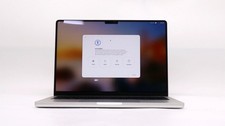
Apple Macbook Pro 14" M1 Pro 8-Core 16GB 512GB - Good
$614.99

AMD Ryzen 7 9800X3D 8-Core 16-Thread AM5 Zen 5 Desktop Processor NEW
$399.00

SGIN 17.3" Laptop Intel Quad-Core Up to 2.4 GHZ 8GB RAM 256GB SSD HD
$229.99
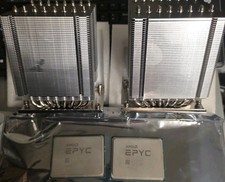
Pair ID-COOLING A8-SP3 CPU Heatsink Coolers and AMD EPYC 7601 32 Core Processors
$290.00



 Reply With Quote