-
Senior Member
registered user
sdream
My intent was to let you know that you do not need the entire Vista Install Disk. There is a part of it that could be used fix a boot issue. It is called the recovery environment. A search might find a downloadable iso to create the disk. One url to look at might be http://neosmart.net/blog/2008/window...disc-download/ or a similar offering. Most OEM machines do not come with the media needed to recover the machine, and sometimes you would need to create a set of disks from a special recovery partition. As a solution, the Recovery Environment for Vista can usually be found separately and used to repair the installations boot up functions. Of course, if you have a friend that can lend you the Install disk, it's easier than downloading a solution. If I am not mistaken, your system is based on an Intel chipset, so no special drivers should be needed during the boot process to access the RE disk. Some chipsets are not that easy, and can cause some issues when trying to run the RE disks.
I'm a firm believer in using Micro$oft tools to repair Micro$oft operating systems, whenever possible. "Free" is also good, and Micro$oft does offer a lot of tools in that category.
One suggestion I would make is to be sure to backup your data anyway. Just because they are on a separate partition does not ensure they are "safe". I have seen drives fail and take ALL of the partitions with it. They can go with little or no warning. A separate drive is a better bet. I have many systems with "Mirrored" drives, just for the extra security. I also use multiple network storage devices just for the extra measure of protection, with at least one "offsite" solution for select mission critical data.
Unfortunately, there are many articles about using Linux to repair a Windows installation. I'll have to agree with Harry, that writing to an NTFS drive with ANY form of Linux can be risky. I have no problem using Linux to "read" the drives in order to recover the data. I have had entire drives become corrupted and not just the partition that was written to. It is a LOT better than it used to be, but drives still appear to become corrupted by doing so. I had one go down just last week, several months after the write was done. Fortunately, the drive was imaged before the write and no real harm was done. A simple wipe and reimage was all that was required. If it were a disk that had been used for an OS install. it could have been a different story.
Good luck with your recovery efforts!
Similar Threads
-
By GCMartin in forum General Support
Replies: 2
Last Post: 06-21-2010, 01:40 PM
-
By johnrw in forum Tips and Tricks
Replies: 2
Last Post: 02-08-2009, 11:38 PM
-
By andyc in forum Hardware & Booting
Replies: 2
Last Post: 12-01-2006, 06:46 AM
-
Replies: 0
Last Post: 06-06-2006, 04:32 AM
-
By jjbergdolt in forum Hardware & Booting
Replies: 1
Last Post: 06-15-2005, 04:49 PM
 Posting Permissions
- You may not post new threads
- You may not post replies
- You may not post attachments
- You may not edit your posts
-
Forum Rules


Atari Basic - Learning by Using by Thomas E. Rowley
$25.00

Atari 130 XE/Atari 1050 Bundle W/ Cords And Extras (Powered On)
$300.00

DEFECTIVE Atari 810 Vintage Computer Disk Drive powers on Unit Only Boo G3D
$49.29

UNOCART-2600 SD card Multi Rom Cartridge for ATARI 2600 with CASE
$34.25
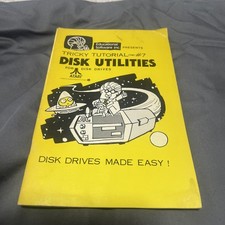
ATARI TRICKY TUTORIAL #7 DISK UNTILITES 400/800/1200XL/130XE/815/1400XL/835
$20.00

Fujinet 1.7.1 Atari 400 800 800XL 130XE 65XE XEGS Assembled, Tested, Working
$99.99
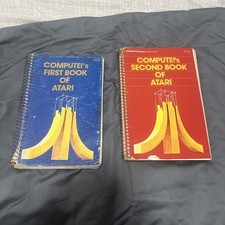
COMPUTE's 1st + 2nd BOOK of ATARI 400/800/1200XL/810/822/130XE/835/65XE/XEGS
$30.00
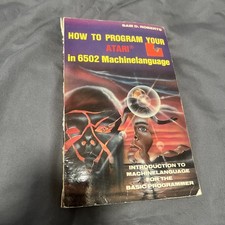
How to program your Atari in 6502 Machine Language by Sam D. Roberts
$25.00

Atari 800 8-bit Computer System Fully Tested Great Condition 48k READ
$350.00

ATARI HDD Drive ACSI Emulator 520-1040ST/STF/STFM, STE, Mega STE, TT030 acsi2stm
$48.95



 Reply With Quote